Danale - How to Enable the Mobile App’s Notification Push Function?
20 Aug 2026
324 views
Applies to:
I41HD/I41EH
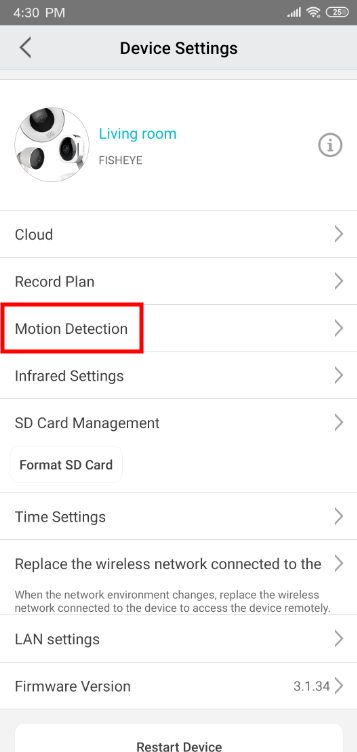
Before starting, please enable motion detection for the camera on the APP:
1. iPhone
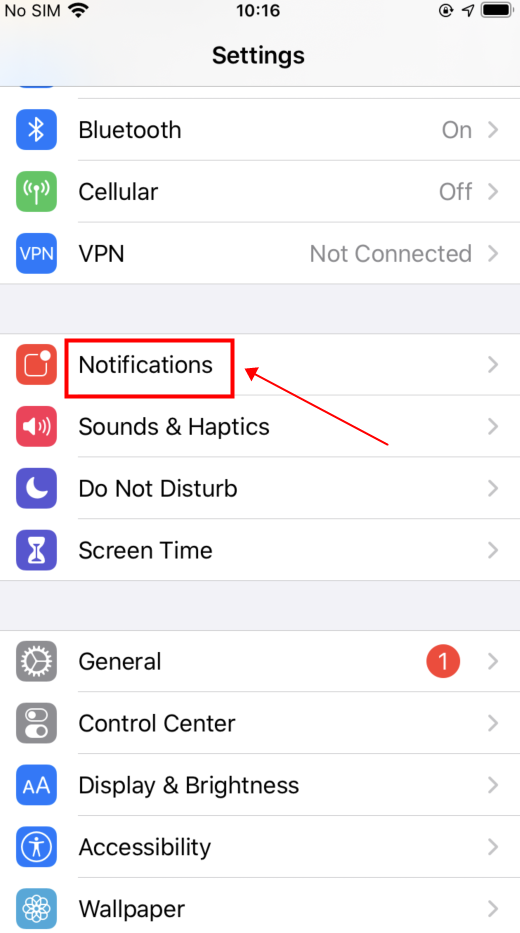
Enter the system settings and select “Notifications”

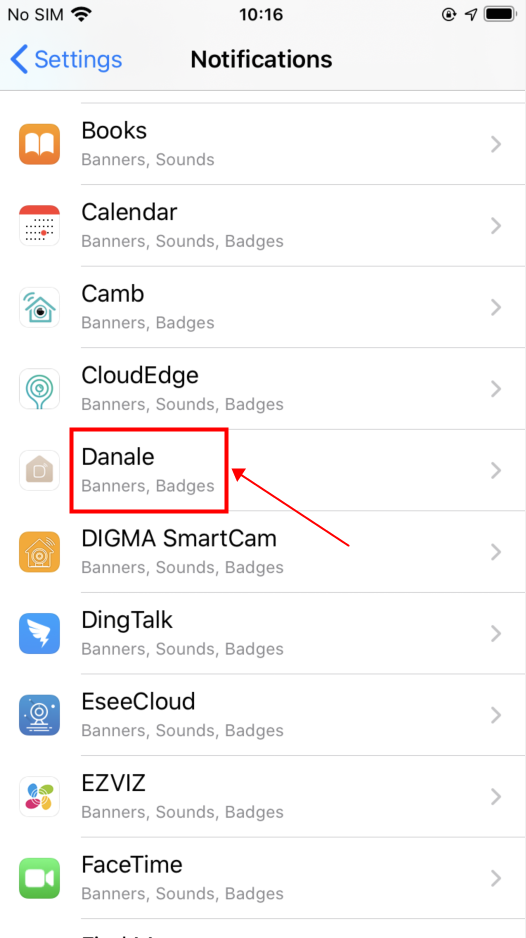
Find the Danale APP

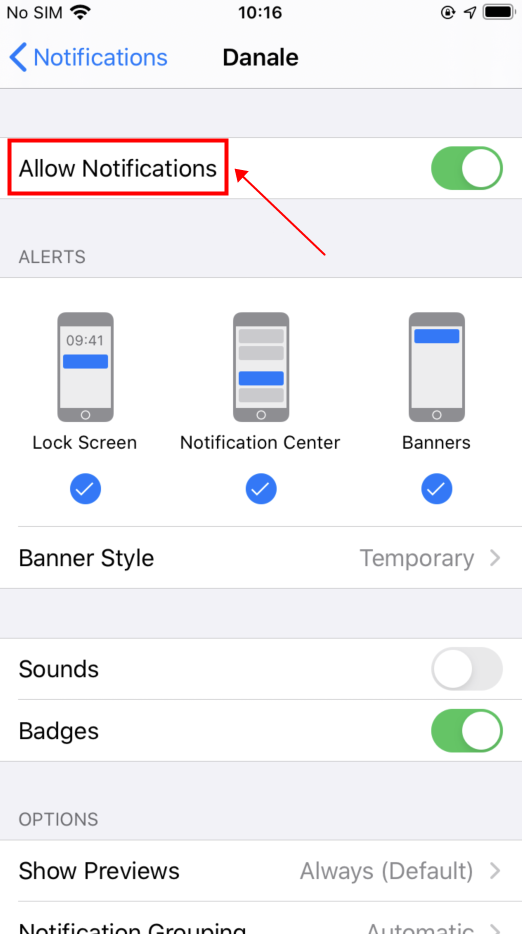
Set the notification permission rights

2. Android Phone
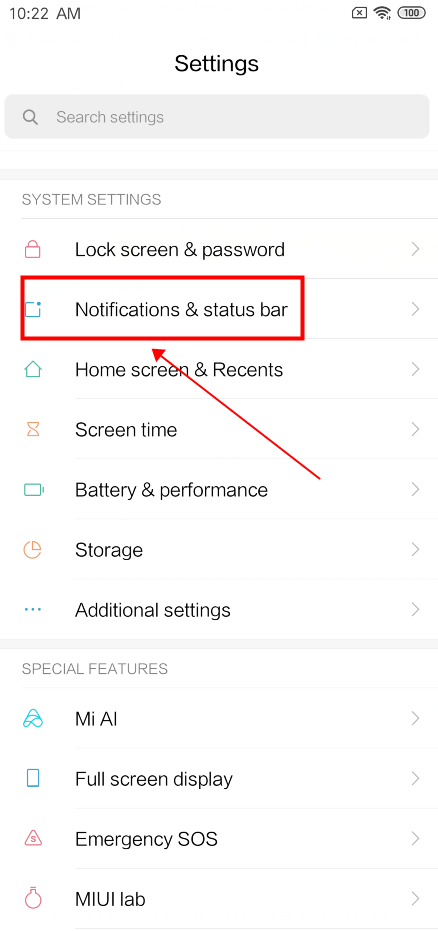
Enter the system settings and select “Notifications & status bar-->APP notifications”

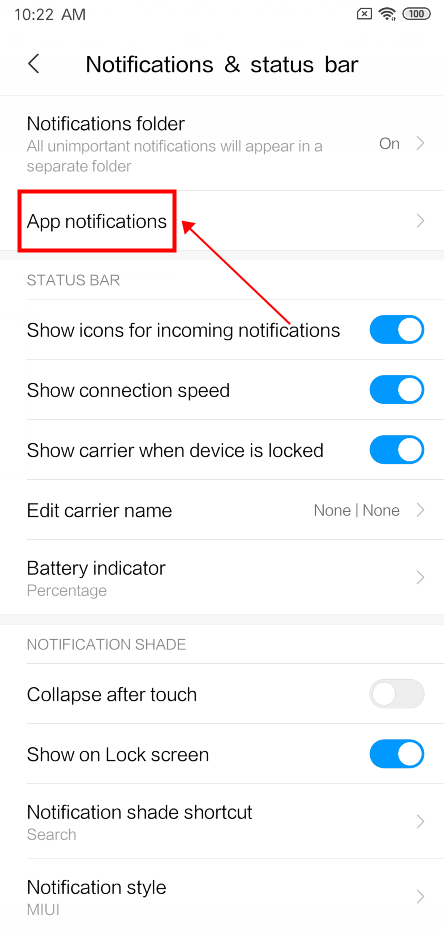
Find the Danale APP


Set the notification permission rights

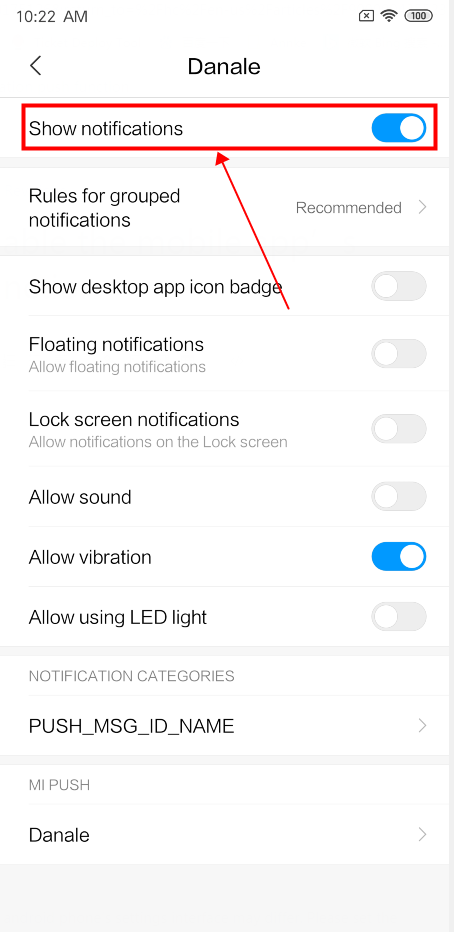
The above steps are just for reference, as the android phone’s settings interface may differ. Please set the function according to the actual situation.
Was this article helpful?
Bu bilgiler sorununuzu çözmeye yardımcı oldu mu?
Thanks for your feedback!
Still need help?
Uzman ekibimiz size yardımcı olmak için burada.