Danale - How to set the motion detection function
20 Aug 2026
302 views
Applies to: I41HD/I41EH
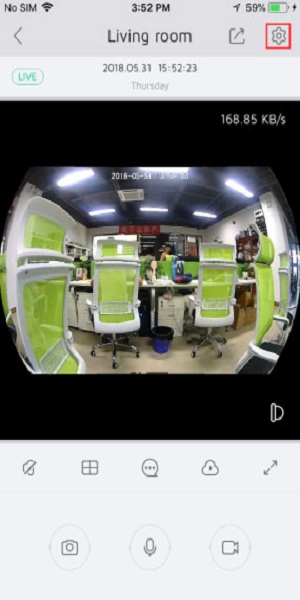
1. Open the APP and log in. Enter the preview interface and click the setting button in the upper right corner.
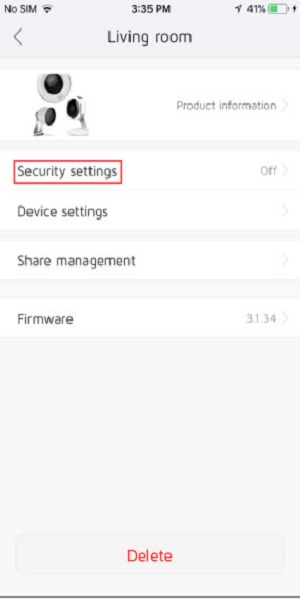
Click “Security settings”
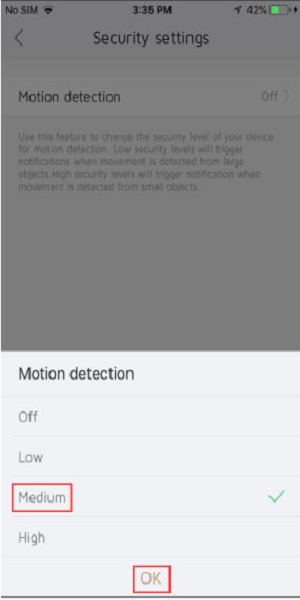
3. Click Motion detection and select the level for triggering the motion detection function and click "OK" to save the settings.
Was this article helpful?
Bu bilgiler sorununuzu çözmeye yardımcı oldu mu?
Thanks for your feedback!
Still need help?
Uzman ekibimiz size yardımcı olmak için burada.