Decoding Capability Explained
What is the decoding capability?
This refers to the NVR's playback limit in regards to how many channels can be played back at a specific resolution.
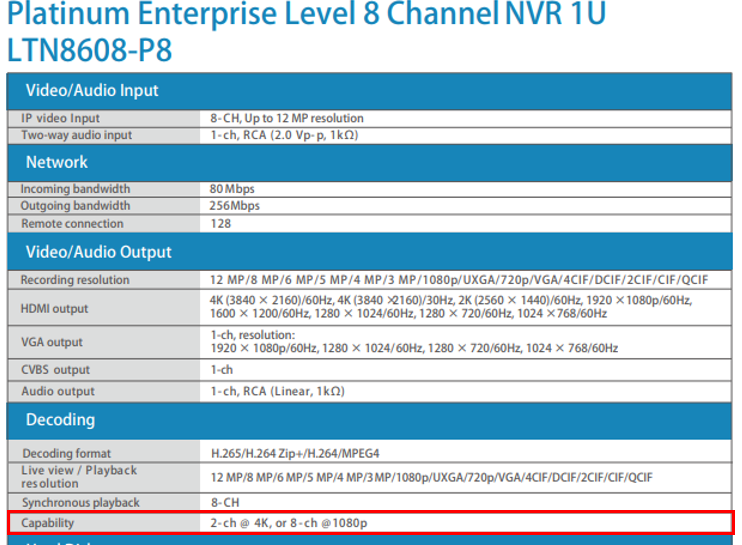
For an example,
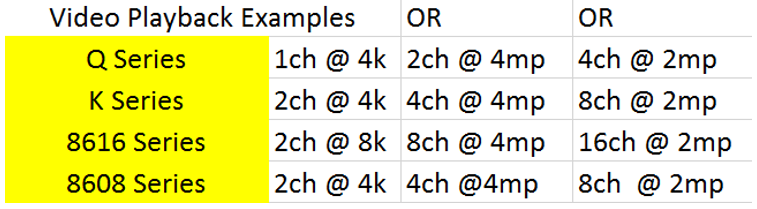
Note: 4k resolution is approximately 8mp
The decoding capability on product specifications on the catalogs or specification sheets is not a hard cap. To find the playback limit, simply multiply the channel and resolution indicated on the decoding capability to find the limit. Refer to the example below, the hard cap would be 16megapixels.
LTN8716K-P16: 2ch @ 4k
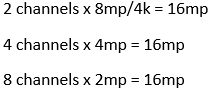
You may do any combinations of channels and resolutions as long as it does not exceed the megapixel limit. If you exceed the limit, you may have a resource error on the recorder.
Where To Find the Decoding Capability
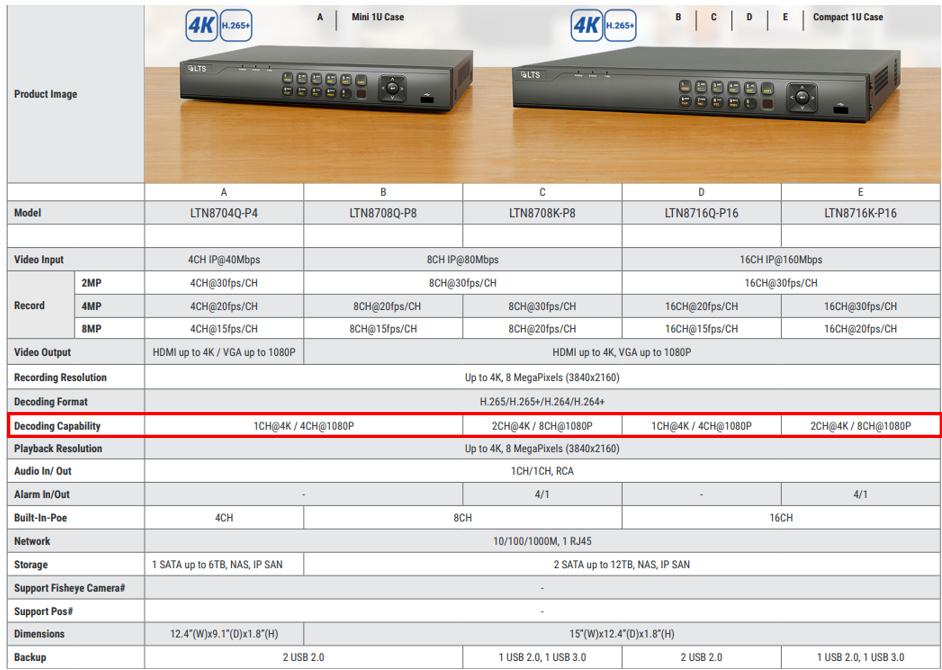
1) Catalog
You may find the decoding capability in our catalogs underneath their respective models.
2) Web Page
You can also find the decoding capability of our products on their product specification pages.
Step 1. Go to the NVR's product page on our website. Select "Downloads" as indicated below.
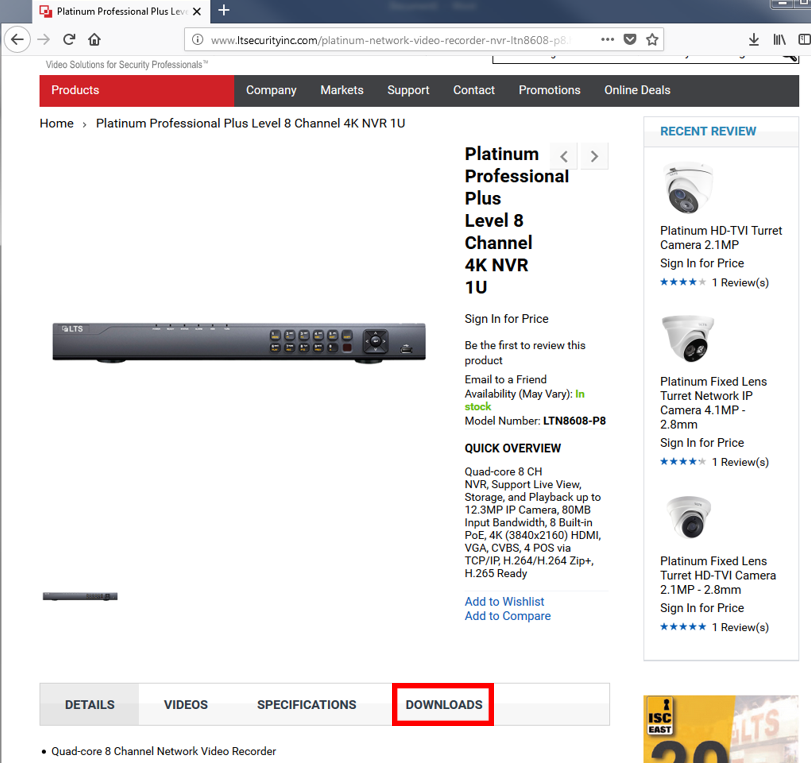
Step 2. Click to download the specification sheet for the NVR.

Step 3. On the specification sheet, refer to the "Decoding" section to see the decoding capability.
Was this article helpful?
Bu bilgiler sorununuzu çözmeye yardımcı oldu mu?
Still need help?
Uzman ekibimiz size yardımcı olmak için burada.