DR41BC-How to Connect the DVR to Computer?
Apply to: DR41BC
1. Please config the DVR network first, Please connect your DVR to the internet, you need to have the ethernet cable for the connection.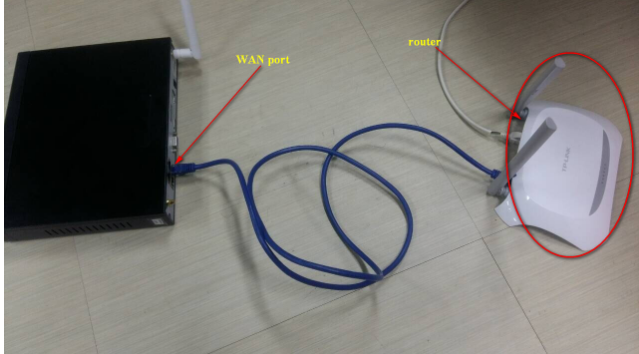
Make sure the P2P status is correct. Please go to the DVR menu "Main menu"—"System"—"Network"—"P2P". Please make sure the status is "Internet ready ..." 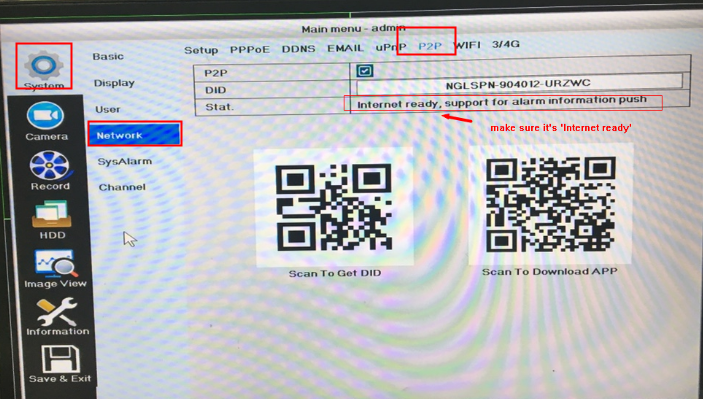
If the status is not correct, Kindly please double confirm your connection or IP setting.
2. Download the computer software EasyVMS here:
http://support.annke.com/document/Computer%20Software/EasyVMS.exe
Please notice that the default account and password of the VMS is admin/null (no password)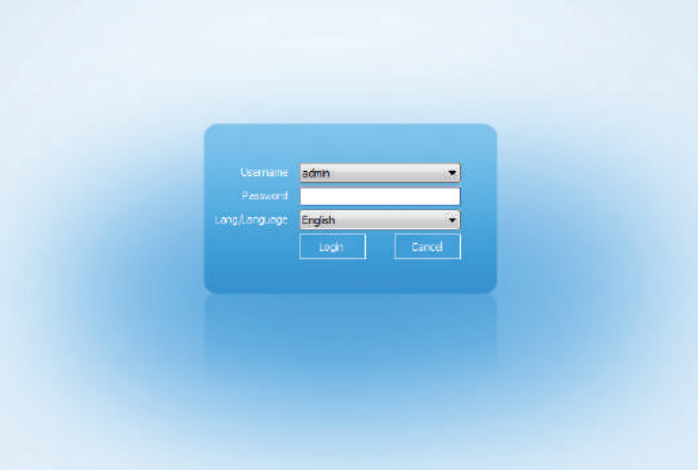
3. Please go to the "Device menage" then wait for the internet setting to get the device IP information. check on it and select "Add batch". input the correct password to finish the system adding.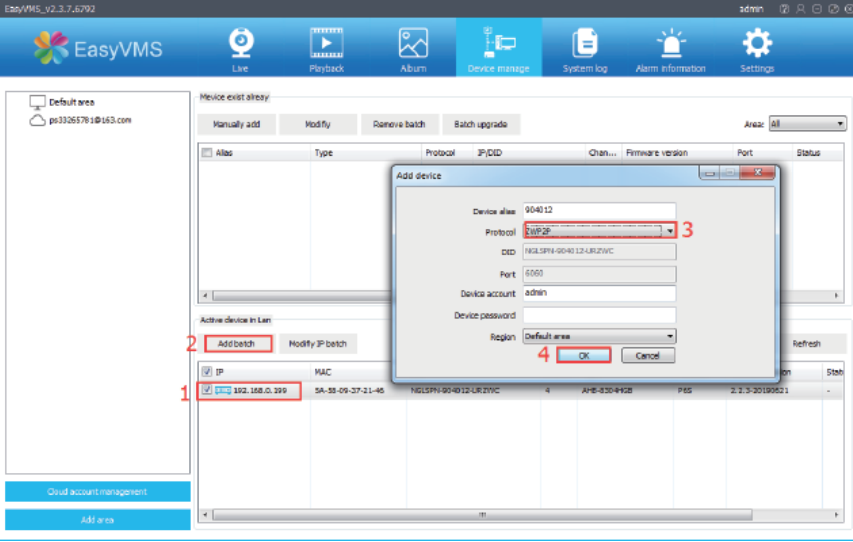
4. Click the "Live" to have all the camera display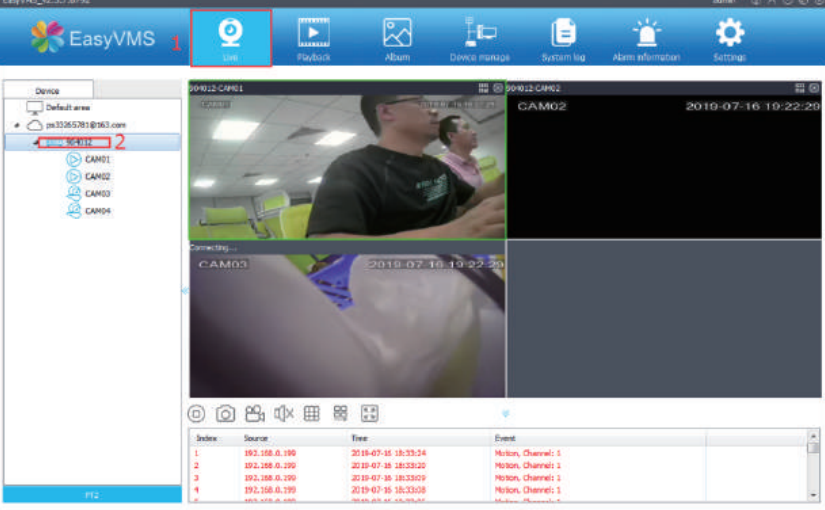
Was this article helpful?
Bu bilgiler sorununuzu çözmeye yardımcı oldu mu?
Still need help?
Uzman ekibimiz size yardımcı olmak için burada.