Email sending upon event in Xtralis
20 Aug 2026
233 views
In the Xtralis system we can configure it to send us emails when some kind of event occurs
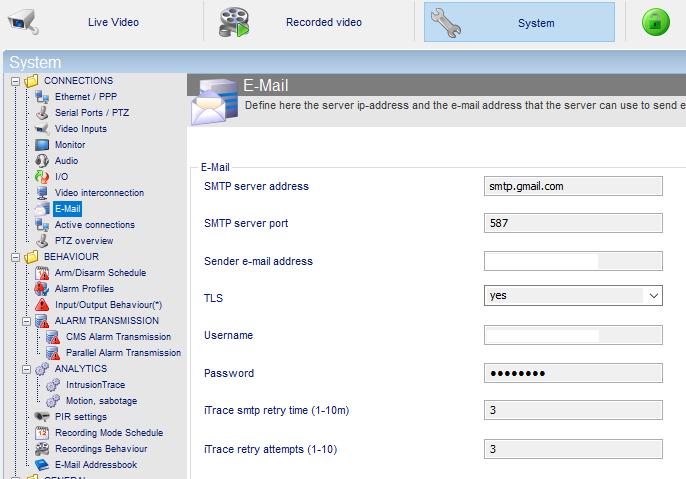
- Configure the sending email
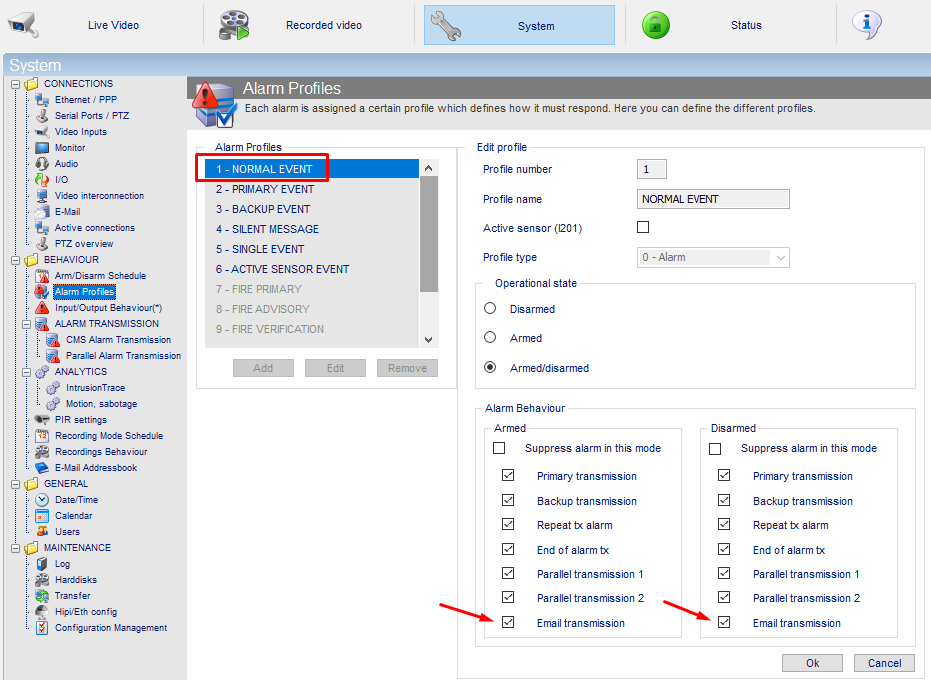
- Configure or edit one of the profiles by adding the Email option
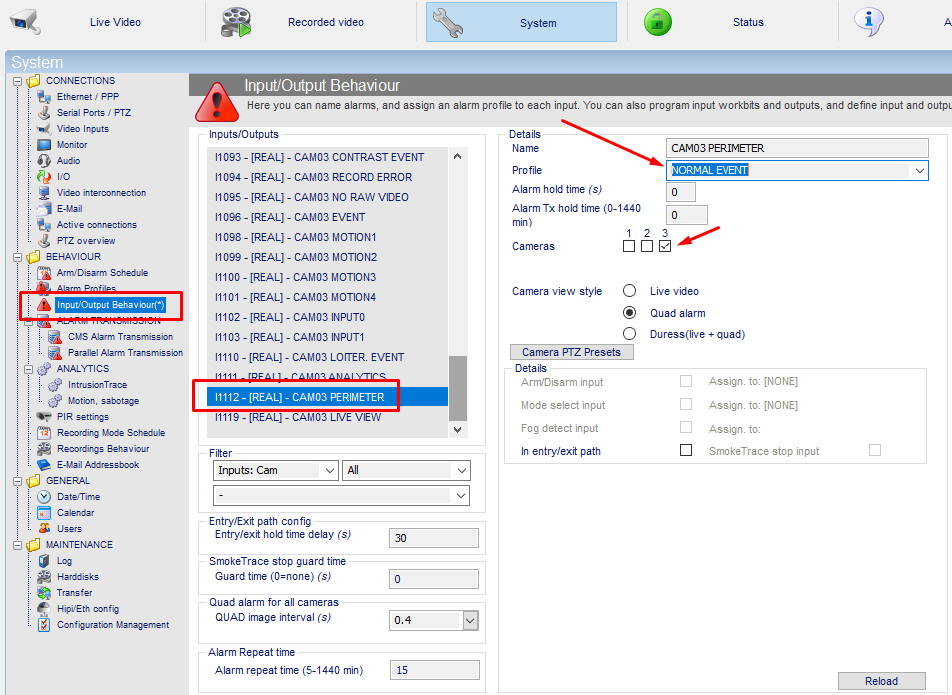
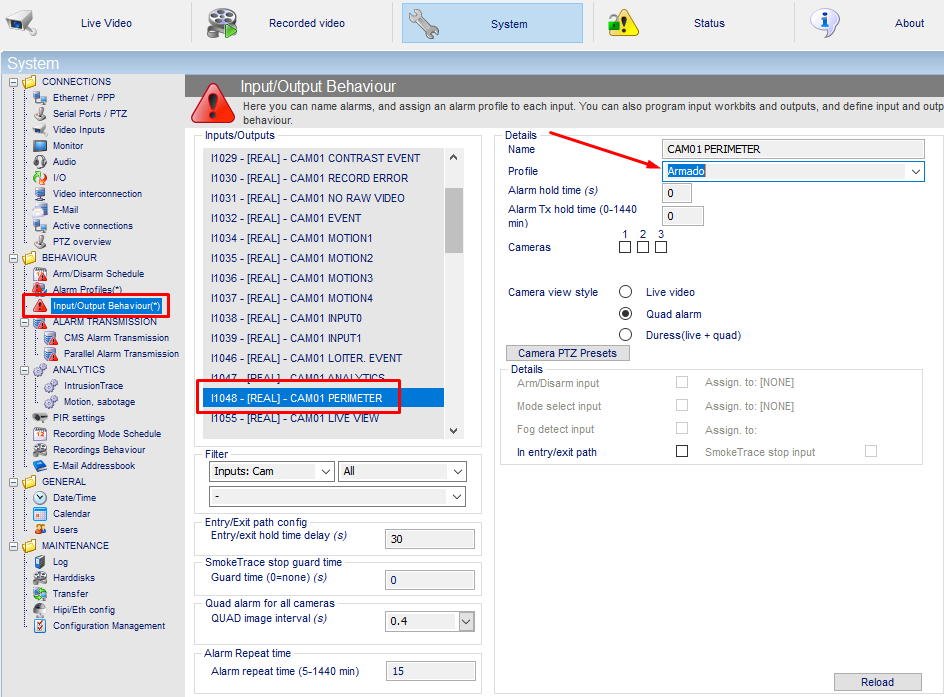
- Set this profile in the perimeter event
- Finally we will configure the email that must receive the event as well as of what we want that it receives it. For example, whenever the perimeter event of the channels we want occurs:
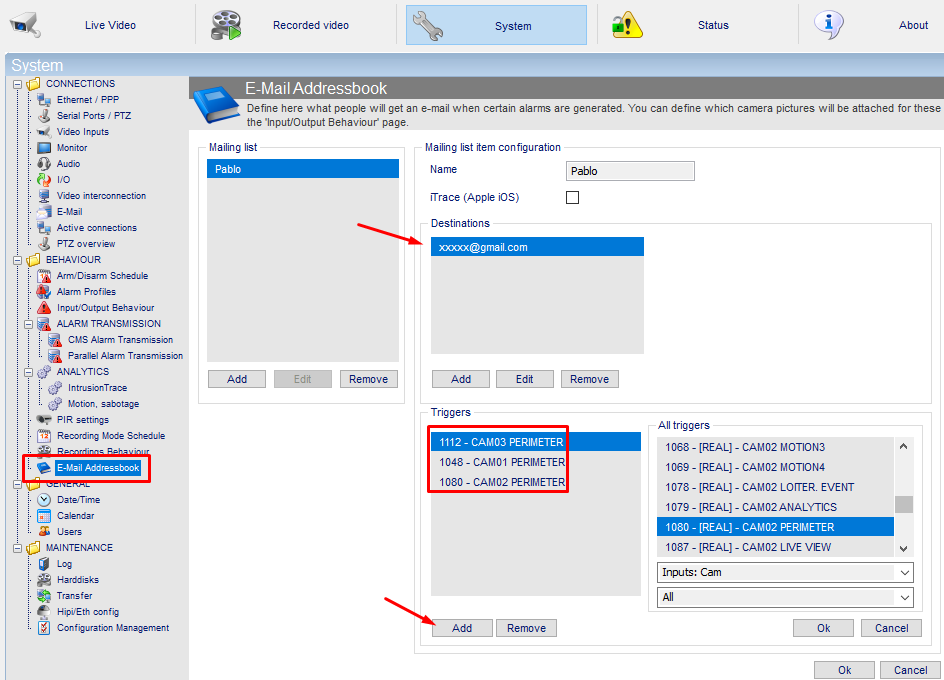
In case we want to receive only the perimeter email when the system is armed, we would have to modify the alarm profile assigned to the perimeter event for one that was only armed; in the previous example we chose the normal profile (Armed/Disarmed), but for this one we would have to create one only for armed:
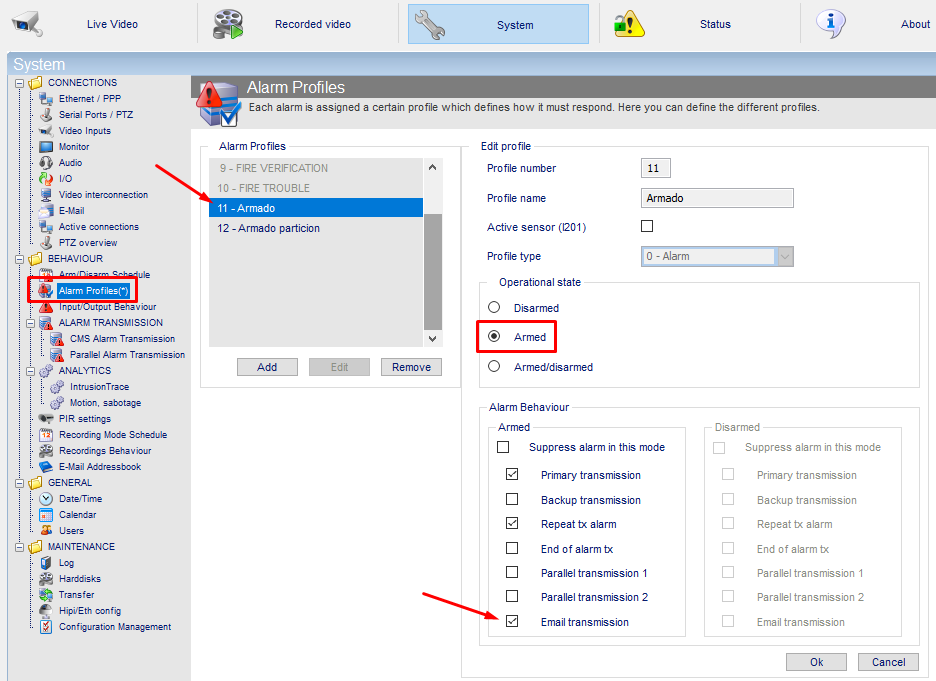
We would then assign the perimeter events to the profile we just created for Arming:
The email configuration would be the same in both cases
Was this article helpful?
Bu bilgiler sorununuzu çözmeye yardımcı oldu mu?
Thanks for your feedback!
Still need help?
Uzman ekibimiz size yardımcı olmak için burada.