(HDD) - Notify & Format
20 Aug 2026
415 views
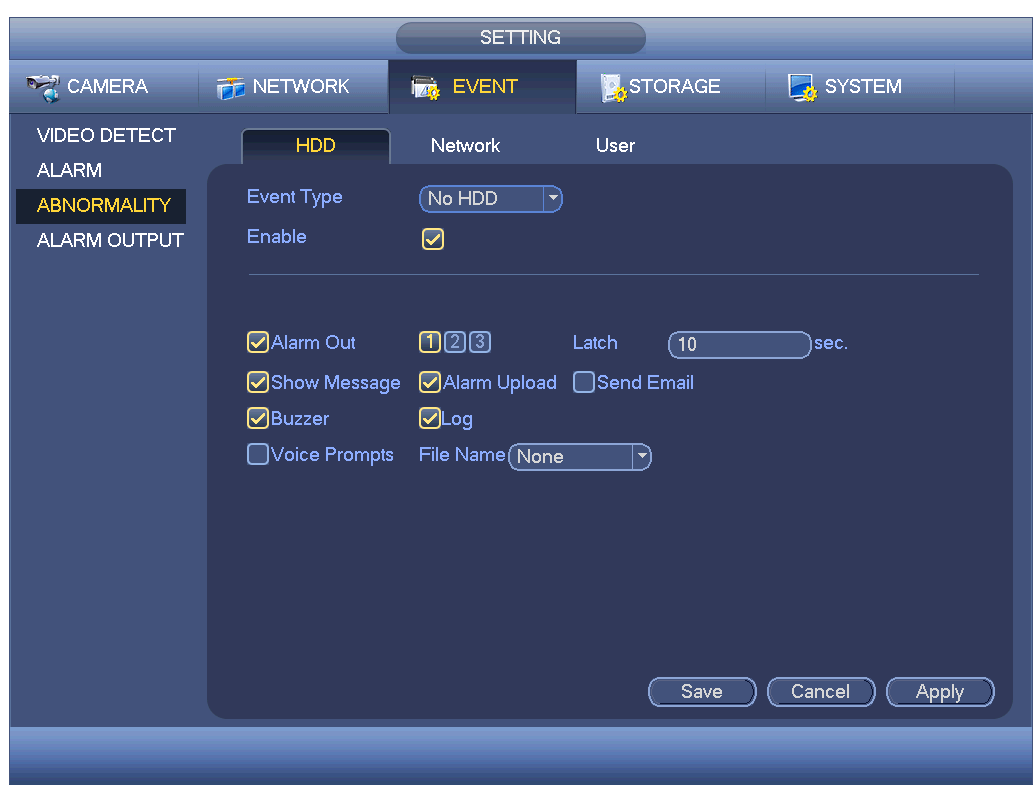
No HDD Alarm
Open main menu, SETTINGS->EVENT->ABNORMALITY, uncheck in the red box to disable no
HDD alarm, otherwise the device will keep alarming when no HDD is installed.
HDD Formatting
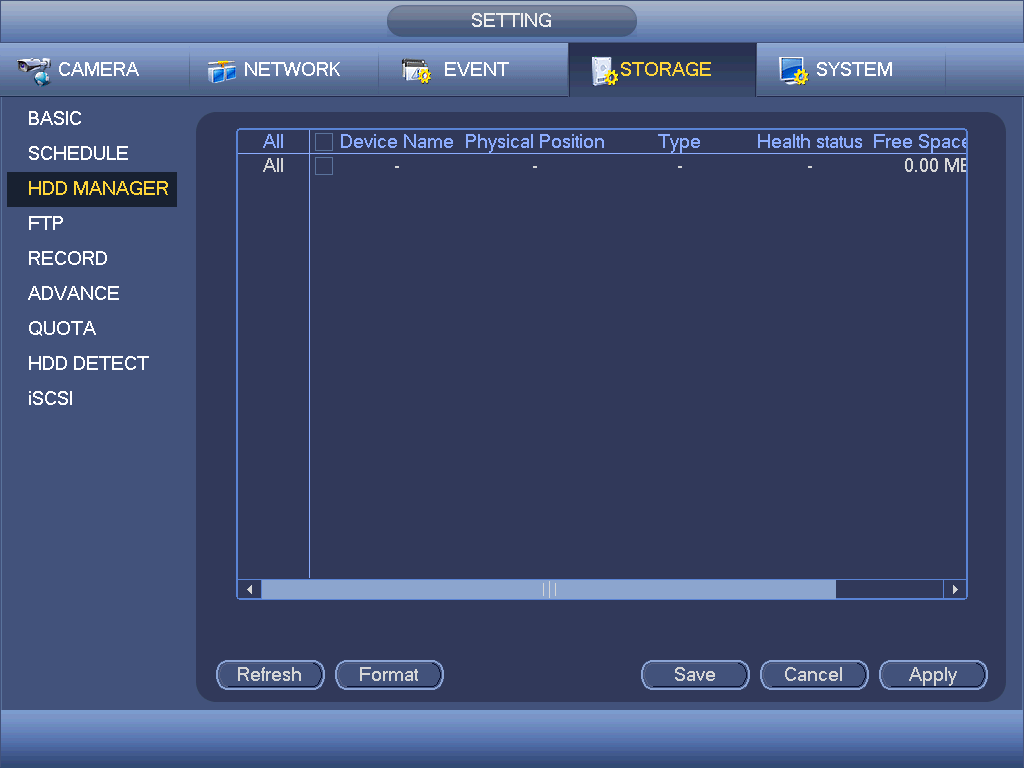
The massive log is valid after HDD formatting. Open main menu, SETTINGS->STORAGE->HDD
MANAGE.
① Select the HDD that needs to be formatted.
② Click “Format”.
③ After formatting, click “Apply”. It is recommended to restart the device after formatting.
Was this article helpful?
Bu bilgiler sorununuzu çözmeye yardımcı oldu mu?
Thanks for your feedback!
Still need help?
Uzman ekibimiz size yardımcı olmak için burada.