How to bring up the PTZ Panel & Preset button (4.0)
20 Aug 2026
306 views
Switch to the single view first. click on the video image.
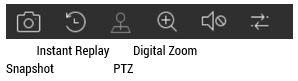
At the image bottom, it should popup the control menu. Choose PTZ icon.
Other Useful Tips:
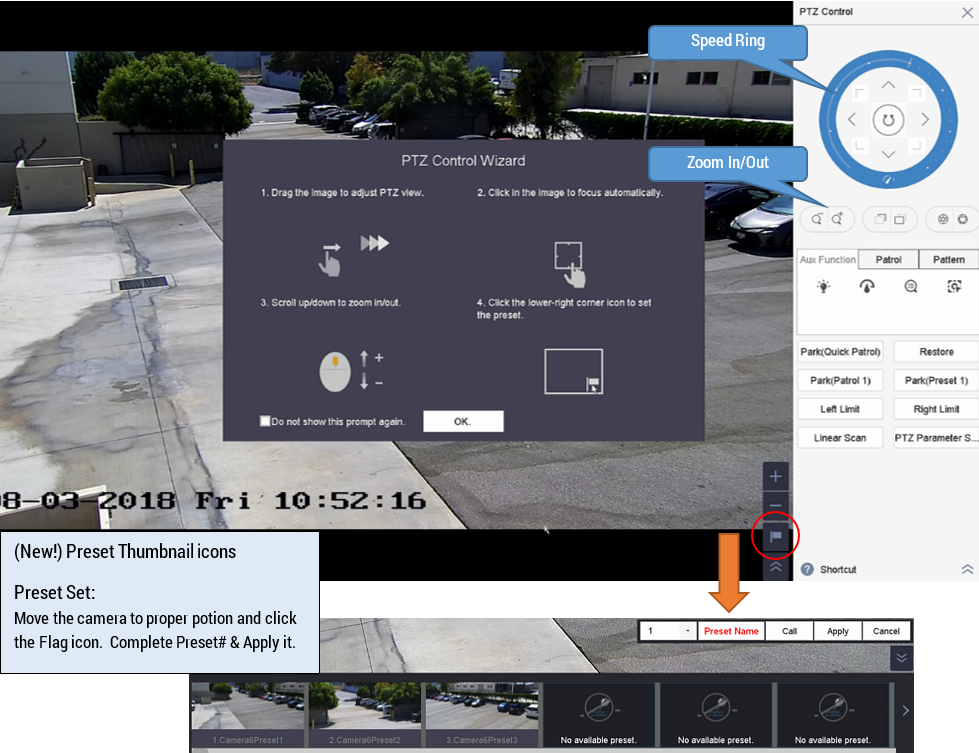
1. Drag the image to adjust PTZ View direction.
2. Click on the image to focus automatically.
3. Scroll up/down to Zoom in/out.
4. Click the lower-right corner icon to set the Preset.  (see the Red Arrow; Preset button)
Was this article helpful?
Bu bilgiler sorununuzu çözmeye yardımcı oldu mu?
Thanks for your feedback!
Still need help?
Uzman ekibimiz size yardımcı olmak için burada.