Once Human tracking is turned on, human detection would be turned on automatically.
To enable or disable the Human Tracking, please follow the instruction below:
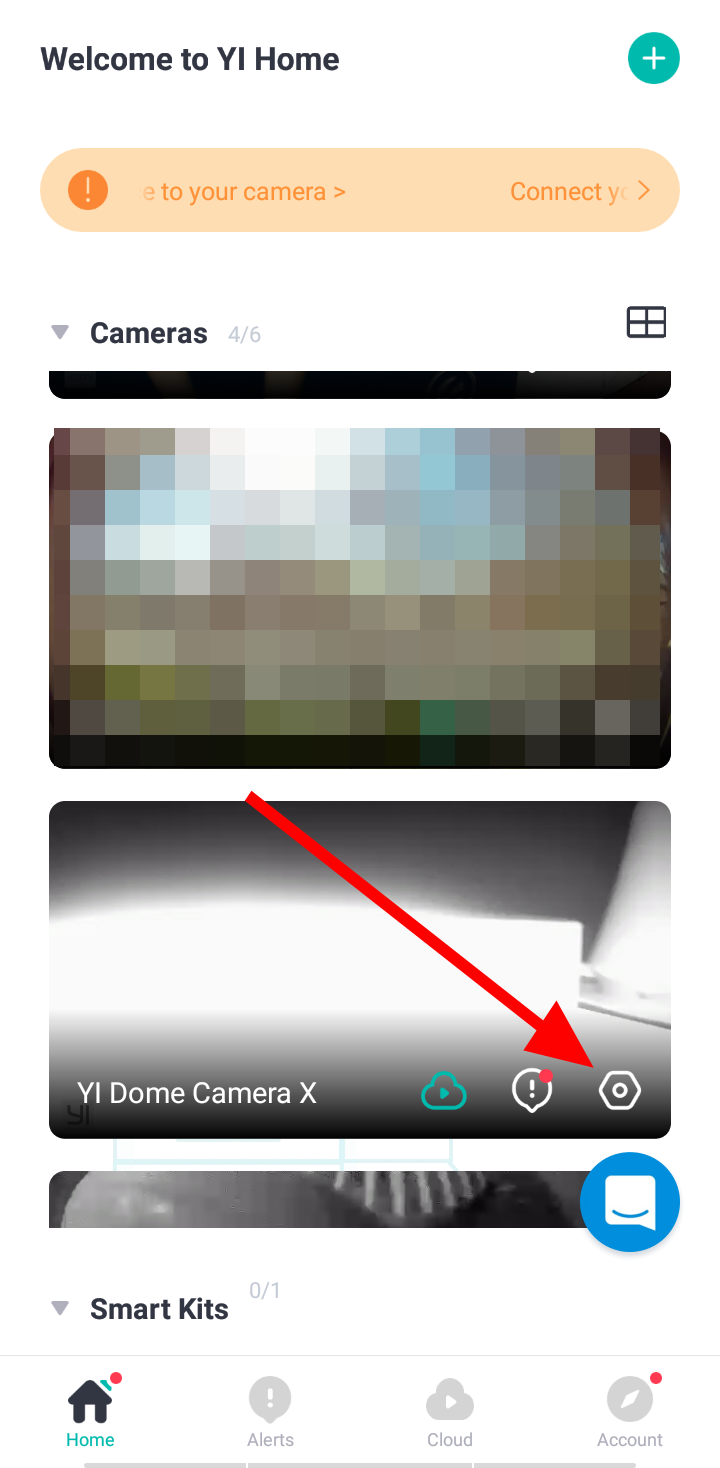
1. Launch YI Home/Kami App.
2. Click on the gear icon of the camera to access the camera/device settings.
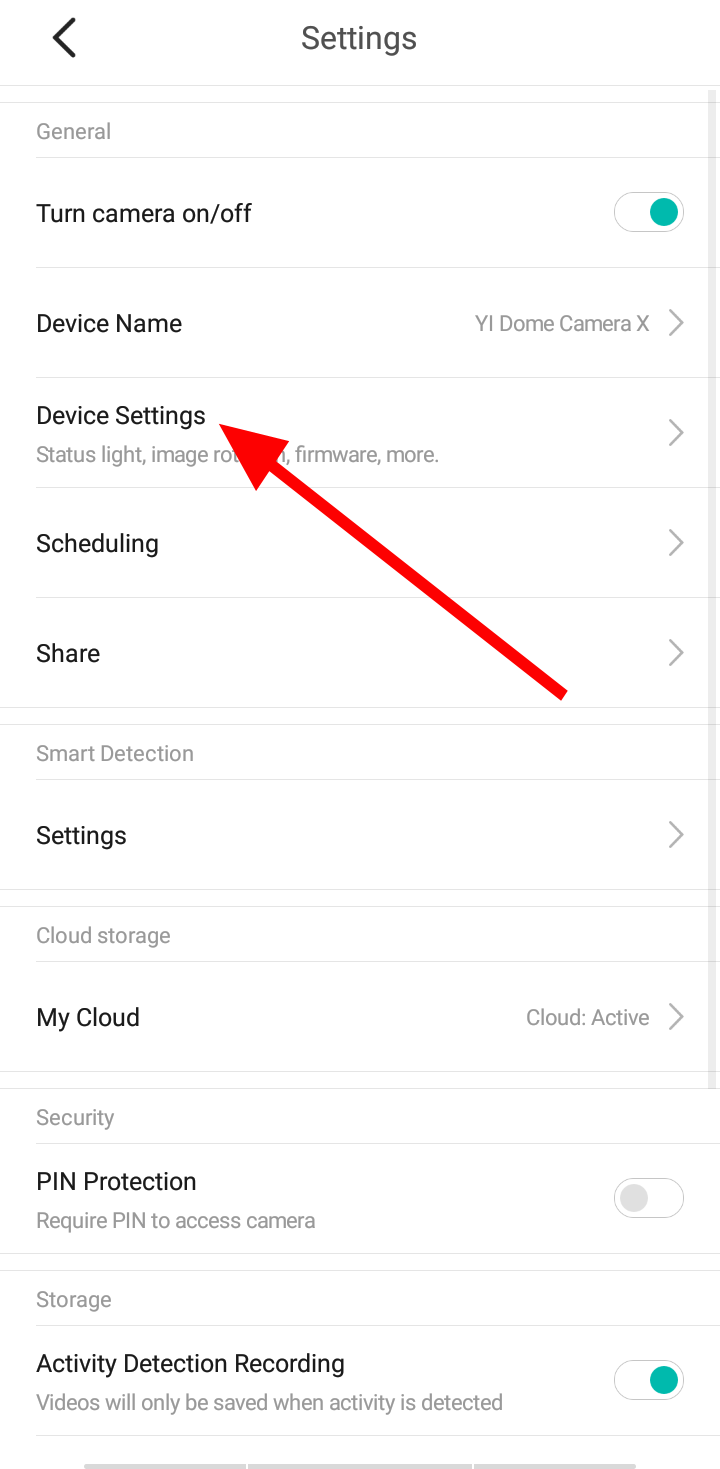
3. Click on Device/Camera Settings.
4. Under Human Tracking, click the toggle button to enable and disable the feature.
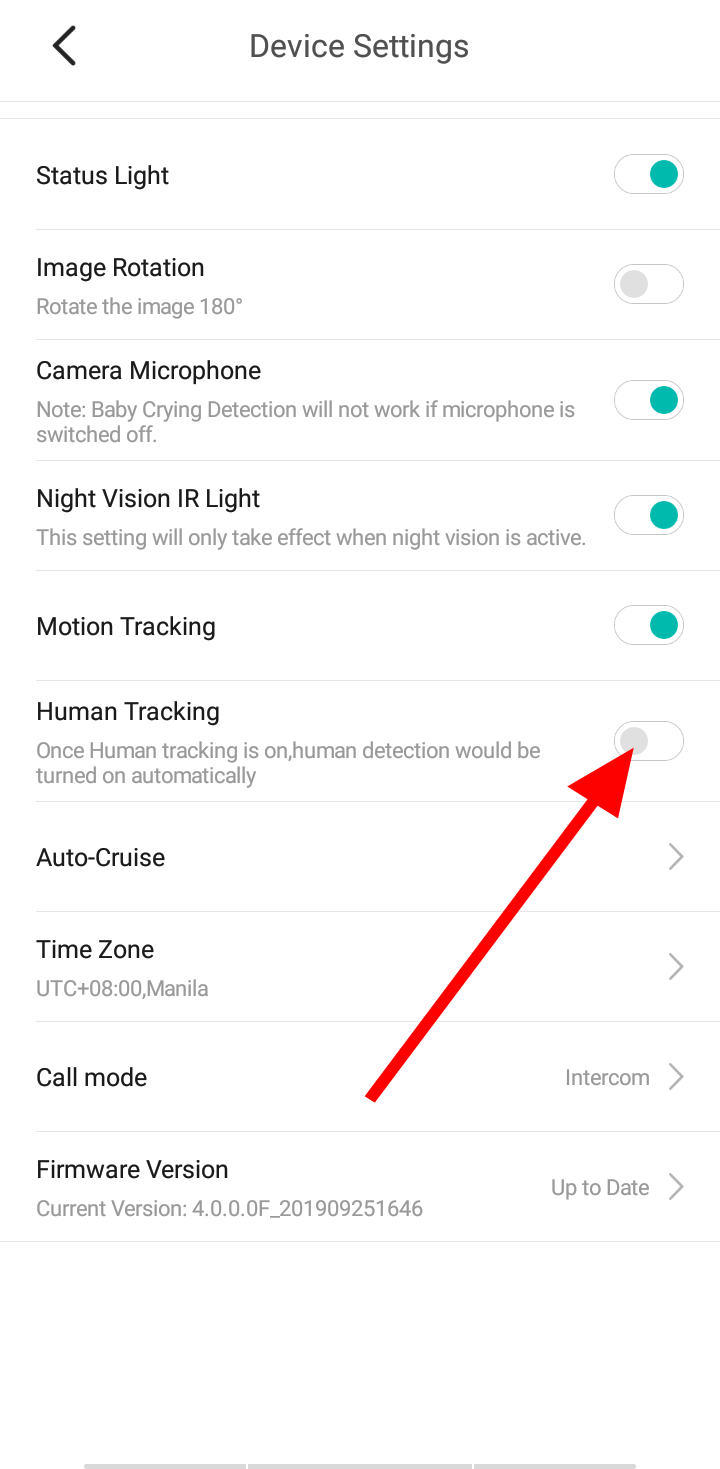
Note: if you enabled the Human Tracking when Motion Tracking is enabled. The Motion Tracking will disabled.