How to Find Your Doorbell's IP address
20 Aug 2026
312 views
There may be times where you need to find your doorbells IP address. One example is for 3rd party Onvif Implementation. This guide assumes that your doorbell is already installed and has gone through the entire setup process.
Step 1. Download and install the SADP Software
Click here to download the software.
Step 2. Open the SADP program
Side Note: Ensure the SADP program is running on a PC that is on the same exact network as your doorbell.
Step 3. Your Doorbell's IP address should be on the list.
The device type should be listed as NDB313-W. Please note that the device may show "inactive." This is perfectly normal. There is no way to "activate" the doorbell like our standard H-Series IP Cameras. 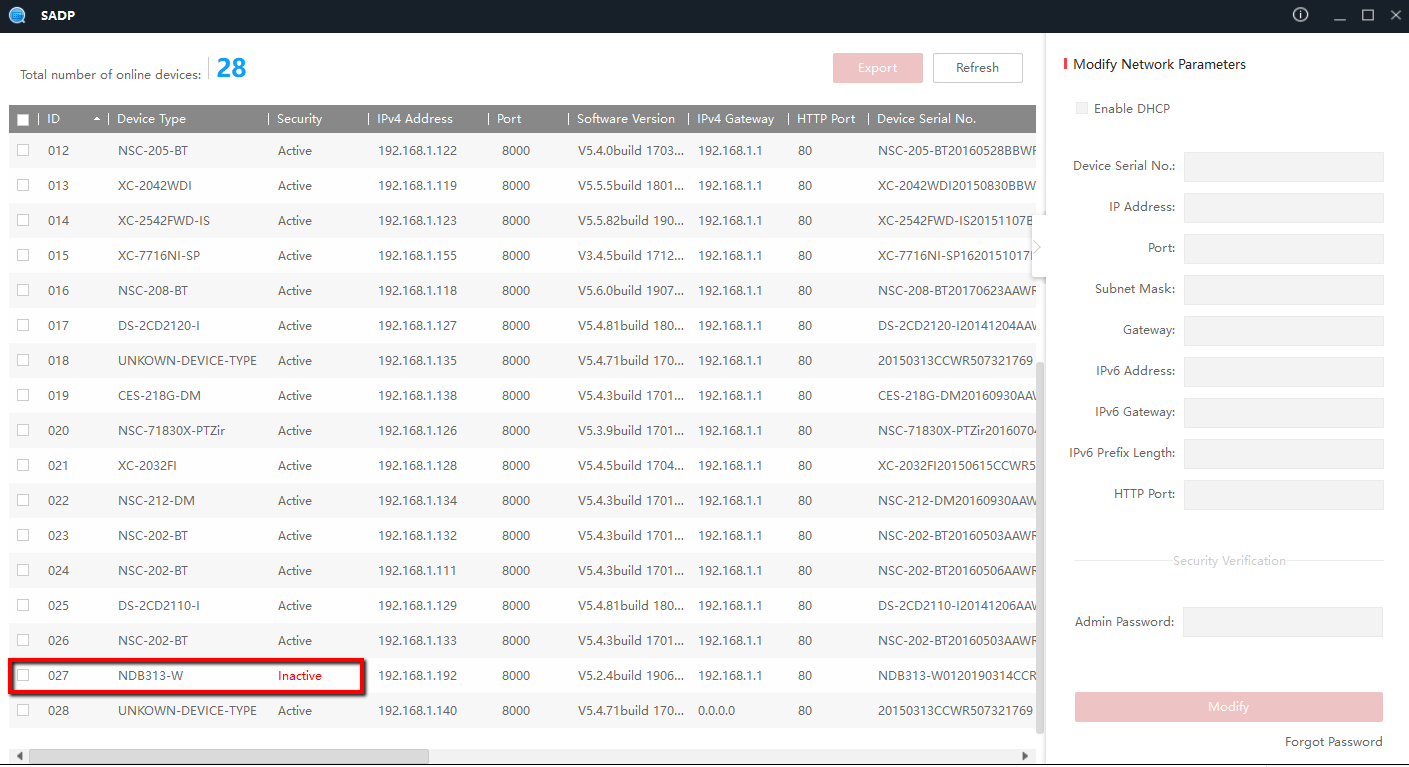
Was this article helpful?
Bu bilgiler sorununuzu çözmeye yardımcı oldu mu?
Thanks for your feedback!
Still need help?
Uzman ekibimiz size yardımcı olmak için burada.