How to open IPV6 ports on an Orange router
In the Advanced section, the IPV6 option will appear, click on it.
This option opens three different sub-options, one of them is called port mapping.
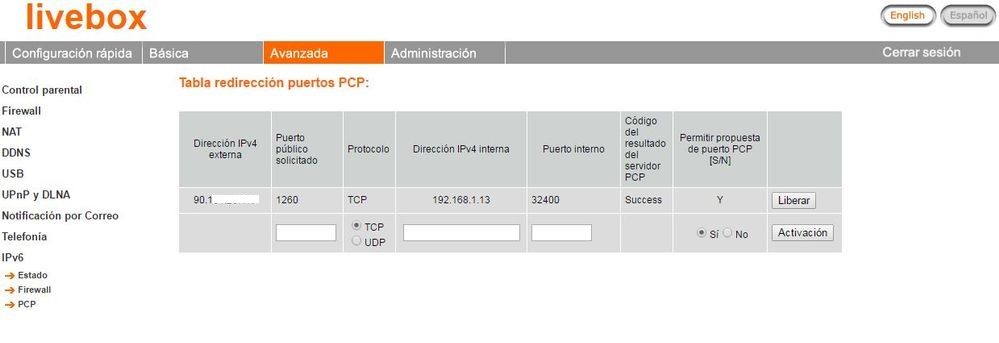
In this option you only have to indicate the port you want to open (the public one) and its corresponding internal port.
The complexity of this is that the router does not allow the opening of ports above 3000 (this one included).
In this case you have two options:
- Leave the router with the mapped port (for example 8000), allow the router to select the public port to be opened and, in the recorder, enable the UPNP option so that both parties communicate automatically
- Change the port mapped as 8000 to 2000 or a lower port (in case of Hikvision and Safire, the lowest port that allows us to have as SDK or Server, is 2000)
This solves the problem.
Example: open external V6 port 1260, mapped as internal 32400 v4.
Was this article helpful?
Bu bilgiler sorununuzu çözmeye yardımcı oldu mu?
Still need help?
Uzman ekibimiz size yardımcı olmak için burada.