How to Organize the Camera Tree in Speco Blue VMS Lite
20 Aug 2026
388 views
Organizing the Camera Tree
- Select Resource Management
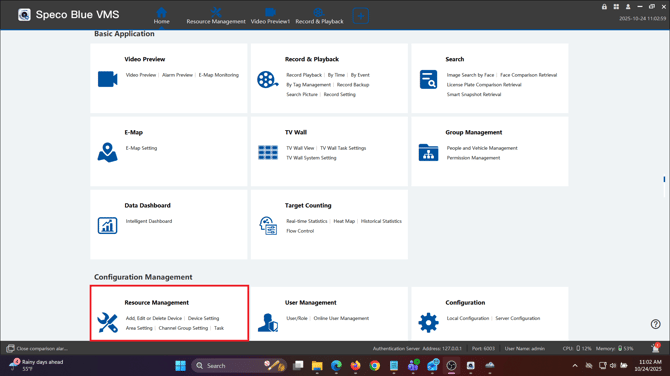
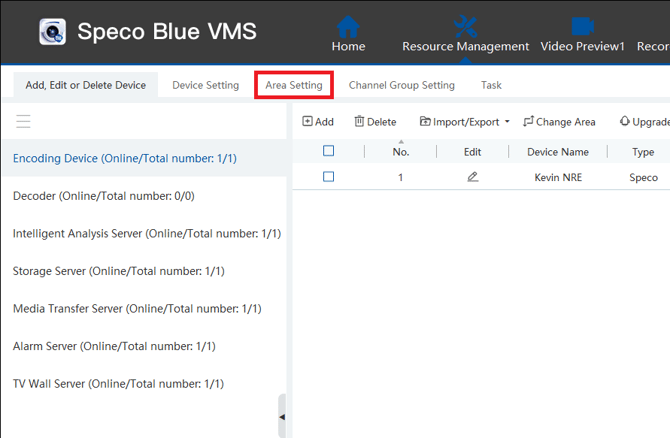
- Select Area Settings
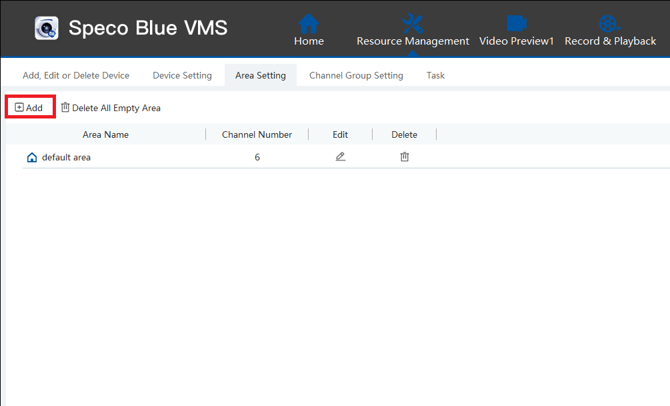
- Select Add
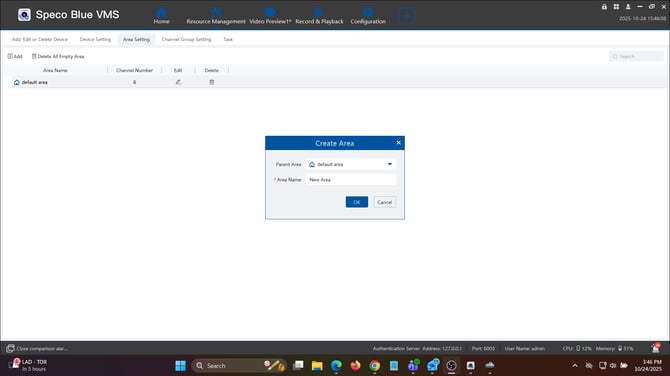
- Enter name of location/area/device under "Area Name"
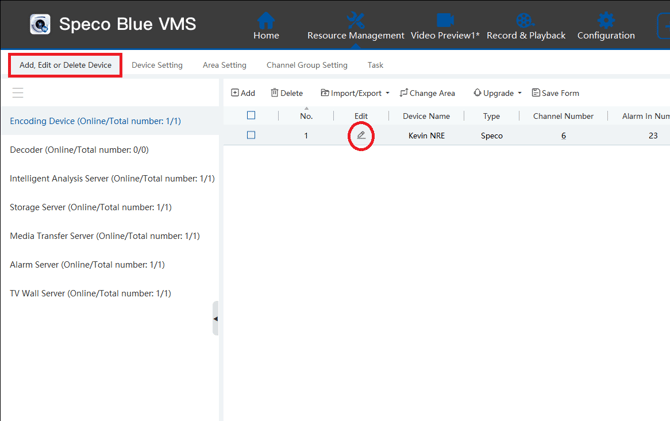
- Once you create your areas, go back to "Add Edit or Delete Device"
- Select the Edit pencil of the device you want to move
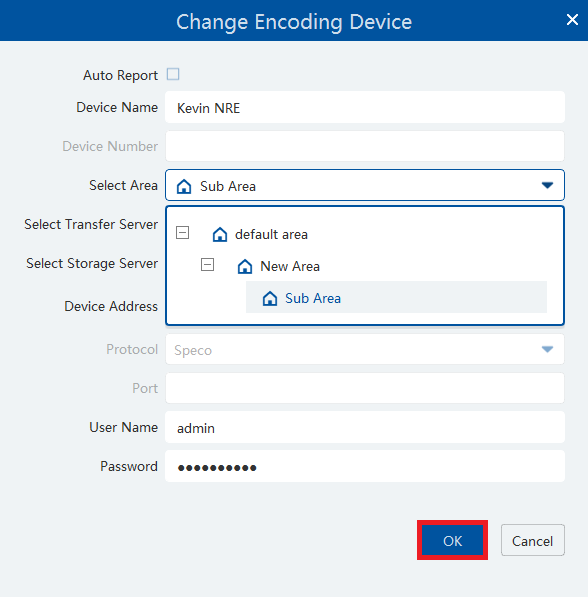
- Select your desired area under the drop down in "Select Area" Hit OK when finished
Initial submission Date: November 11th, 2025

Article authored by: Kevin Holland, Technical Support Agent - Tier 1
Organizing the Camera Tree
- Select Resource Management
- Select Area Settings
- Select Add
- Enter name of location/area/device under "Area Name"
- Once you create your areas, go back to "Add Edit or Delete Device"
- Select the Edit pencil of the device you want to move
- Select your desired area under the drop down in "Select Area" Hit OK when finished
Initial submission Date: November 11th, 2025

Article authored by: Kevin Holland, Technical Support Agent - Tier 1
Was this article helpful?
Bu bilgiler sorununuzu çözmeye yardımcı oldu mu?
Thanks for your feedback!
Still need help?
Uzman ekibimiz size yardımcı olmak için burada.