How to playback recordings? (HomeSafe View Recorders)

Super Admin
07 May 2026
4 views
DVR4-1590, DVR8-1590, DVR4-1600, DVR8-1600, DVR4-4480, DVR8-4480, DVR4-4575, DVR8-4575, DVR16-4575, DVR4-4580, DVR8-4580, DVR4-4780, DVR8-4780, DVR4-4980, DVR8-4980, NVR-7450

Searching footage
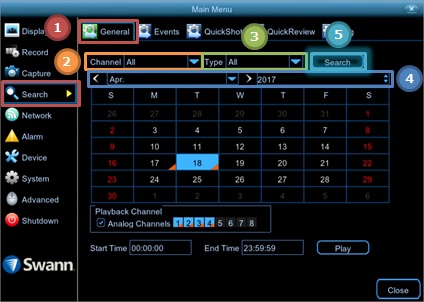
  1. Access Menu then go to Search then General.
  2. Choose the channel you want to search.
  3. Leave Type on All to get all types of recording.
  4. Set the Month and Year to your desired range.
  5. Click on Search.
    Menu_Search_General.jpg

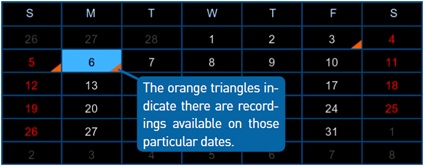
    The calendar below will show an orange triangle on each date if there is footage found on that day.
    calendar.jpg

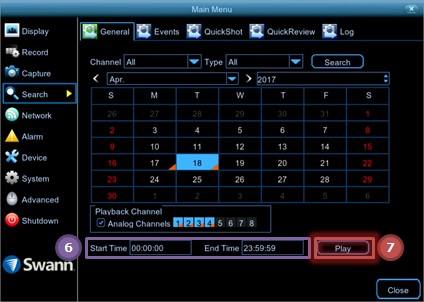
  6. Set your Start Time and End Time – if you prefer to be more specific on the results.
  7. Click Play – to view the footage.
    Menu_Search_General2.jpg


Playback Interface

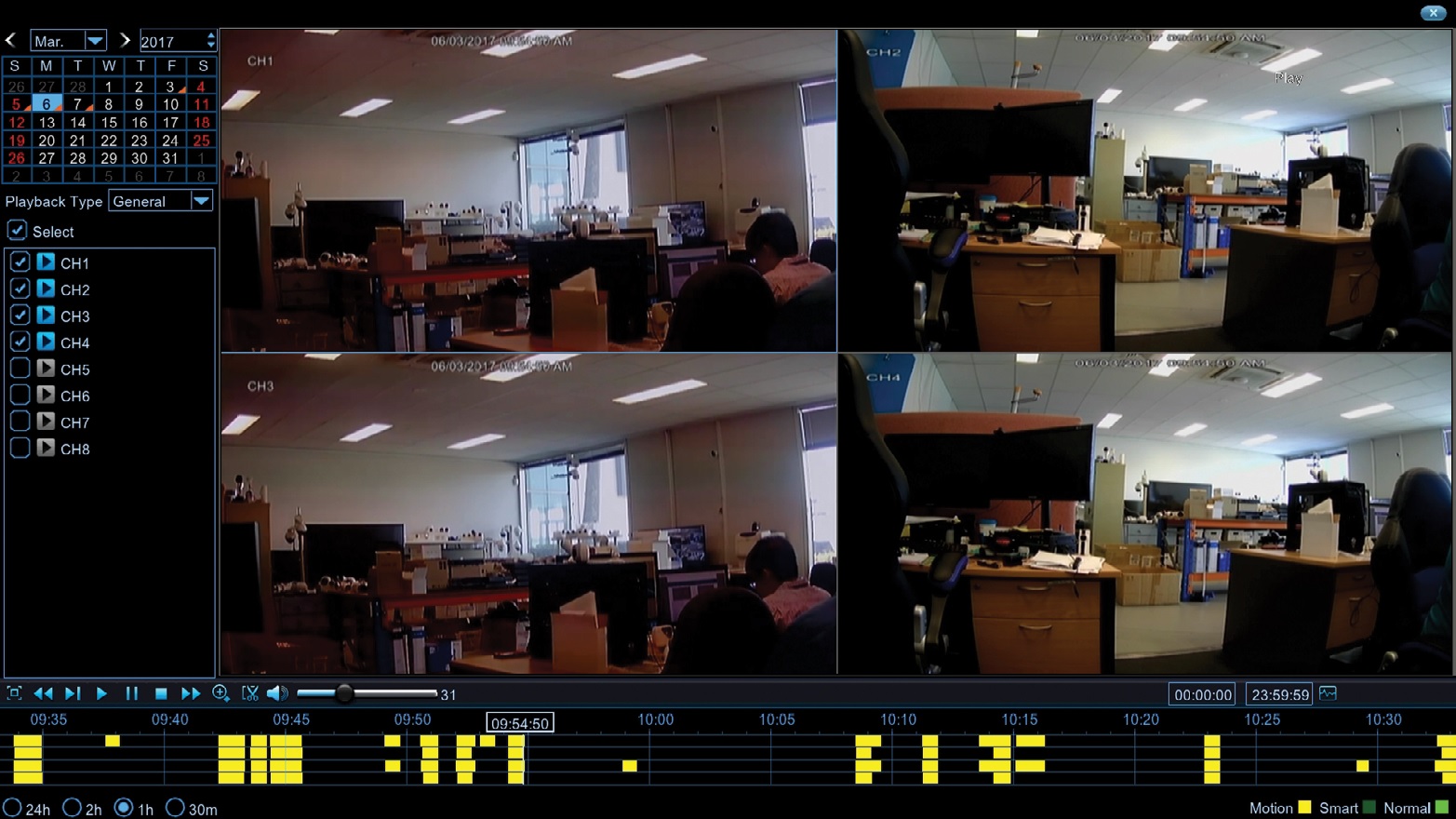
Playback_interface.jpg

You will then arrive at the Playback interface. NB: Multiple channel playback may not be available if the recorder does not have enough spare resources.

In the upper left, you will see the calendar. You may choose alternative viewing dates from here.

Next to it is the Playback Type followed by the list of channels that has footage on the selected date.

At the bottom-left part of the interface, you will see the timeline. You can change its scale by clicking the options in the lower left. You may select 24hr, 2hr, 1hr, or 30min view scales.

Was this article helpful?

Bu bilgiler sorununuzu çözmeye yardımcı oldu mu?

Still need help?

Uzman ekibimiz size yardımcı olmak için burada.

New Ticket