How to set up direct Hub connection to ARC ("Monitoring Center")
The communication of the Hubs with the Alarm Receiving Center can be carried out in different ways:
1. Communication through the cloud. Hub --> Cloud --> Ajax Translator --> ARC Software. This way is done from 'Security Companies'.
2. Communication through the cloud and direct communication (Hub --> Ajax Translator --> CRA Software).
In case 2, the main communication would be the direct one (being able to modify the periodic test from 1 minute to 24 hours) and the cloud communication would be the backup.
To configure direct communication, access the Supervision Center section.
In this section, the IP address and ports (CRA) must be completed, as well as the channel for sending alarms, with the corresponding channel.
For example, if we only have MOBILE NETWORK transmission, it would be configured as follows:
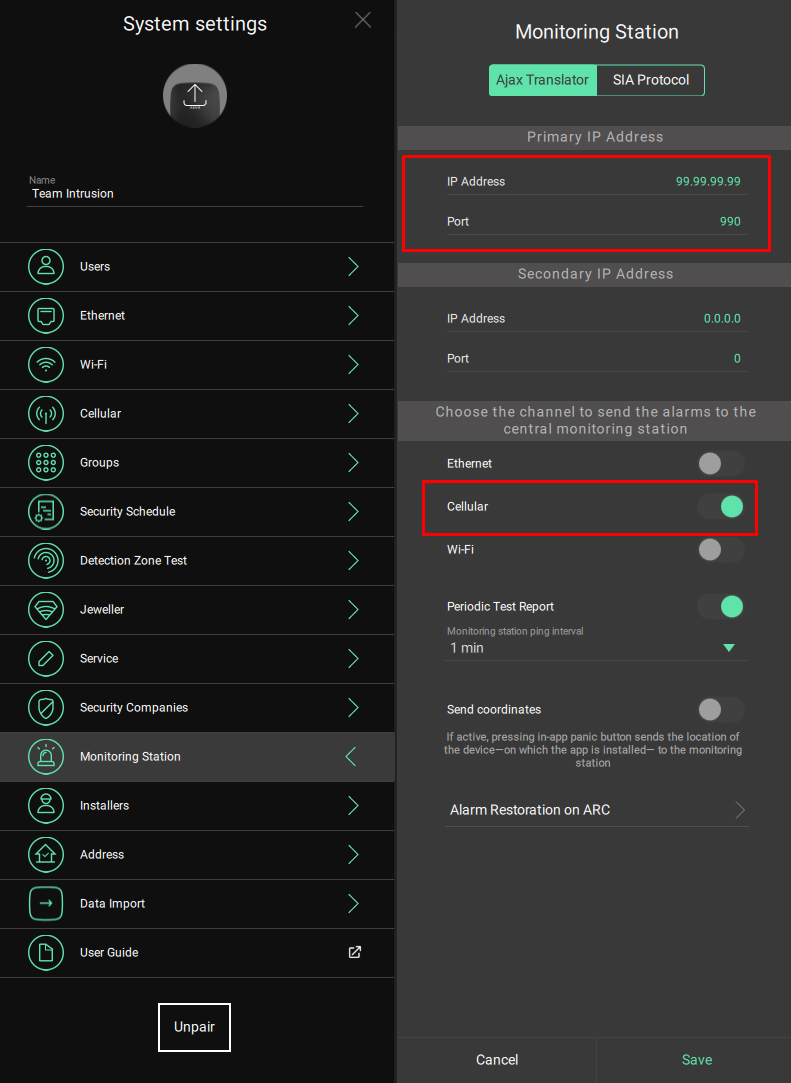
From the previous section, the Periodic Test Report is also configured in the same section. This periodic test corresponds to Contact ID event E602.
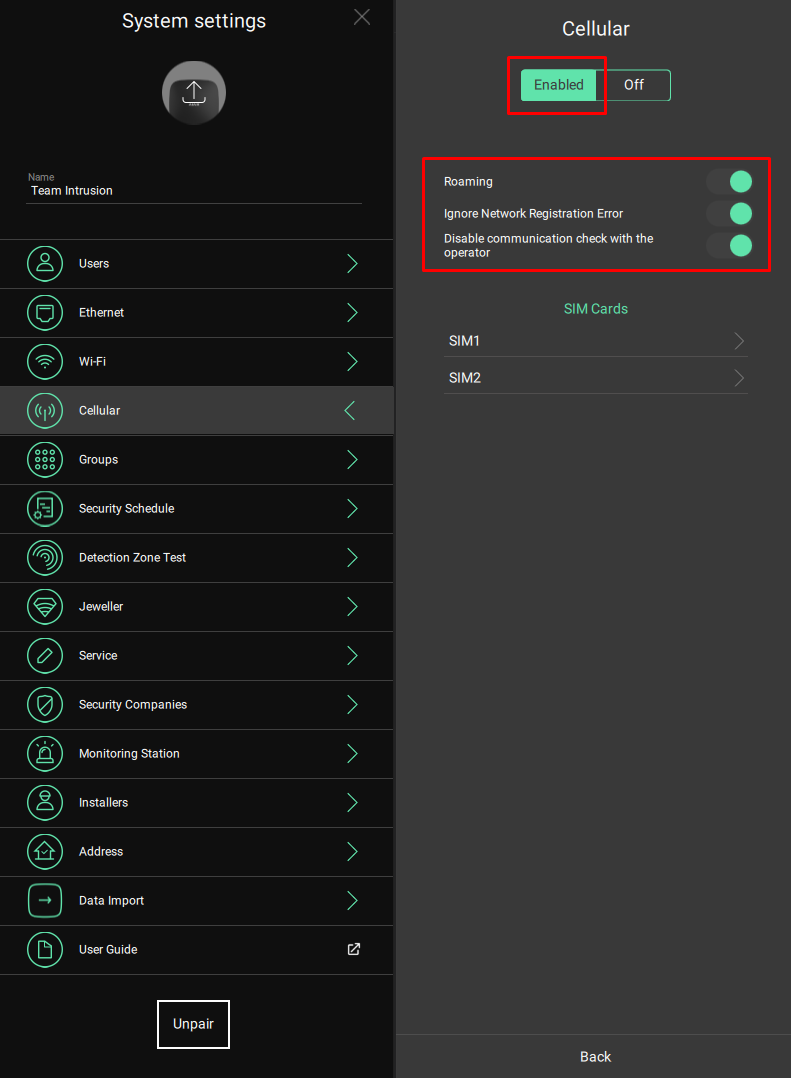
In addition, in the MOBILE NETWORK section, the configuration must be activated and the following parameters must be entered:
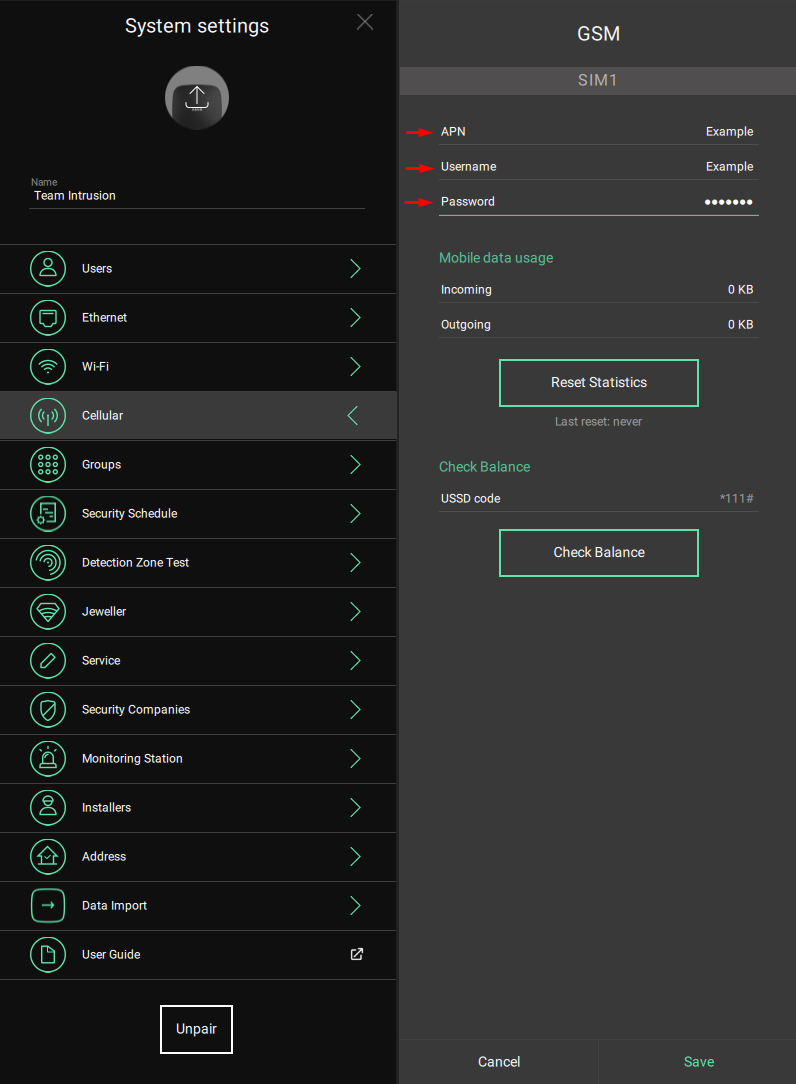
And within the SIM configuration:
Was this article helpful?
Bu bilgiler sorununuzu çözmeye yardımcı oldu mu?
Still need help?
Uzman ekibimiz size yardımcı olmak için burada.