IC Realtime - RTMP Streaming to YouTube
20 Aug 2026
423 views
Note: You cannot set this up through an NVR. Configuration must be done directly on the camera
Prerequisites
- A camera that supports RTMP streaming
- Internet connection to the camera connecting to YouTube. This means the camera cannot use the recorder's built-in PoE. It must be connected to a network that has internet access.
- A YouTube account
- Log into your YouTube account and go to YouTube Studio by selecting the camera icon near the top right and selecting Live.
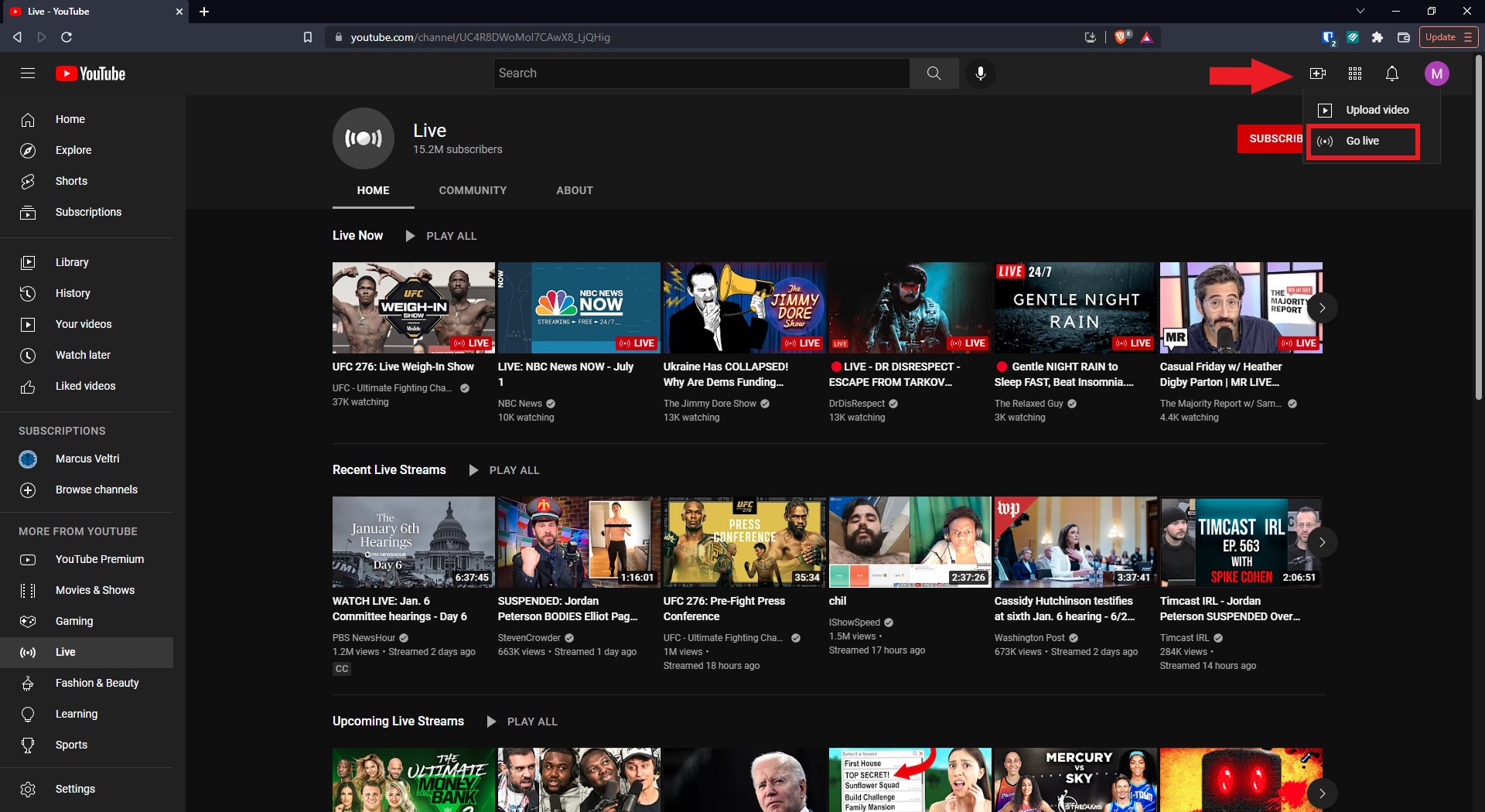
- Copy the Stream URL. At the time of writing this, YouTube is using rtmp://a.rtmp.youtube.com/live2. This could change in the future, so it's best to take it direct from YouTube.
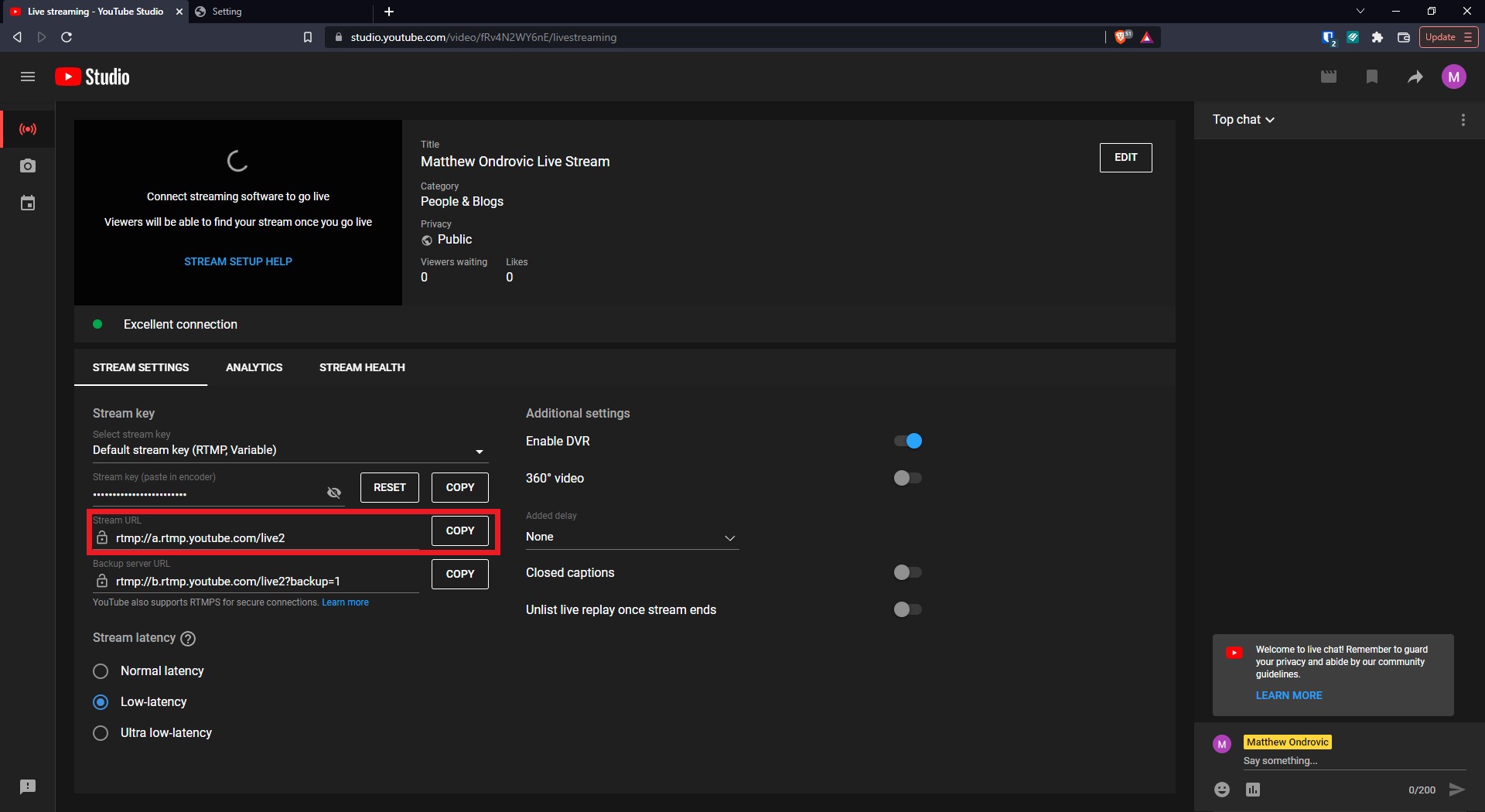
- Copy the Stream Key and place it at the end of the Stream URL. E.g. rtmp://a.rtmp.youtube.com/live2/your_unique_stream_key_here
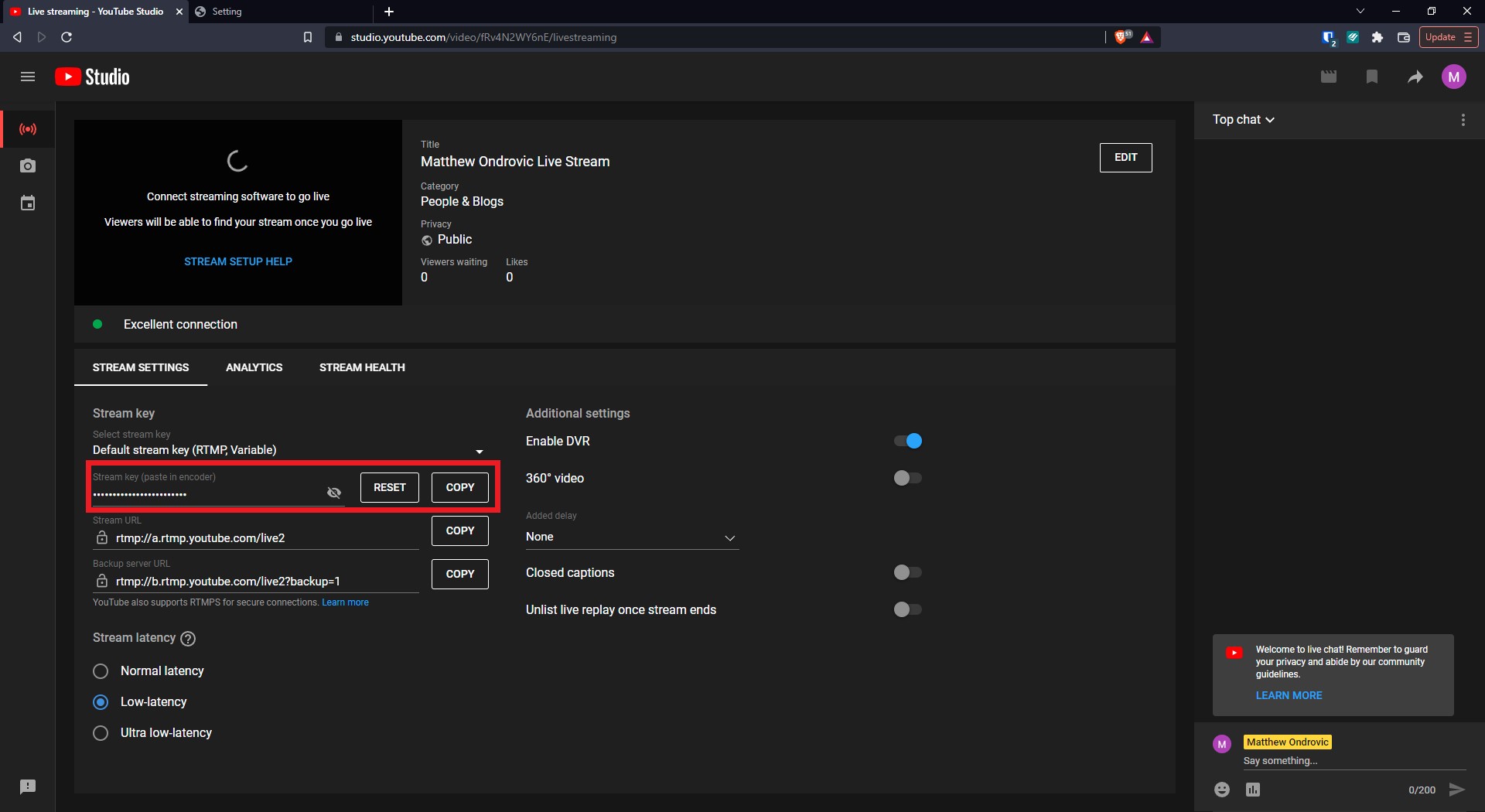
- Log into your camera through it's IP address. You can use our ConfigTool to find the camera if you don't know the IP.
- Select Setup -> Network -> Access Platform -> RTMP
- Enable RTMP then choose Custom for the Address Type.
- Paste your Stream URL + Stream Key in the field then save. E.g. rtmp://a.rtmp.youtube.com/live2/your_unique_stream_key_here
- Going live on YouTube should now stream your camera
Was this article helpful?
Bu bilgiler sorununuzu çözmeye yardımcı oldu mu?
Thanks for your feedback!
Still need help?
Uzman ekibimiz size yardımcı olmak için burada.