Maximizing Remote Focus Quality with Fine Focus
20 Aug 2026
332 views
Objective
Maximize image quality and detail using remote focus on a zoomed image.
Procedure
While Full Range Focus improves image quality for general use, you can perform a fine focus procedure to maximize image detail across your field of view.
- Go to the camera's web page.
- Go to the Focus menu and zoom in to set your field of view.
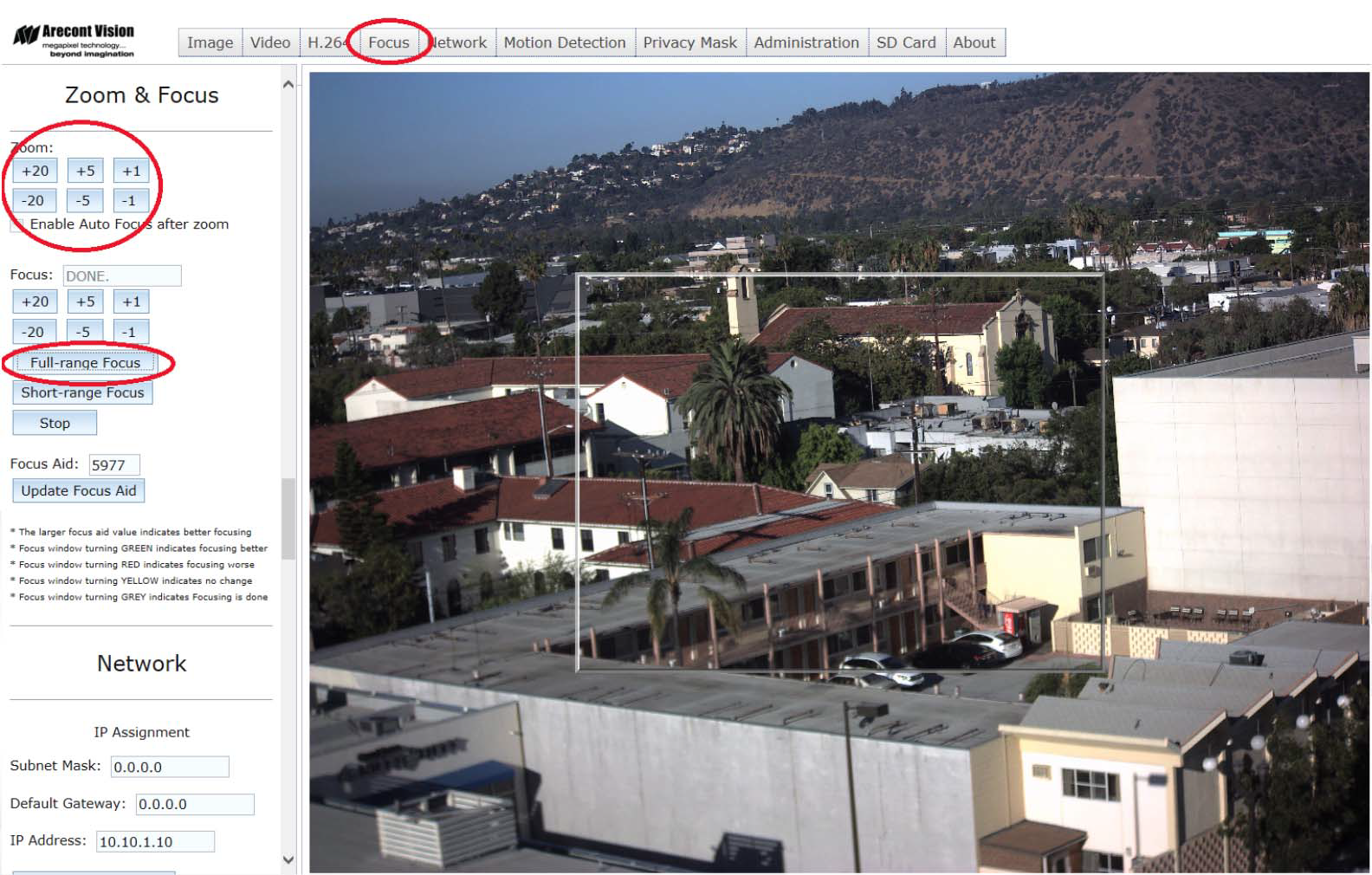
- Click Full Range Focus and let the camera adjust focus for the field of view.
- Go to the Video menu and click PTZ.
- Click and drag within the image to zoom in on an area in the image. Continue zooming in until your image is pixelated.
- Click Focus Window and select an area in the zoomed image.
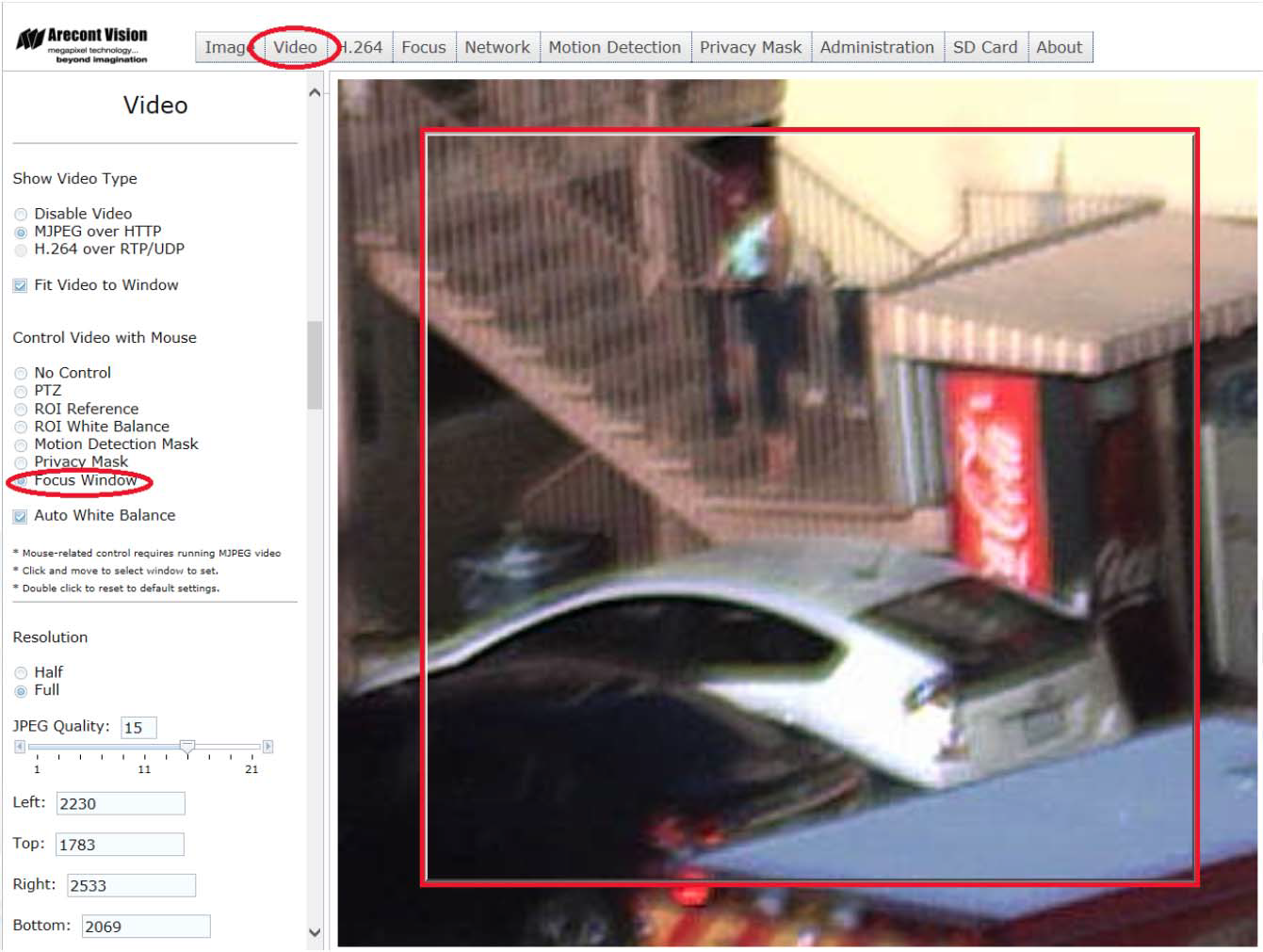
- Go back to the Focus menu, and click Short Range Focus. The camera will perform a short-range focus adjustment based on the reference area you set in the previous step.
- Go to the Video menu and select PTZ.
- Double-click to return to the full field of view. Your image should now be focused when zoomed in or out.
Was this article helpful?
Bu bilgiler sorununuzu çözmeye yardımcı oldu mu?
Thanks for your feedback!
Still need help?
Uzman ekibimiz size yardımcı olmak için burada.