Myannke - How to Upgrade the Frmware Version of Camera?(SJD)
Applies to: I41EJ
Purpose: This instruction is to help you upgrade the version when there is a new firmware.
Steps:
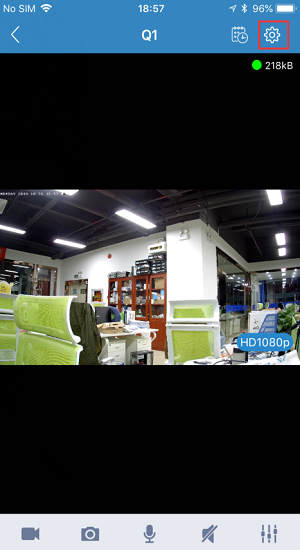
1. Please enter the preview interface after the device is added to your mobile phone.
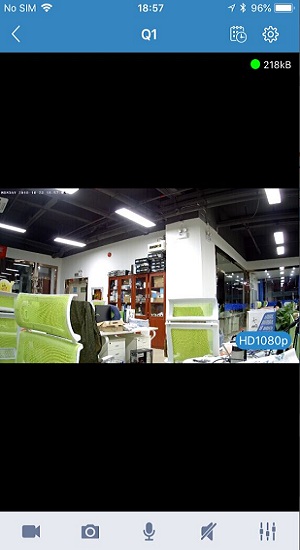
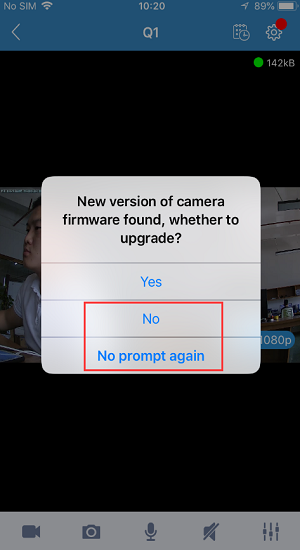
2. If the device's firmware version is outdated, a prompt window for upgrading the firmware will pop up. If you don't want to upgrade, you can choose “No” or “No prompt again”.
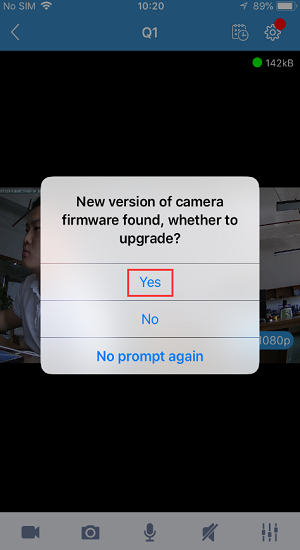
3. If you choose to upgrade, the device will automatically go offline during the upgrade process. Please don't power off the device at this time. Please wait patiently until the upgrade completes.
Then the device will restart and the IR LEDs will be turned on. When they are off, please wait a moment until you hear a sound of waterdrop, which means the device has restarted completely.
Please re-enter the device's preview interface, and the device will be online.
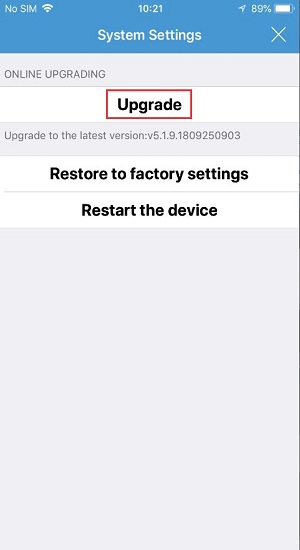
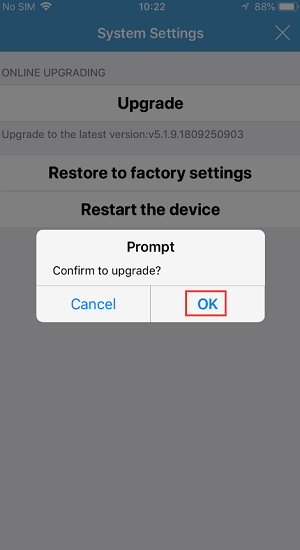
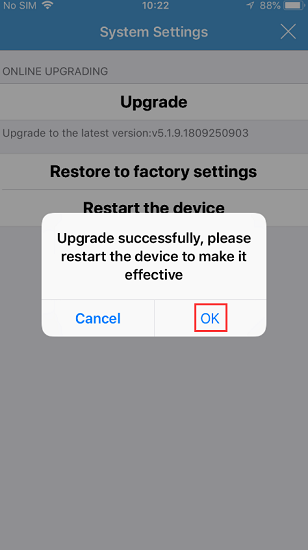
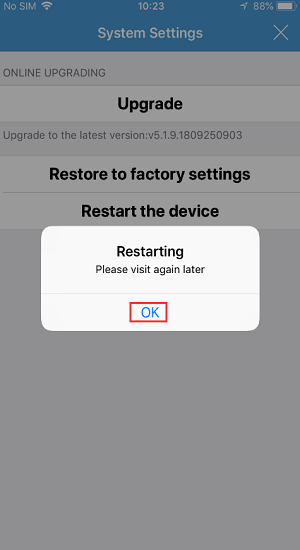
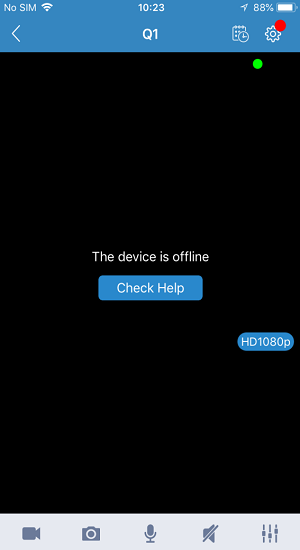

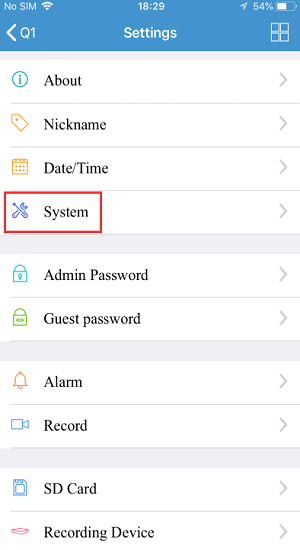
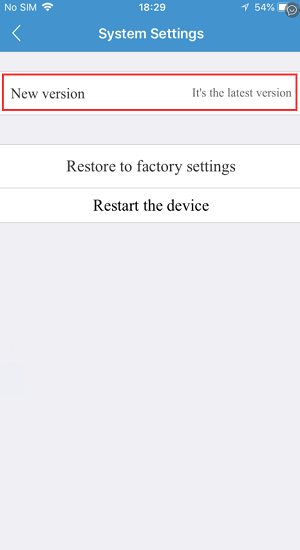
4. You can also click the settings button to check if the device's firmware has been upgraded to the latest version.
5. It is extremely rare that your firmware upgrade may fail. Once this happens, please feel free to contact our technical support or after-sales service.
Was this article helpful?
Bu bilgiler sorununuzu çözmeye yardımcı oldu mu?
Still need help?
Uzman ekibimiz size yardımcı olmak için burada.