Myannke - Learning the Buttons on Live View Page on Myannke PC Client
20 Aug 2026
361 views
Applies to: I41EJ
Purpose: View a camera's live video and know about the interface icons.
Before you start:
- Logging in the Myannke PC Client.
- Connecting the camera succeed, then you can view the live view video like the below picture.
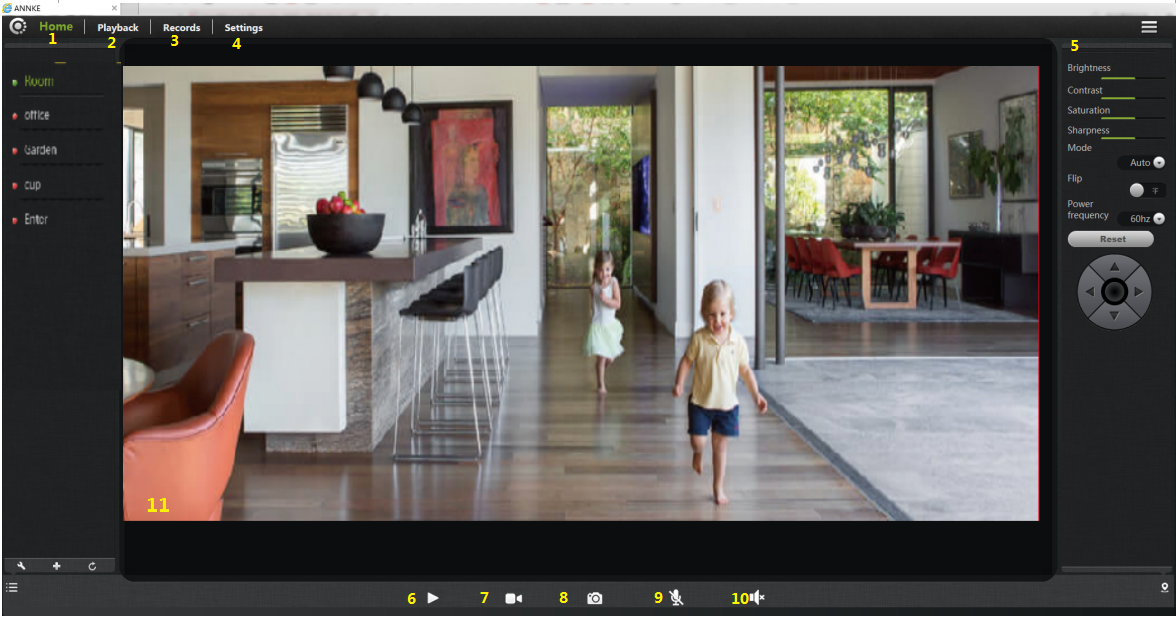
The explanation of interface options and icons:
- Home: return to the main interface.
- Playback: view video recording for playback.
- Record: record-setting.
- Settings: This opens with a list of Settings tabs.
-
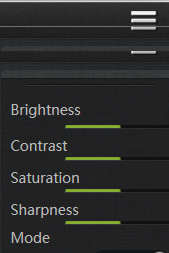
Image Setting: This enables you to set the mode for brightness, contrast, saturation, etc.
- Stop/ Play: press the button and you will be able to see the live feed.
- Record: to initiate a live recording.
- Snapshot: to create a snapshot image of the current view.
- Microphone: to transmit your voice through the device.
- Speaker: to transmit remote sounds.
- Full-screen view: Click to watch live video full screen.
Was this article helpful?
Bu bilgiler sorununuzu çözmeye yardımcı oldu mu?
Thanks for your feedback!
Still need help?
Uzman ekibimiz size yardımcı olmak için burada.