Myannke - Wi-Fi Connect Setup on Myannke through Enthernet Cable
20 Aug 2026
379 views
Applies to: I41EJ
Purpose:
If your router is not compatible with 'Wi-Fi Connection mode', this is an alternative mode for Wi-Fi connection setup.
Steps:
- Follow step 1 to step 4 in the Wi-Fi Connection Mode Setup and then tap the 'Ethernet Connection' icon to start the Wi-Fi Connection Setup through Ethernet Cable.
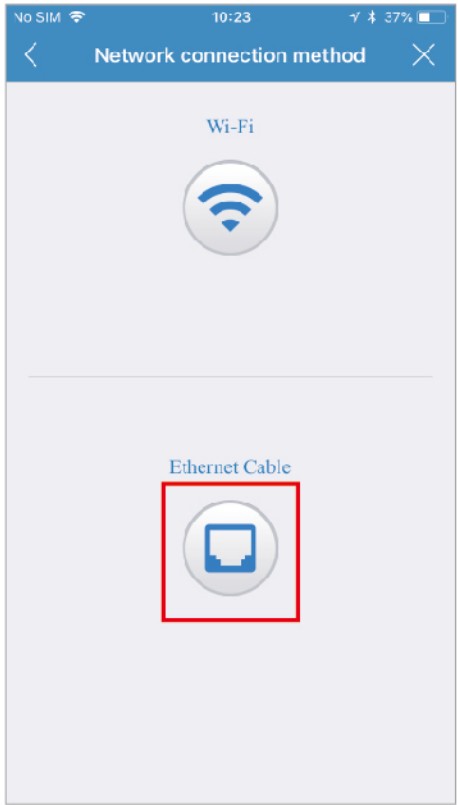
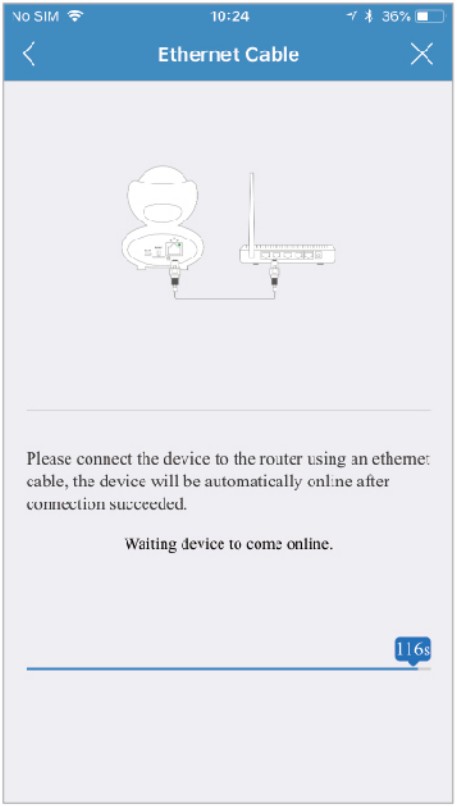
- Use an RJ45 network cable to connect the camera with your router, wait for 120 seconds until it automatically detects the device and brings you to the next step.
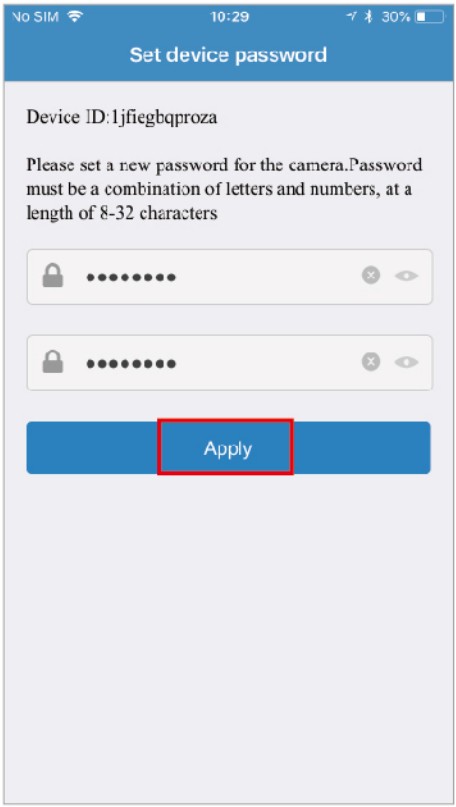
- After the wired network connection is successful. It requires you to change the default password at your first-time use. Please tap the 'Apply' button after entering your password twice in the input box.
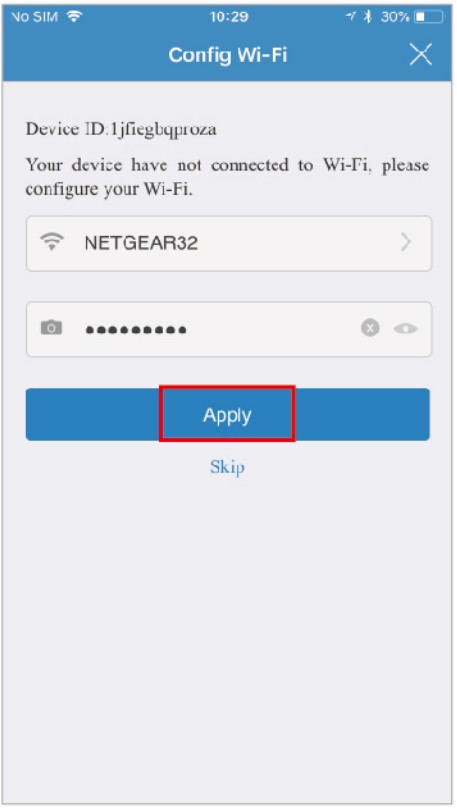
- After modifying the initial password, it will bring you to the 'Config Wi-Fi' screen. Tap the right arrow at the first input box and choose your home Wi-Fi, you will be directed back to the 'Config Wi-Fi' screen with entering the WiFi password.
- Once the Wi-Fi set up is finished, you will see the screen like step 10 to step 11 in Wi-Fi Connection Mode.
Was this article helpful?
Bu bilgiler sorununuzu çözmeye yardımcı oldu mu?
Thanks for your feedback!
Still need help?
Uzman ekibimiz size yardımcı olmak için burada.