(PC) - Login PTcloud from the NVMS7000 v3
20 Aug 2026
224 views
Install and Run the NVMS7000 v3 first.
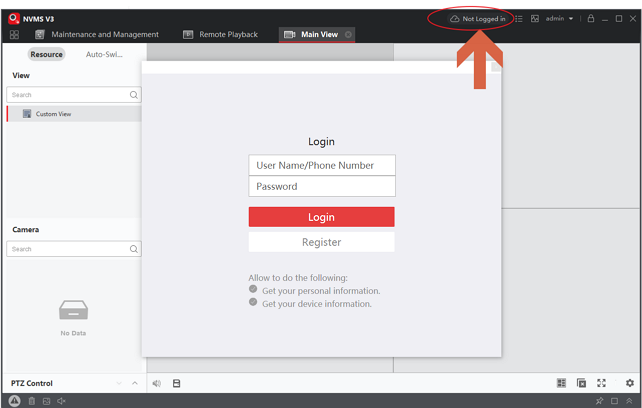
Click the upper right Cloud icon to Login
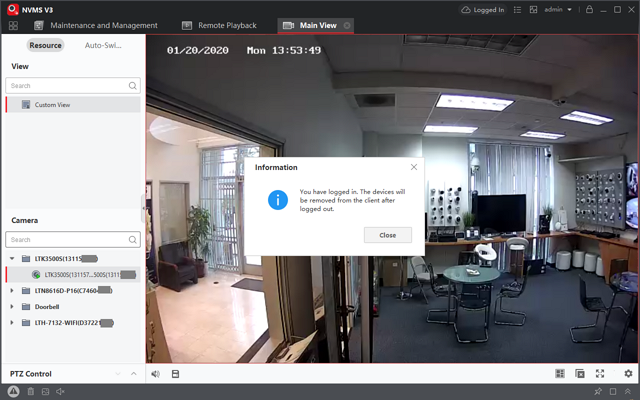
After Login, simply drag the camera into the Video section.
Click the PTCloud icon & Exit to Logout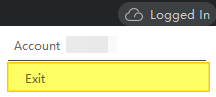
Was this article helpful?
Bu bilgiler sorununuzu çözmeye yardımcı oldu mu?
Thanks for your feedback!
Still need help?
Uzman ekibimiz size yardımcı olmak için burada.