Safire - Download from the microSD card via Safire Control Center
Note:
This test was performed with Safire camera model SF-IPB025WHA-4PW with firmware version: V5.5.110 build 201022.
The settings may be different for the model you are using.
Open the Safire Control Center
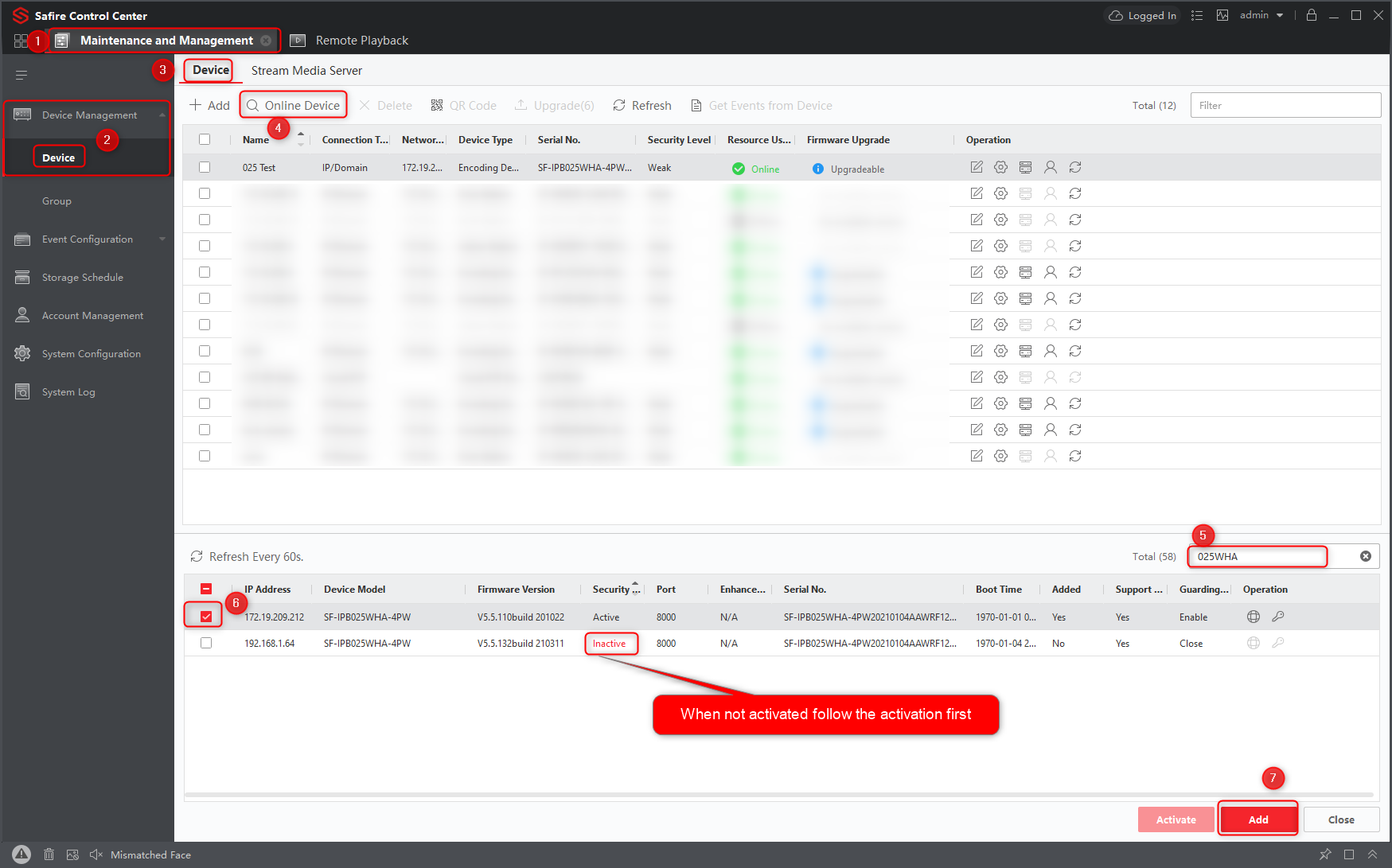
1. Open the Maintenance and Management option
2. Select "Device".
3. "Device" tab
4. Open devices online
5. Find the camera model
6. Select the device
7. Click add to add the device in the Safire Control Center to manage
When the device is added
Download video from SD card
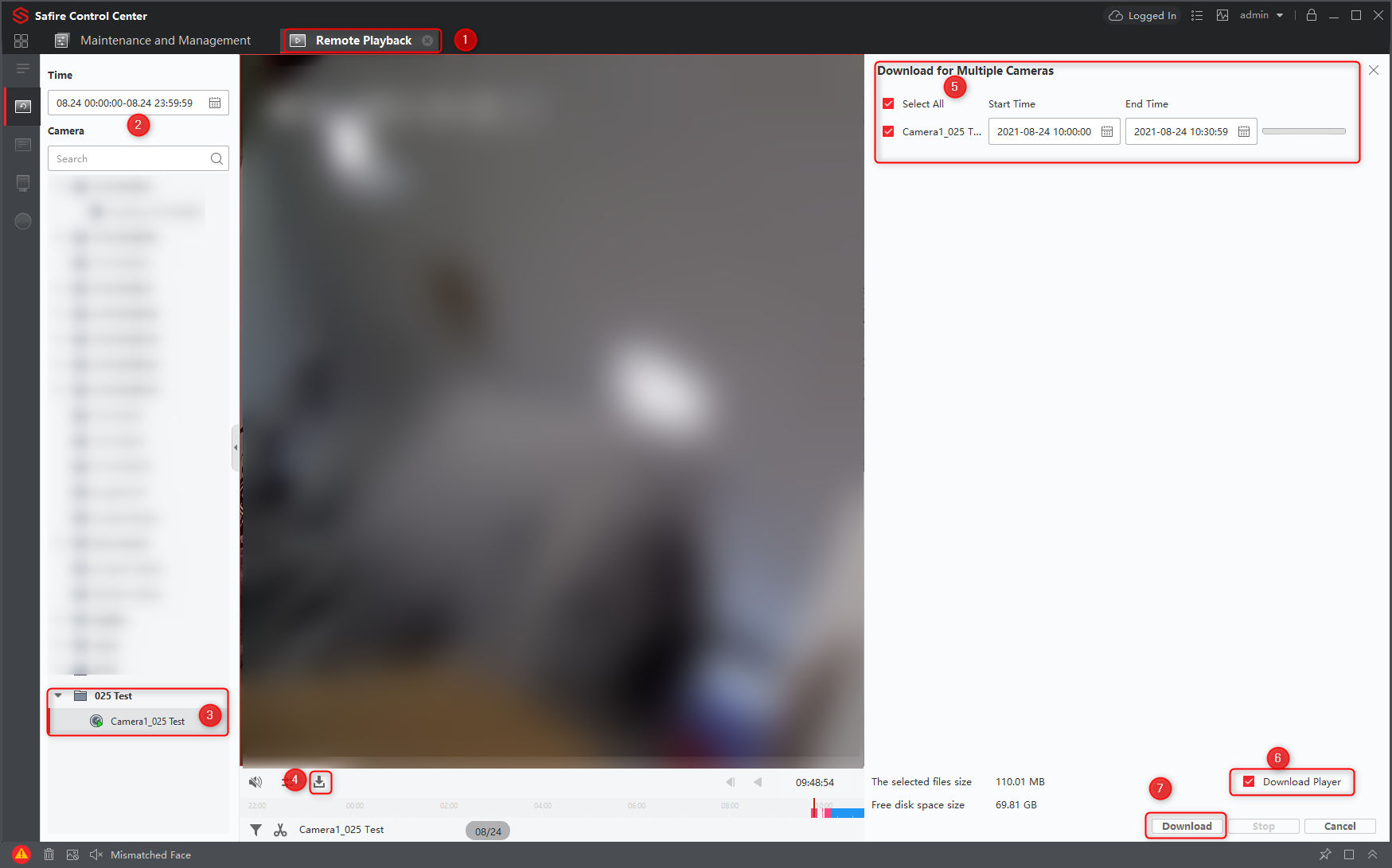
1. Open remote playback
2. Select the time
3. Click play button to view the video before downloading (optional)
4. Click the download icon and a new window will open
5. Select the camera, date and time slot for the download
6. Select when you want to download the player as well
7. Then Download to download the selected file
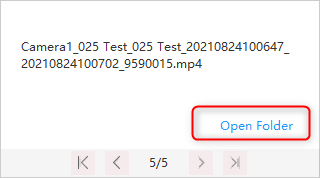
8. When the files are downloaded, a pop-up window will appear and you can select the download folder for the videos directly.

Was this article helpful?
Bu bilgiler sorununuzu çözmeye yardımcı oldu mu?
Still need help?
Uzman ekibimiz size yardımcı olmak için burada.