Saneyes - How to Change the Camera's User Name and Password?
20 Aug 2026
290 views
Applies to: I21BP/I21BL/I21EG/I21DL/I21DL/I31BCV1/I41DCV1/I41EE/I41EF
1. After the camera is successfully connected to the network, click the Settings button.

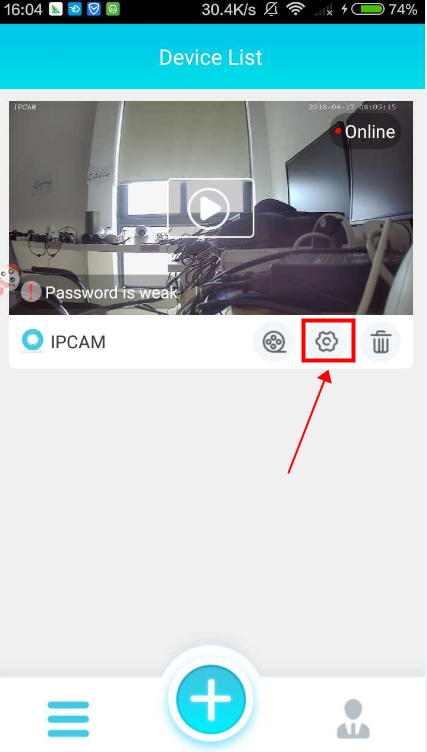
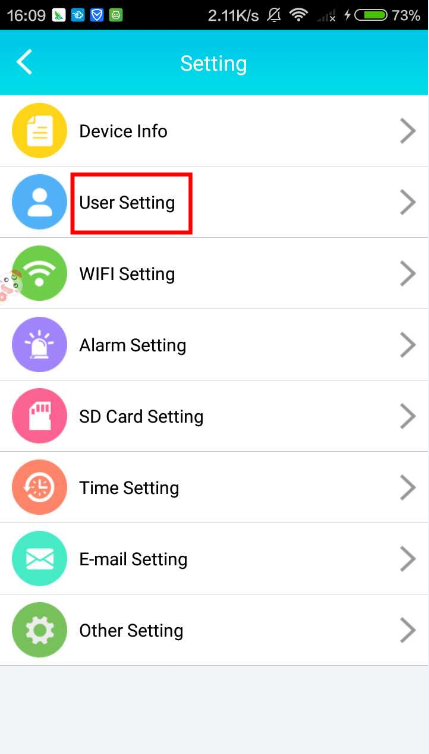
2. Click “User Setting”.

3. Change the admin account’s and the visitor account’s user name and password, and then click "Done" in the upper right corner to save the settings.

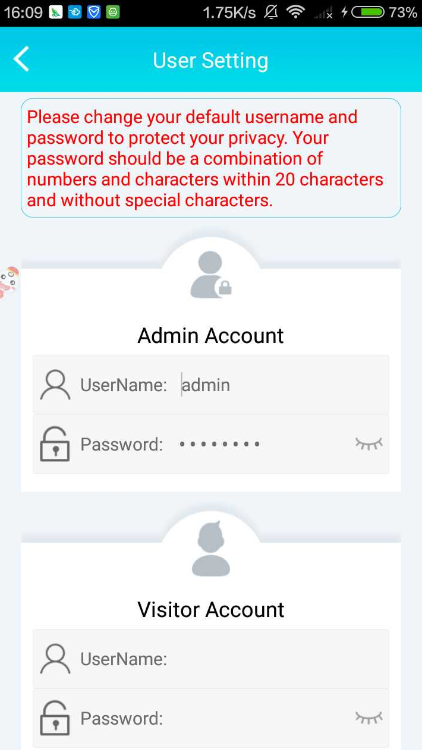
Note: Visitors can only preview the camera and cannot set the camera.
Was this article helpful?
Bu bilgiler sorununuzu çözmeye yardımcı oldu mu?
Thanks for your feedback!
Still need help?
Uzman ekibimiz size yardımcı olmak için burada.