Saneyes - How to Reset the Camera?
Applies to: I21BP/I21BL/I21EG/I21DL/I21DL/I31BCV1/I41DCV1/I41EE/I41EF
1. Please power on this camera to the power socket by the power supply from the original package. Don't power it on via the USB cable from the computer or laptop.
2. Use the reset-pin from the package, click on the reset hole of your camera at about 10-30 seconds, you can feel the button inside the hole which you click it down using the pin, you will hear a "Bi" sound at first when you click the button, and then you will hear a sound like "Dingdong". After you hear the sound "Dingdong", you can release the pin from the hole. If you can hear the sound "Dingdong", the camera has been reset successfully.
After resetting it successfully, you can refer to this link to add it to your app:
https://support.sannce.com/hc/en-us/articles/900000435603 (by wifi)
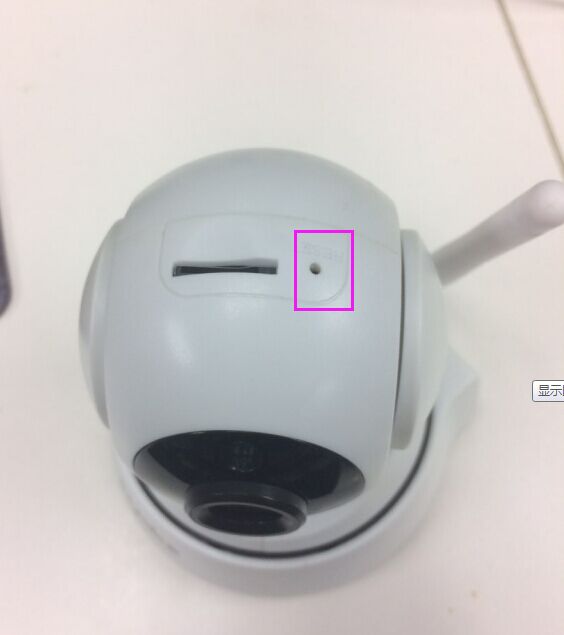
Note:
1. The camera's IR light will not lit up when it powered on.
2. The camera will not rotate itself when you power it on or reset it successfully.
Was this article helpful?
Bu bilgiler sorununuzu çözmeye yardımcı oldu mu?
Still need help?
Uzman ekibimiz size yardımcı olmak için burada.