Sannce Cam - How to Set Up Email Alert on Computer?
Applies to:
I21AD/I21AP/I21BK/I21AG/I21AK/I21AN/I21AS/I21AR/I21AC/I21AL/I21AH/I21BC/I31BC/I41CB/
I41CG/I41DC
Log in to your Gmail account on the computer.
Open the website below and make sure the less secure app is turned on.
https://myaccount.google.com/security?pli=1#connectedapps
1. Please use the phone to connect the camera. Here is the method.
https://support.sannce.com/hc/en-us/articles/900000452486
2. Get a windows computer that is connected to the router who sends wifi and the camera is connected to that wifi. Install the software on the computer. Here is the link to download the software.
www.sanncegroup.com/document/Computer%20software/Search_tool4.2.exe
3. It can detect the camera's IP and port.

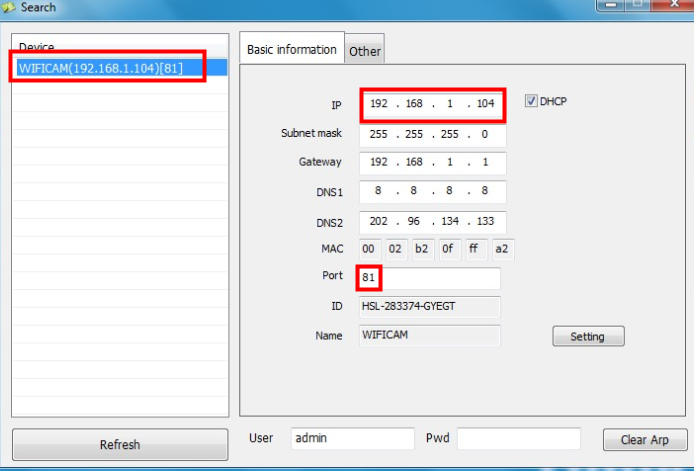
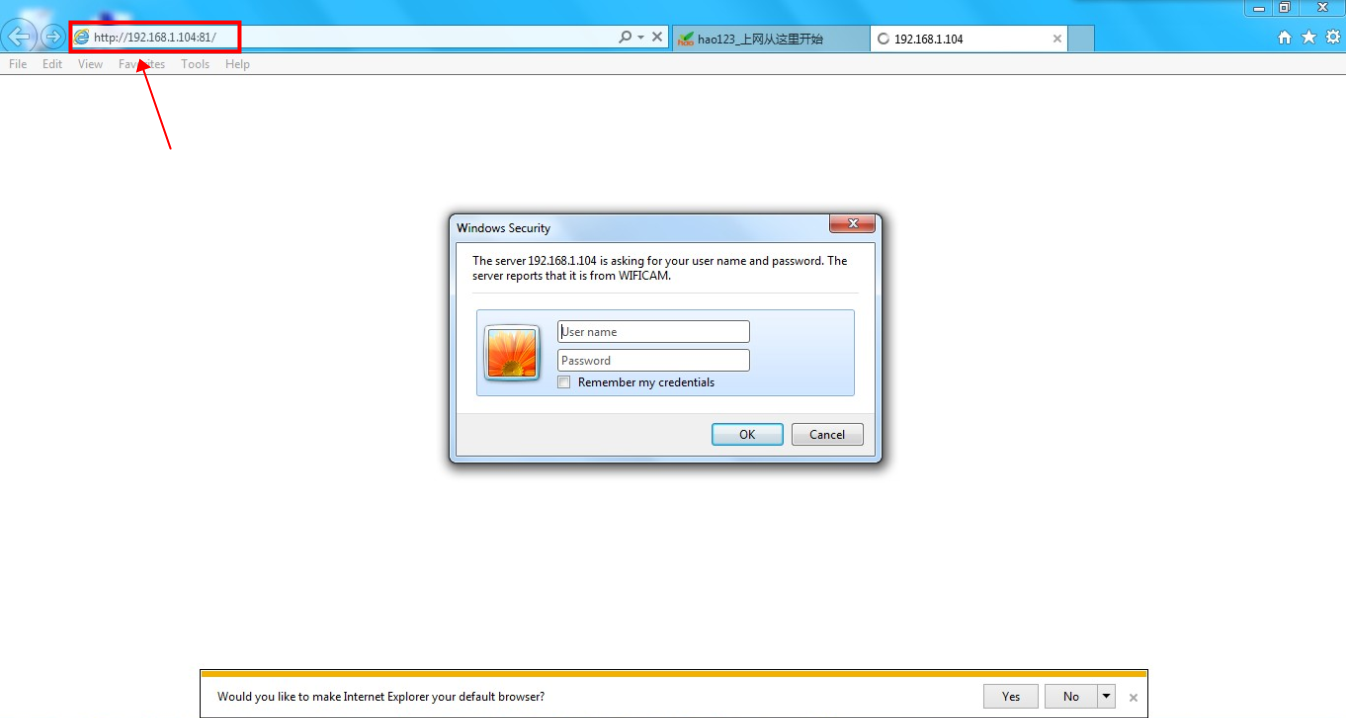
4. Access the camera via its IP and port. Please use IE.
The user name is admin and the password is blank if you don't change it.

5. Go to the setting to input email information.
- the sender is your Gmail account
- The SMTP server is smtp.gmail.com
- SMTP port is 465
- SSL is TLS. If TLS doesn't work, try others on the list.
- SMTP user is your Gmail account
- SMTP password is your Gmail password
- the sender can be any email
Click the test to see if it shows success.

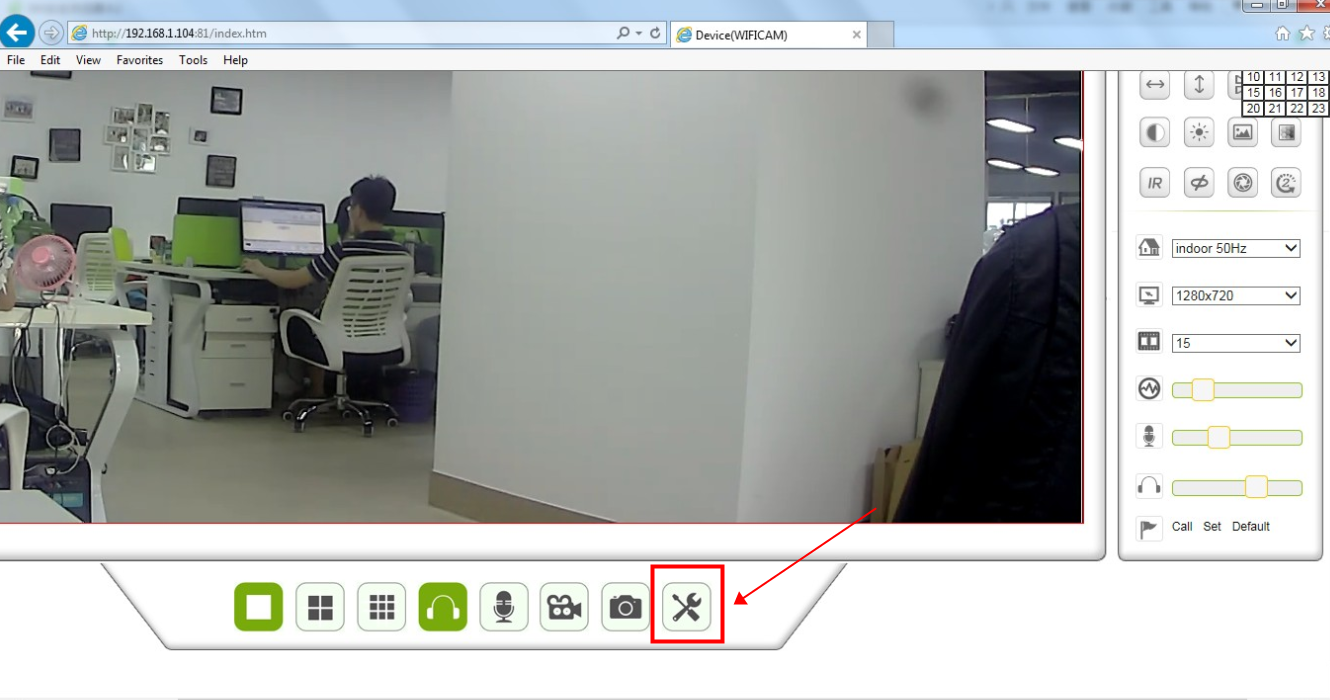
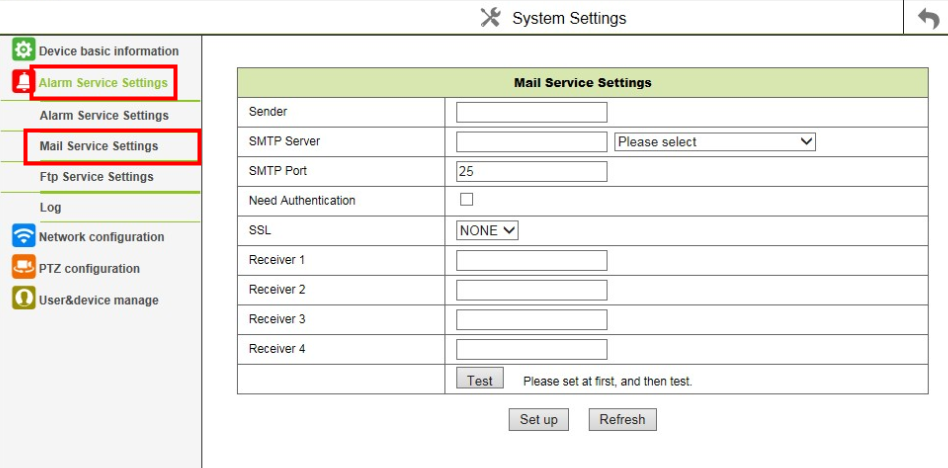
If the email test is successful, you will receive an email with one picture.
Was this article helpful?
Bu bilgiler sorununuzu çözmeye yardımcı oldu mu?
Still need help?
Uzman ekibimiz size yardımcı olmak için burada.