Sannce Home-How to back up the video to USB disk from DVR box
20 Aug 2026
329 views
Applies to: DN41CK/DN81BG/DN81BL/DT61BB
There are 2 methods to back up the videos from the DVR.
1. Cut off the video time stamp from the payback.
Go to the Playback menu, then select the correct channel and the time.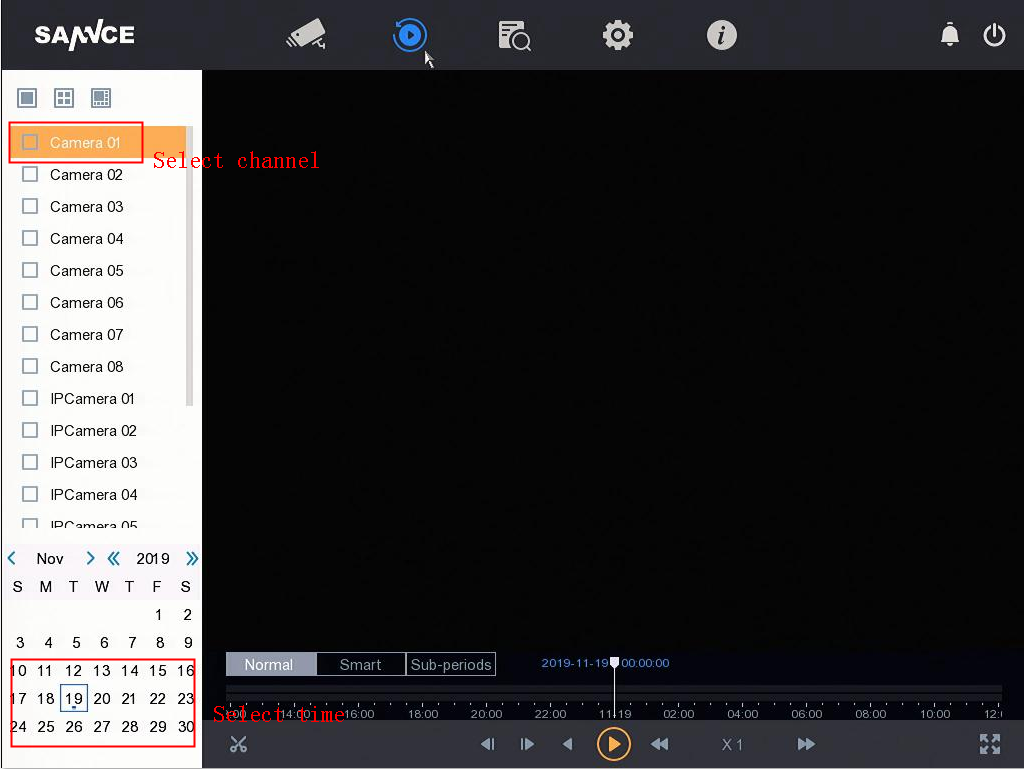
Click the Video cut to select the time for back up: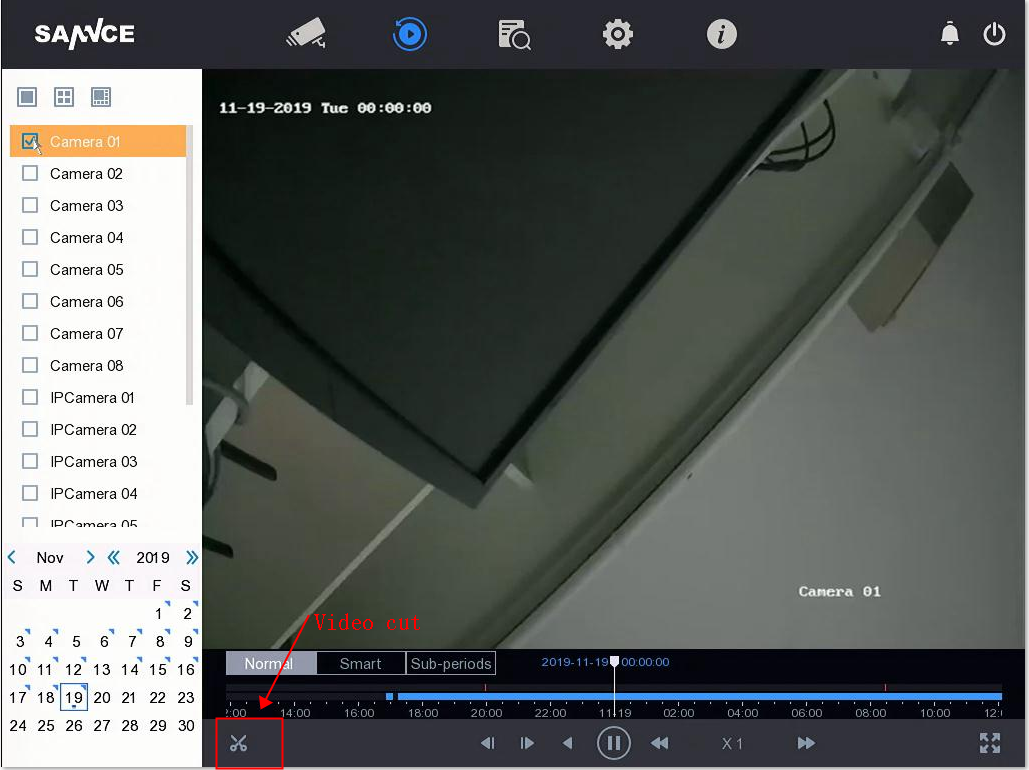
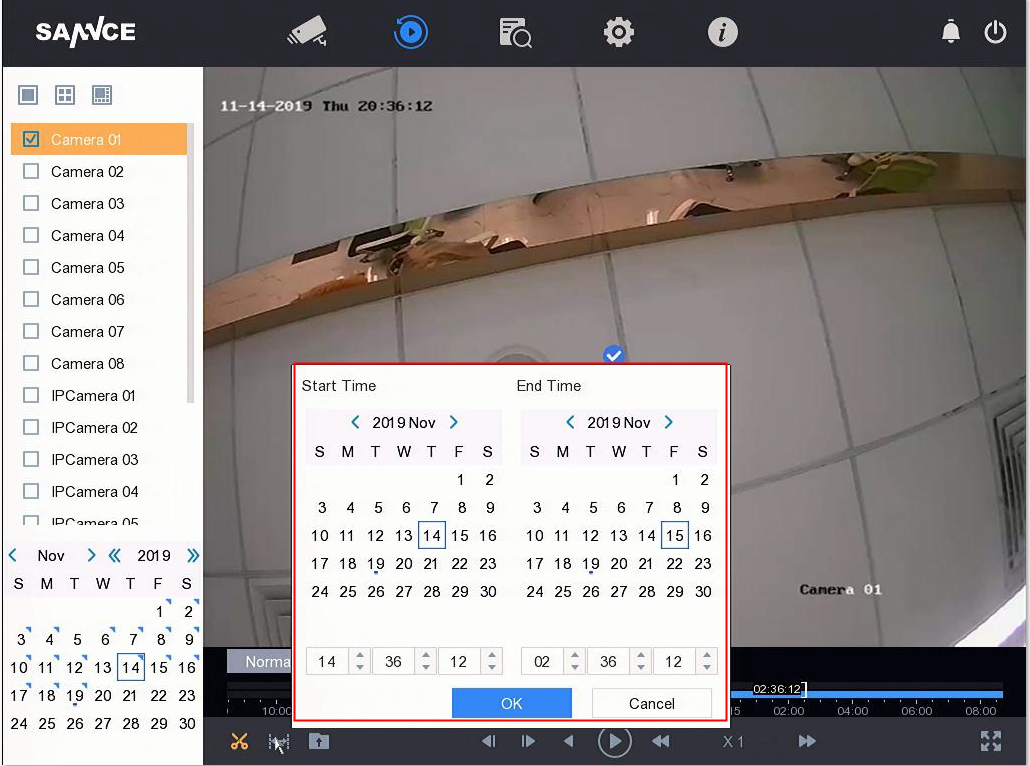
When the time is correct, and click ok, you can go to the backup interface. If you have inserted the USB drive in your DVR, tt will show the correct information for the backup.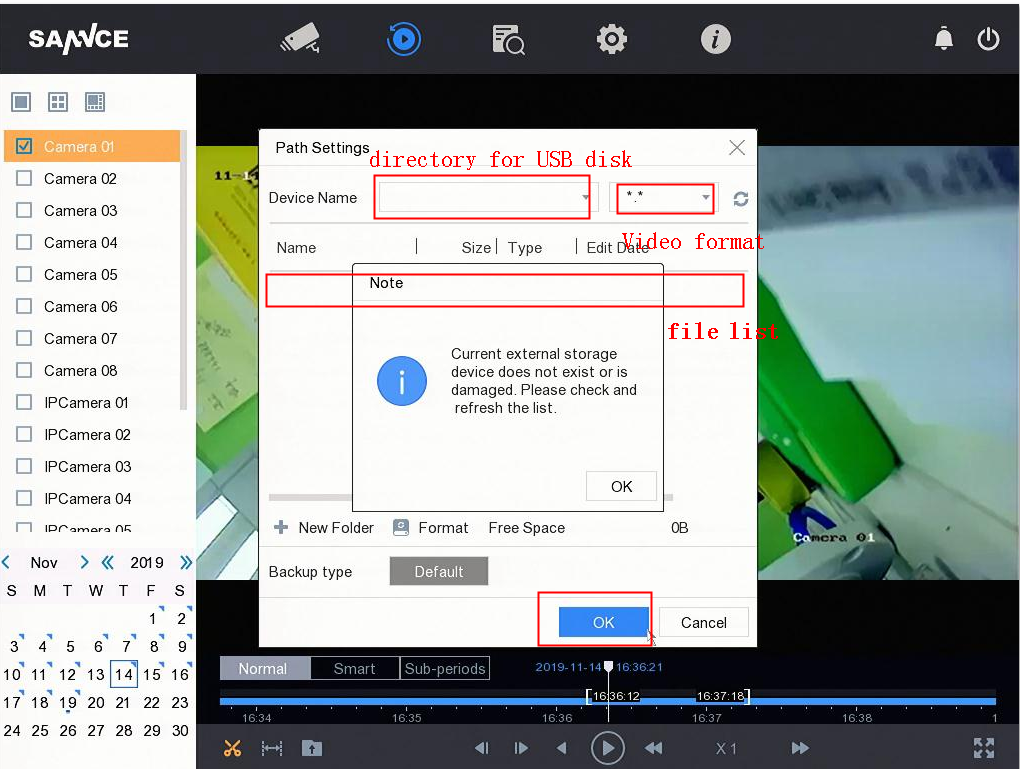
2. Back up the video from the search management.
Go to Search management, then select the correct time, channel, and video type.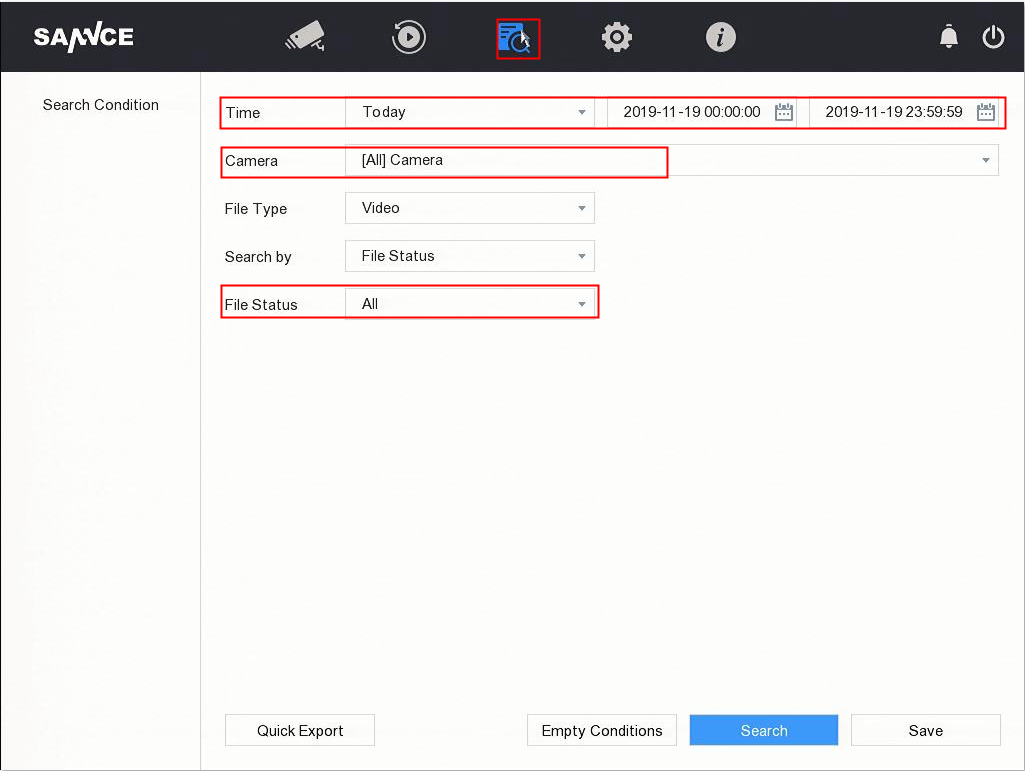
Get the video files, ticket it, and do the export.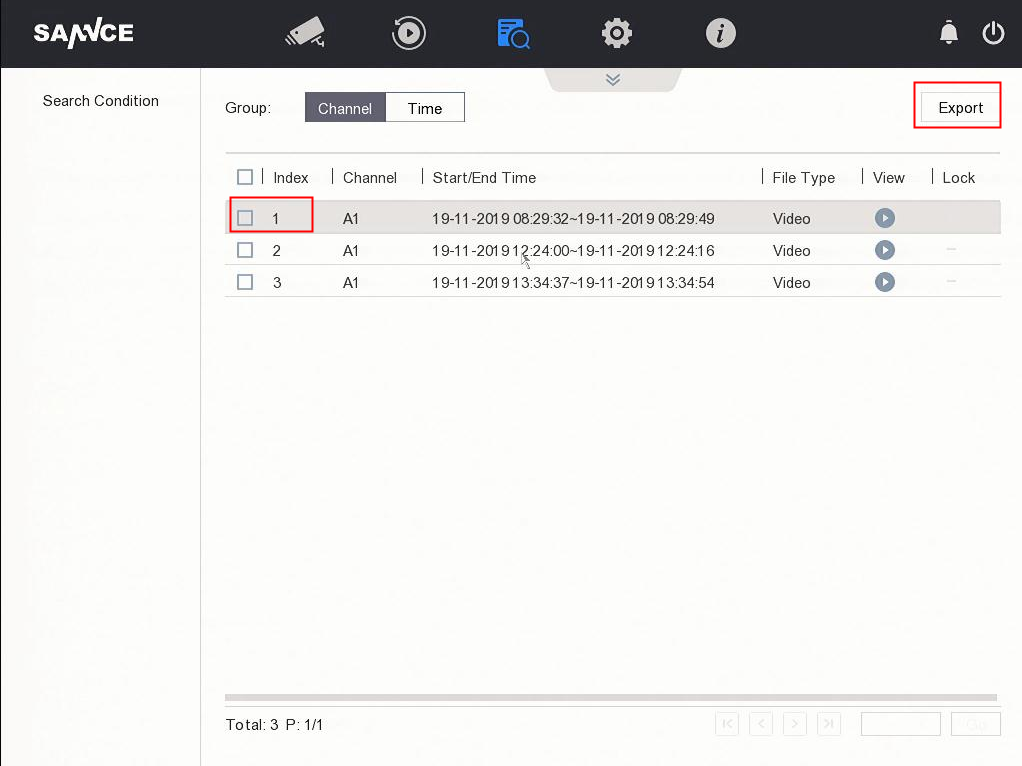
Was this article helpful?
Bu bilgiler sorununuzu çözmeye yardımcı oldu mu?
Thanks for your feedback!
Still need help?
Uzman ekibimiz size yardımcı olmak için burada.