Sannce Home - What to Do if Your Device Says Offline on the App?
Applies to: DN41CK/ DN81BL/ DT61BB/ DN81BG
1. Make sure the receiver is connected to a router via ethernet cable. you can try to change another ethernet cable and another router port to check.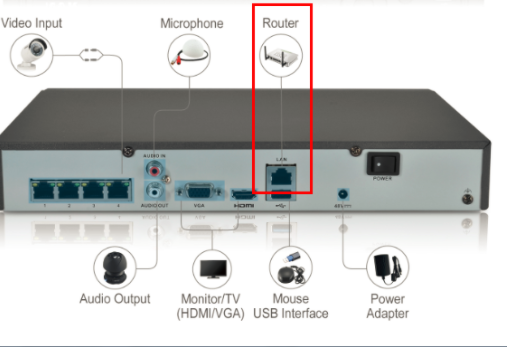
2. Go to setting- network- general, tick on 'DHCP' and "Obtain DNS automatically", then click 'Apply'.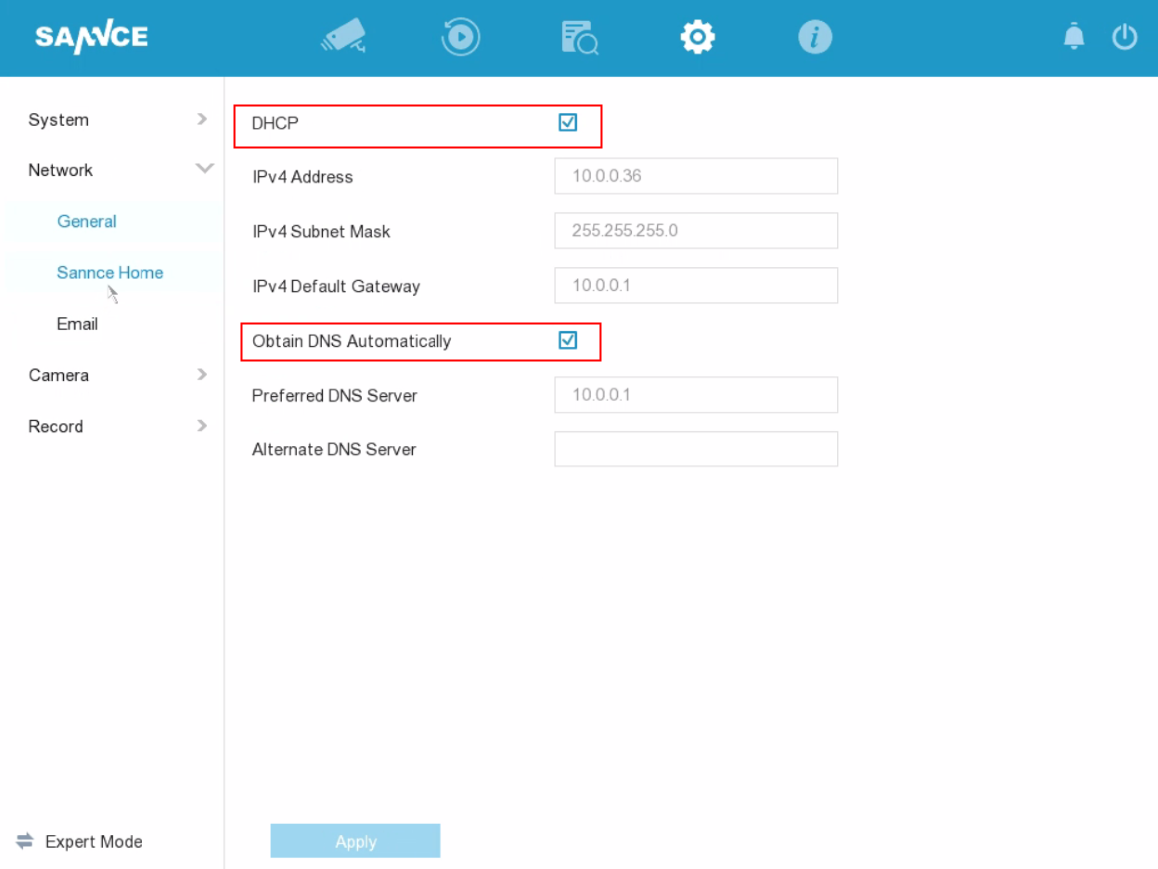
3. Go to Platform Access, click 'Enable'.
When the Status is 'Online', this system can be accessed remotely via APP.
In addition, please make sure the verification code is set up. You can create the verification code by yourself. ( Enable the stream encryption is not suggested)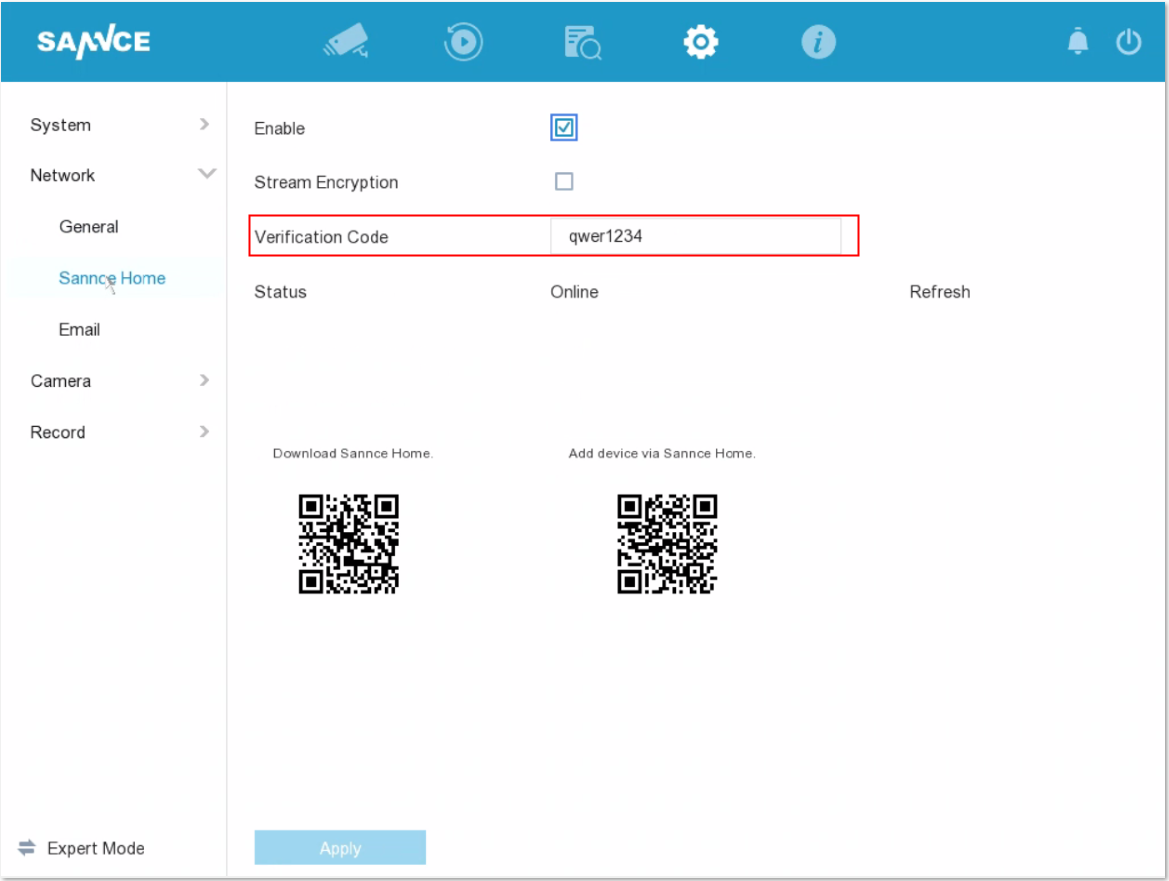
4. If you find the above instructions still cannot make your system online, Please go back to setting- network- general. disable 'DHCP' and "Obtain DNS automatically", input '8.8.8.8' in Preferred DNS server, then click on Apply to save the settings. 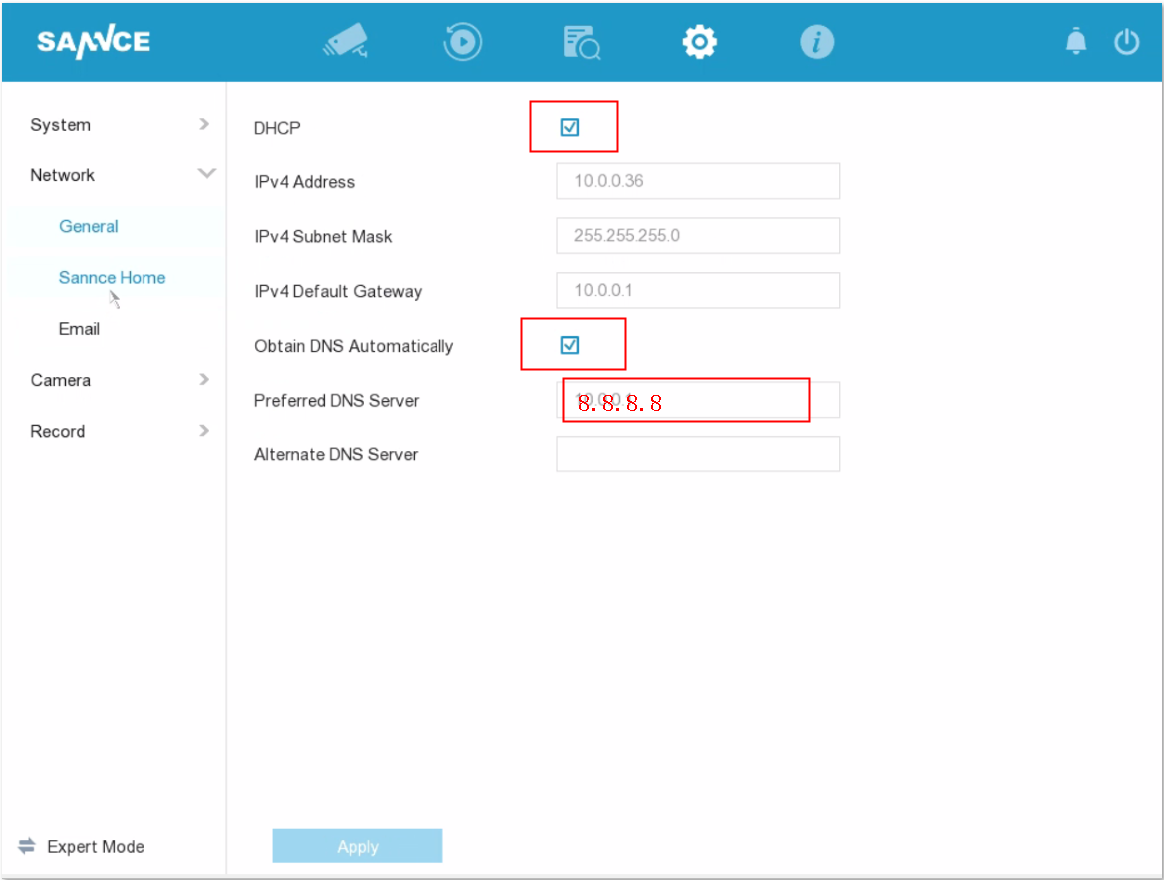
Then, please reboot the system to see if the system can be online.
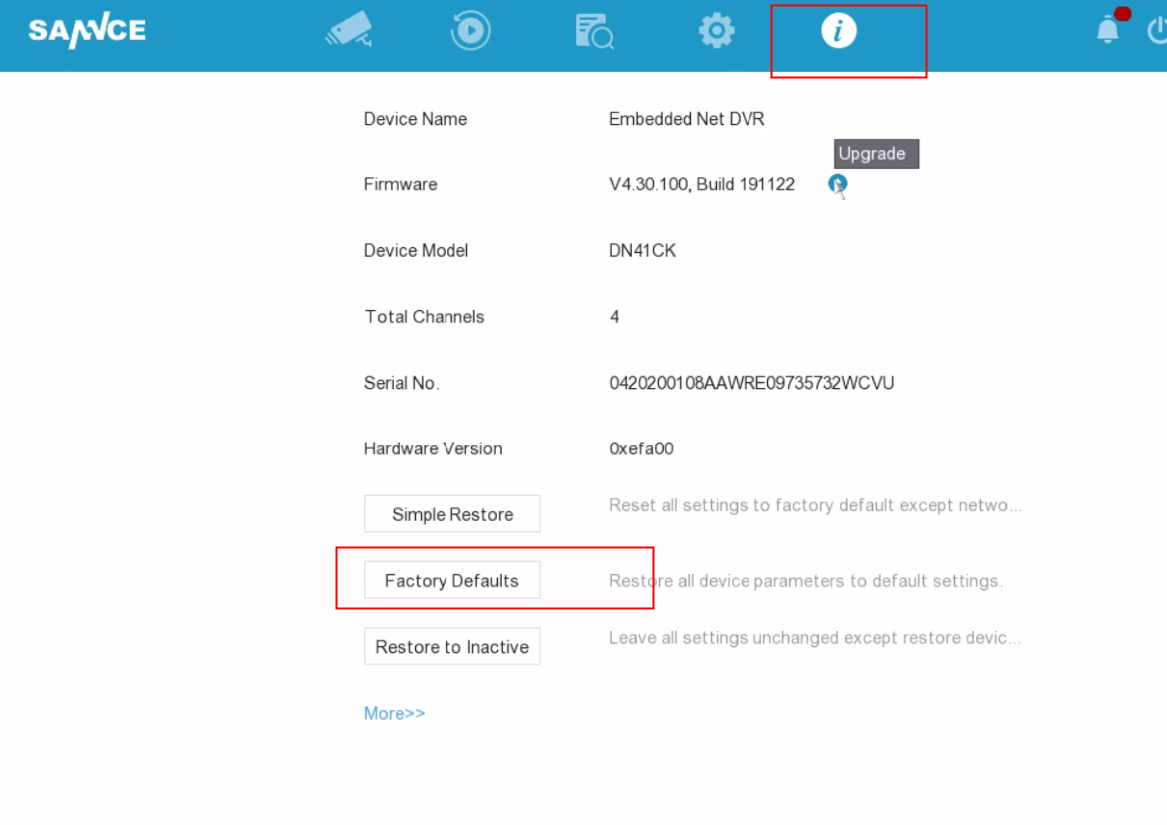
5. If it still does not work, please try to restore the DVR.
Was this article helpful?
Bu bilgiler sorununuzu çözmeye yardımcı oldu mu?
Still need help?
Uzman ekibimiz size yardımcı olmak için burada.