Sannce Smart-How to Set up Push Notifications?
Applies to: DN41CR/DN81BR/DT61BR/DT61BT
1. Add the device to the APP XVRView.
http://www.sanncegroup.com/document/APP/xvrview_2.4.8.50_150.apk
Here is the instruction:
https://support.sannce.com/hc/en-us/articles/4408120126489
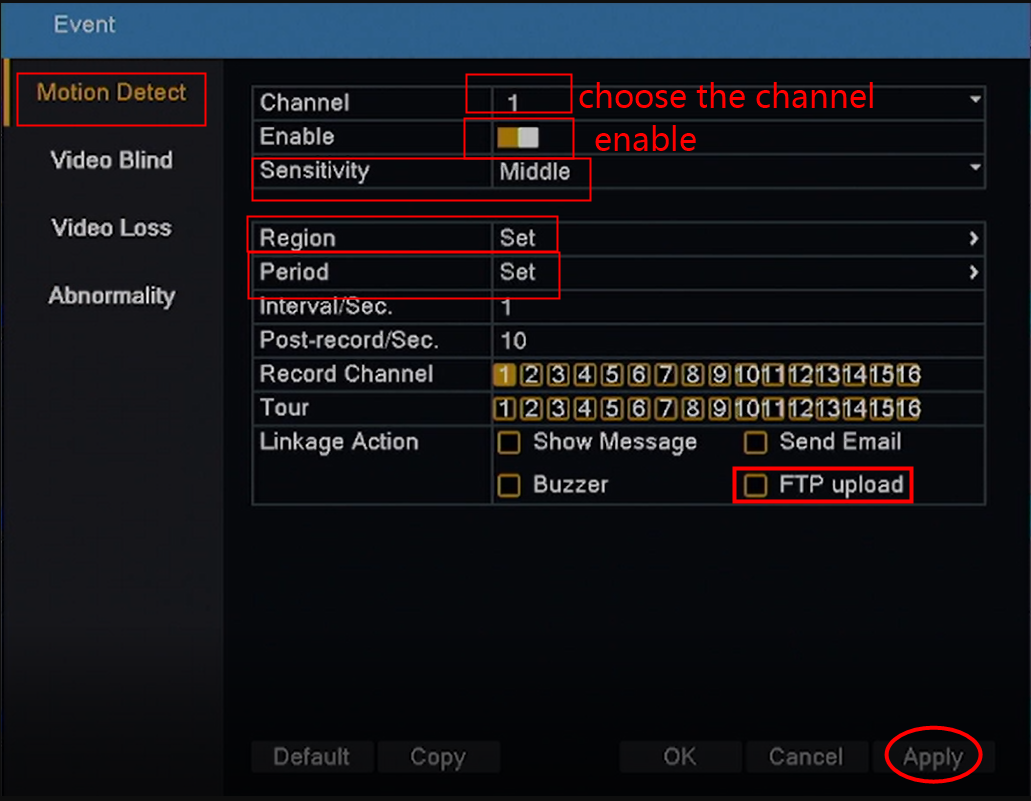
2. Enable motion detection on the DVR monitor and set up the parameters. Path: Main Menu>Event
Sensitivity: The higher the sensitivity, the camera can detect movement more easily.
Region: The detection area of the camera.
Period: The motion detection schedule.
FTP upload: Send push notification to the phone app when motion detection is triggered.
Then, click Apply to save the change.
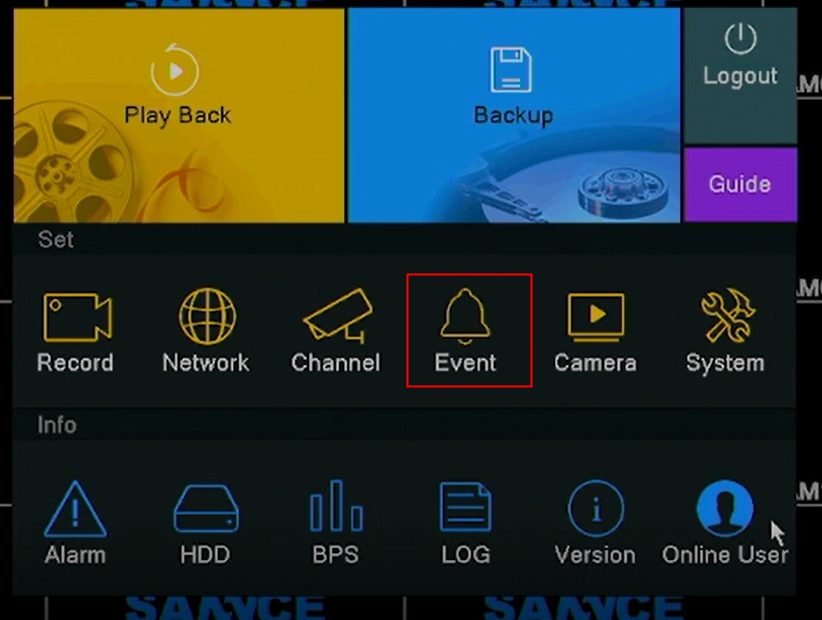
3. On the phone app XVRView, go to Device Manager, click the 'i' icon of a camera channel, go to Remote Config--Alarm Setting, enable Alarm Notification, click 'Save'.
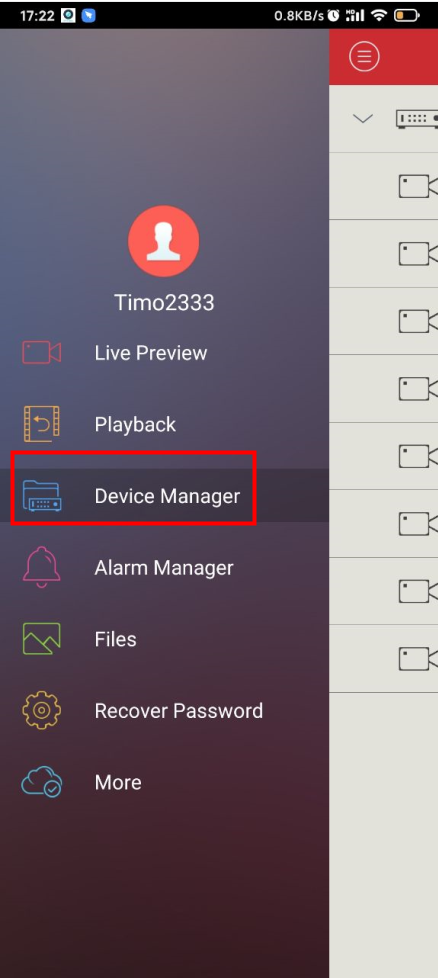
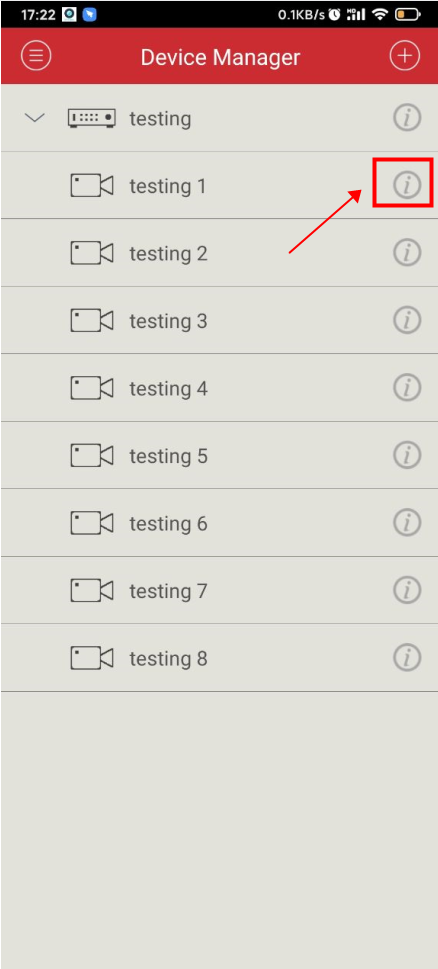
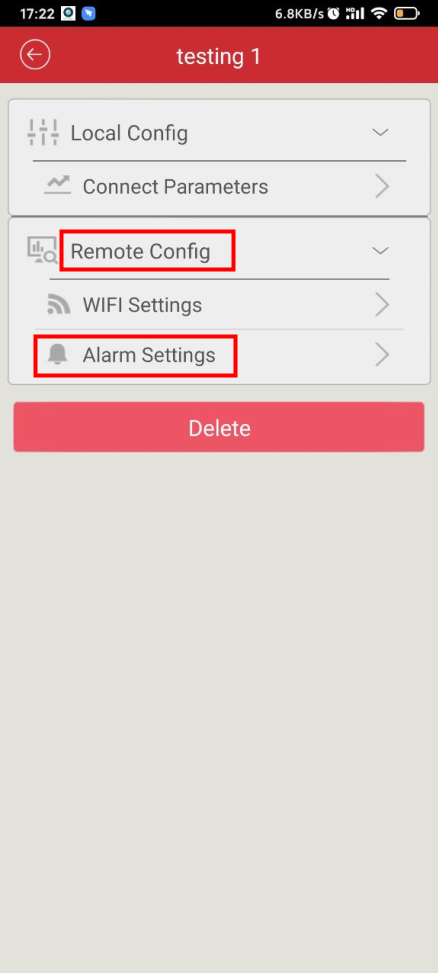
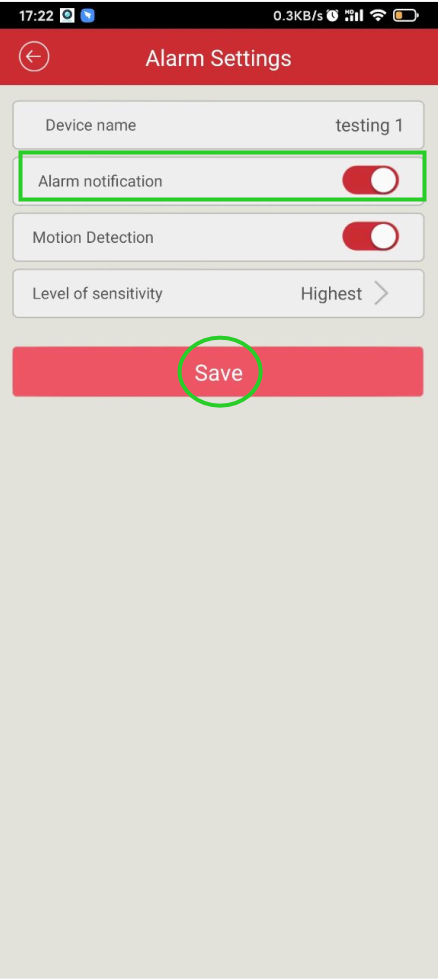
Note: We need to enable Alarm Notifications for each camera channel separeately.
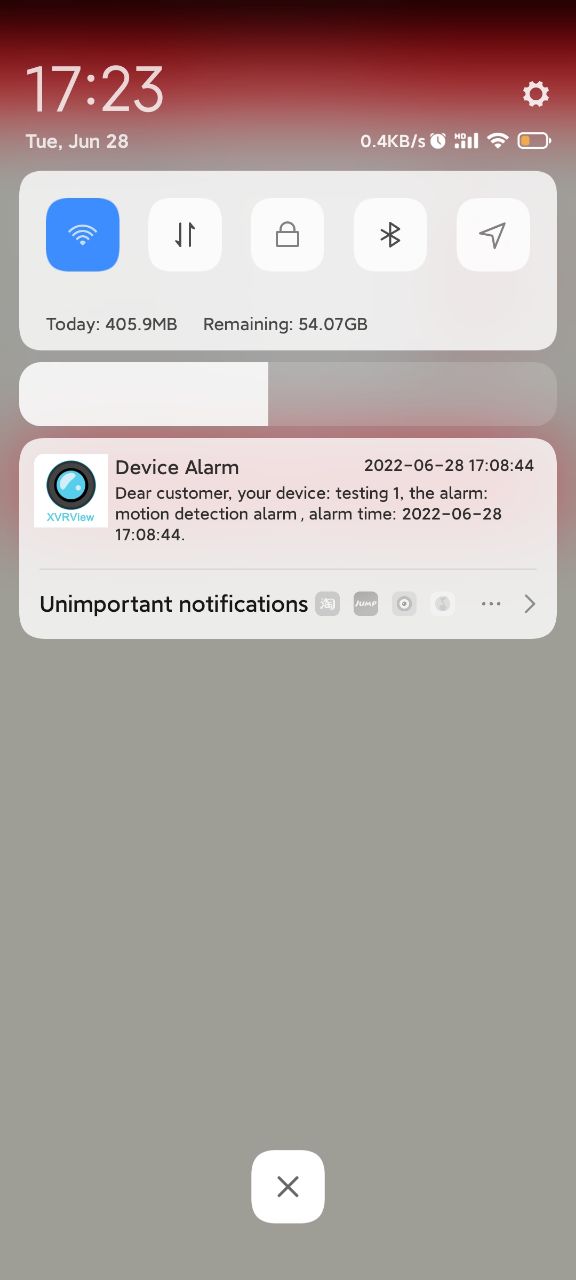
After that, you will receive push notifications when motion detection is triggered.
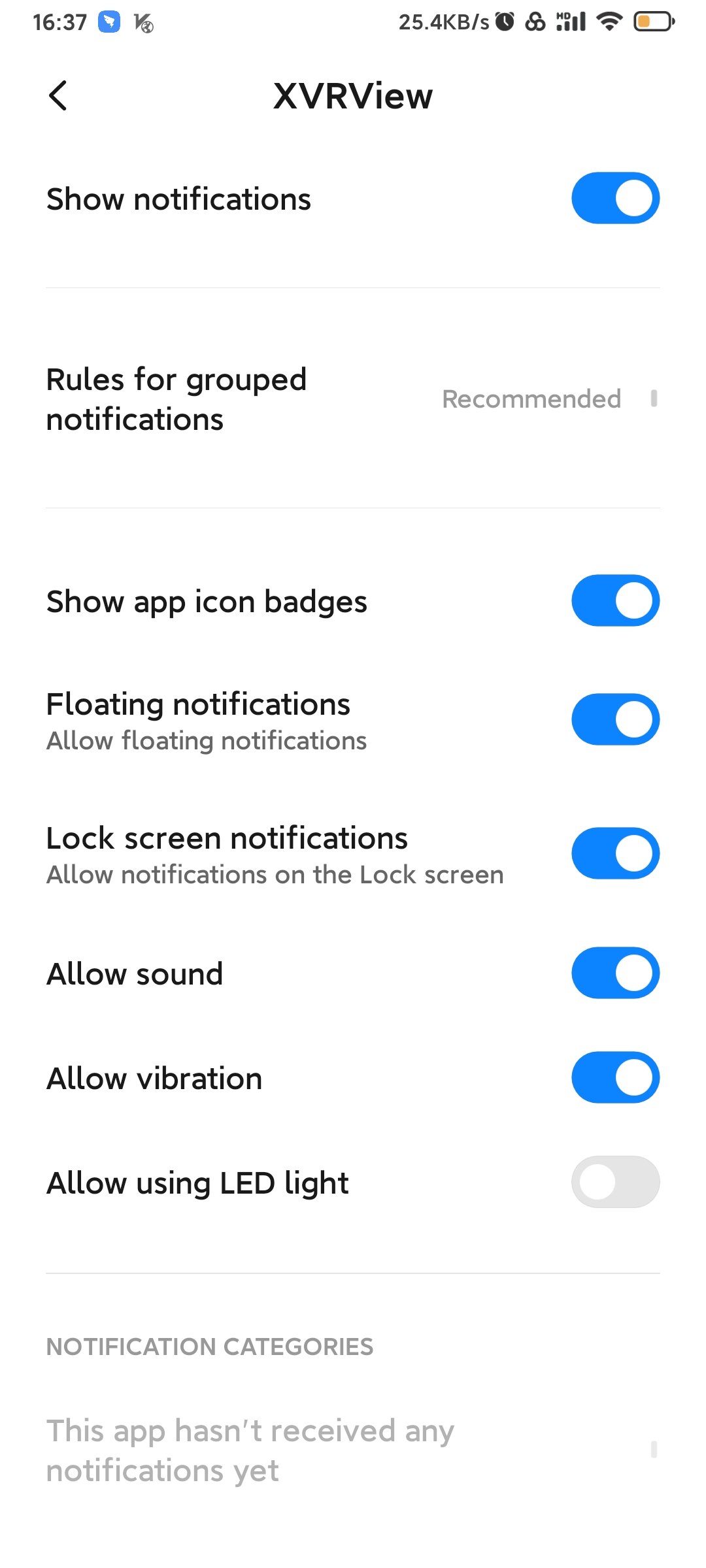
In case it didn't work, please check and make sure the App is allowed to show notifications on the phone.
Was this article helpful?
Bu bilgiler sorununuzu çözmeye yardımcı oldu mu?
Still need help?
Uzman ekibimiz size yardımcı olmak için burada.