Sip Configuration with a Board and a Monitor in X-Security video intercoms
In this article we explain how to configure the SIP option in both VTOs and VTHs (respectively outdoor boards and internal monitors). The boards are configured by their own webserver, while the monitors are configurable by acting on them.
This can be seen in the following video
SIP Monitor and Board Configuration
VTO Configuration
First, the VTO must be upgraded to the required firmware version:
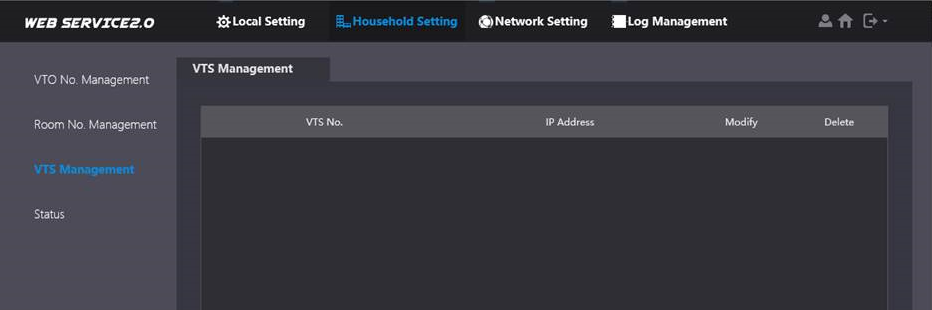
The first menu we need to look at is Household Setting. In the search tab of the outdoor boards, the IP of the previously connected VTO is automatically displayed:
Add the number of the monitor(s) we want to communicate with:
In the Network Setting menu, the IP of the VTO appears; here we complete the data and activate the P2P. By doing this step we can also get notifications on our mobile phone.
Activate the SIP SERVER
VTH configuration
First we set the network parameters of the device
Then let's set the number of the monitor
Within the SIP configuration menu, set the IP of the VTO. The default port is 5060, and in Register Pwd leave the default password.
- SERVER IP: We must enter the IP address of the VTO (Outdoor Station)
- NETWORK PORT: 5060
- USERNAME: Cannot be modified.
- Register Pwd: 123456 (Keep as default)
- DOMAIN: VDP
- USERMANE: The user of the VTO (Outdoor Station)
- Login Pwd: Password of the VTO (Outdoor Station)
then set the IP address of the VTO and its password
To receive notifications on your phone, scan the code on your device's label from the app
To receive the call on your phone, activate the following option
Was this article helpful?
Bu bilgiler sorununuzu çözmeye yardımcı oldu mu?
Still need help?
Uzman ekibimiz size yardımcı olmak için burada.