Troubleshooting SecureGuard CMS 1.4.10 Install .DLL File Error
20 Aug 2026
315 views
- Sometimes when downloading SecureGuard CMS 1.4.10 on Windows 11 machines, an error will pop up after the main installation like this:
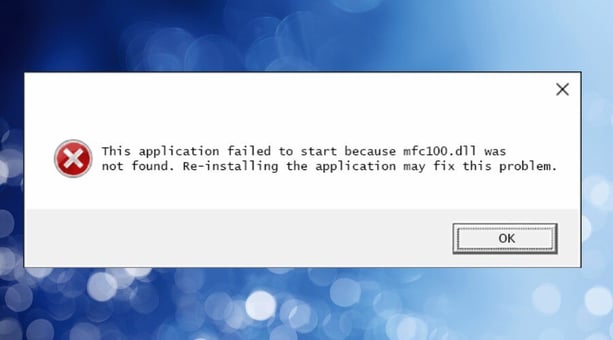
- If this happens, a convenient workaround is to download and install the 1.4.8 Version of SecureGuard CMS, and then install the 1.4.10 version again on top of it.
- Download SecureGuard CMS Version 1.4.8 here
Click here to learn how to add a Speco Blue Recorder to SecureGuard CMS.
Initial submission Date: September 24, 2024
Article authored by: Christopher Cataldo
- Sometimes when downloading SecureGuard CMS 1.4.10 on Windows 11 machines, an error will pop up after the main installation like this:
- If this happens, a convenient workaround is to download and install the 1.4.8 Version of SecureGuard CMS, and then install the 1.4.10 version again on top of it.
- Download SecureGuard CMS Version 1.4.8 here
Click here to learn how to add a Speco Blue Recorder to SecureGuard CMS.
Initial submission Date: September 24, 2024
Article authored by: Christopher Cataldo
Was this article helpful?
Bu bilgiler sorununuzu çözmeye yardımcı oldu mu?
Thanks for your feedback!
Still need help?
Uzman ekibimiz size yardımcı olmak için burada.