Troubleshooting--What to do if DVR/NVR Continually Restart?
There are several possible causes of your DVR/NVR continually restart. You may follow the troubleshooting tips listed below to solve the problem.
Cause 1. The DVR/NVR Power Supply is insufficient or cannot be powered normally
Solution: Use another DVR/NVR power supply to have a try. You can check your camera's power supply's specification, if they are the same, you can use the camera's power supply to have a try.
Cause 2. The Hard Disk Drive(HDD) maybe has some problem
Solution: Take out the hard disk drive to have a try.
Cause 3. The Version is too old.
Solution: Please update the system firmware version, if you can't find the lasted version, please contact us, we will offer you.
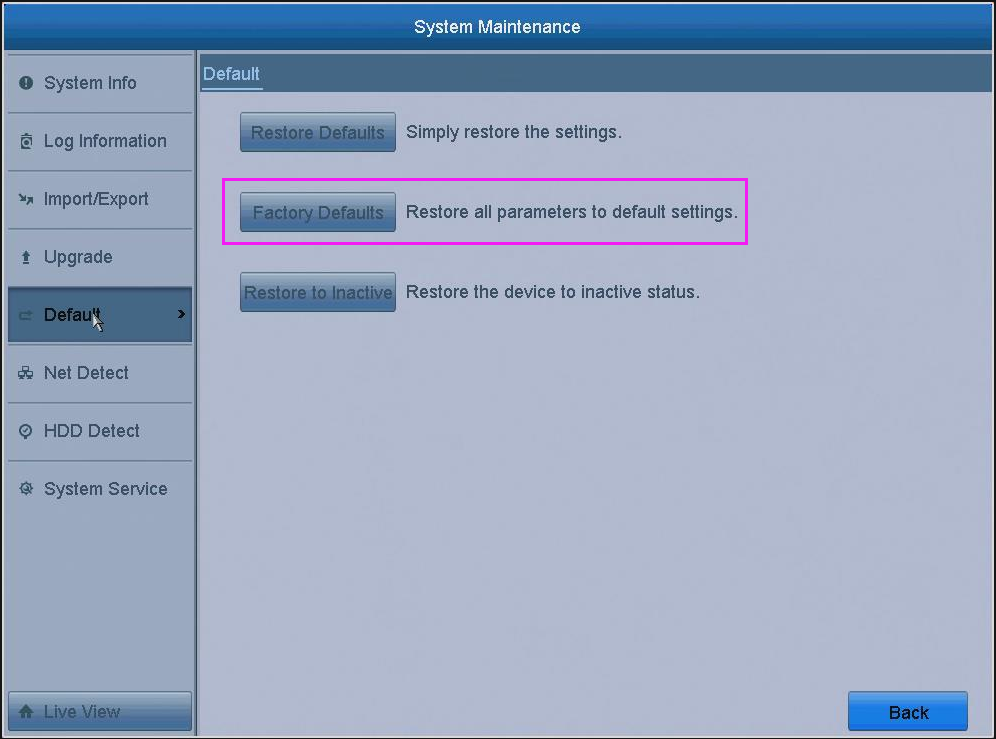
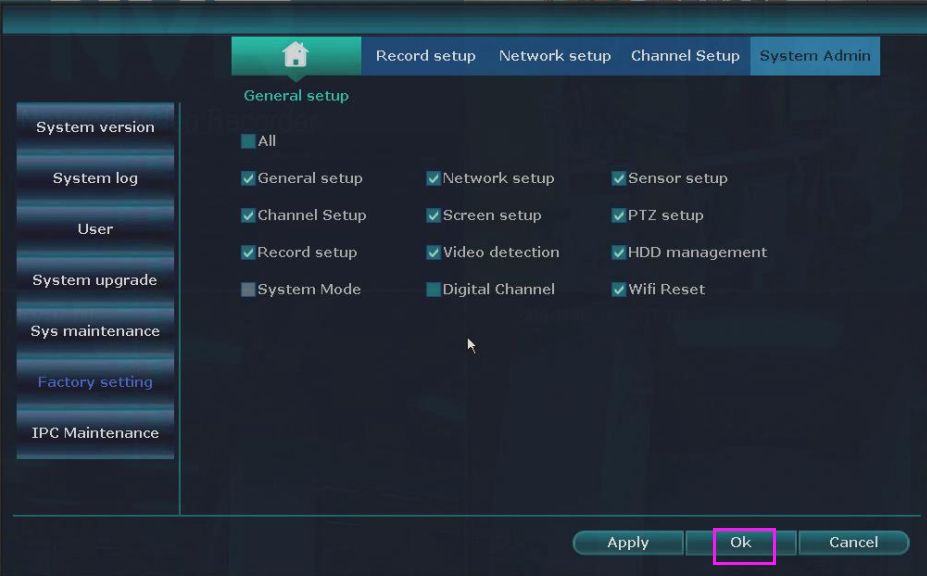
Cause 4. Some setting problem
Solution: Try to restore your system to have a try.
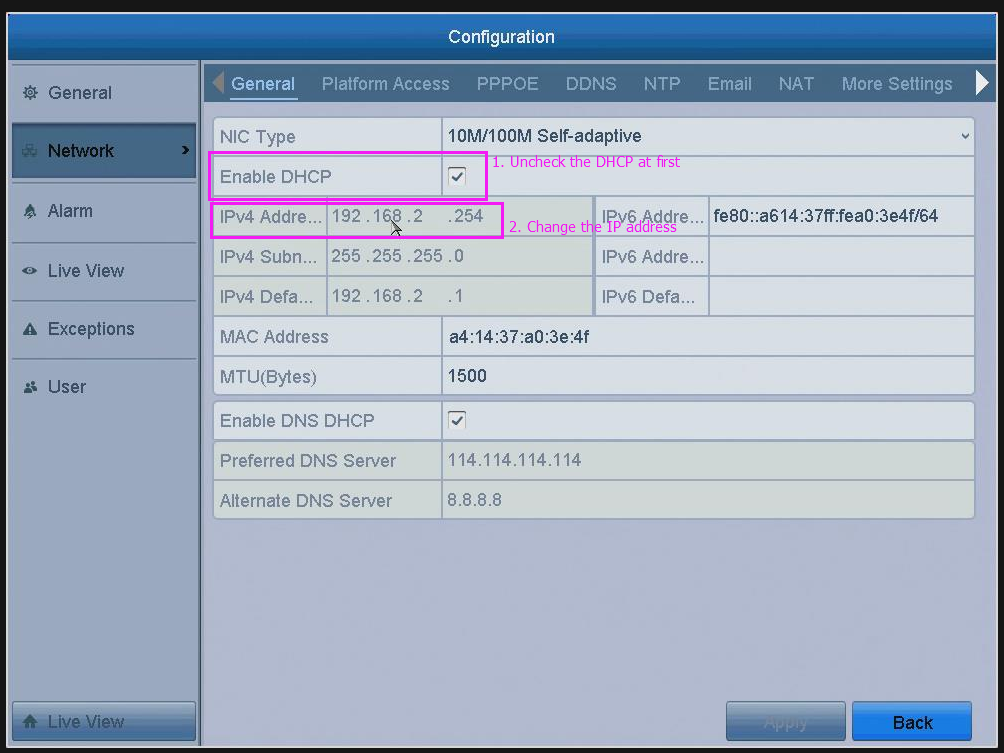
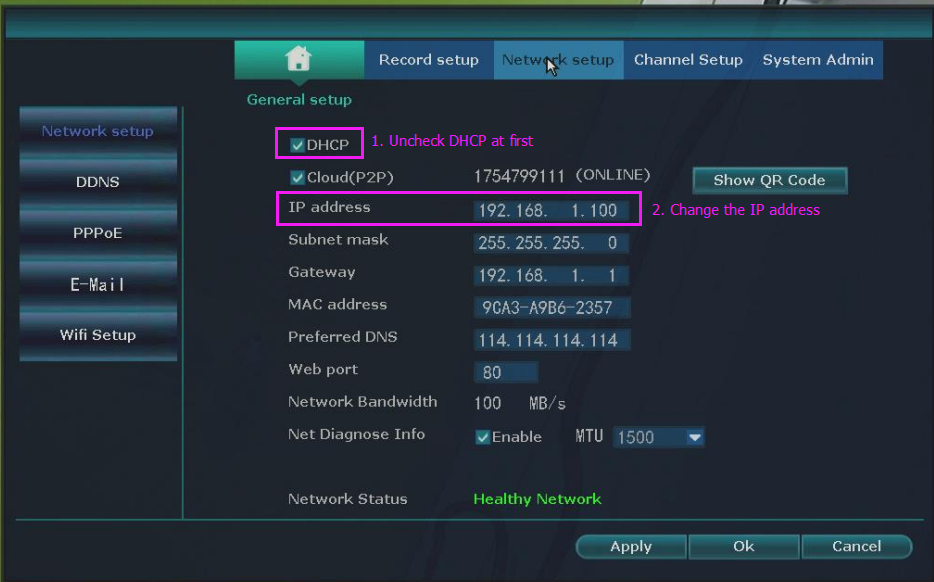
Cause 5. Network causes the device to restart
Solution: Please unplug the ethernet cable and check will it back to normal. If unplug the ethernet cable and it back to work, then please try to change the system's IP address and then replug the ethernet cable to have a try.
Cause 6. The DVR/NVR is defective.
Solution: Please provide your relevant purchase information or order information to us in the form of an attachment so that we can provide better help.
- If the problem persists after going through the steps above, please tell us the troubleshooting results or better take some pictures about the process and send them to us as an attachment.
- Please click on submit a request to contact us for help.
Was this article helpful?
Bu bilgiler sorununuzu çözmeye yardımcı oldu mu?
Still need help?
Uzman ekibimiz size yardımcı olmak için burada.