Troubleshooting--What to Do If The HDD Can't Be Recognized?
For DVR/NVR system, if you want it to record, it needs to install an HDD inside the DVR/NVR at first.
For the DVR/NVR we sell, some of them with HDD pre-installed and some of them are not.
Check here to get to know the system you bought with/without an HDD.
Please try the following steps to locate the problem or solve the problem.
Check the HDD's status, if you can see the HDD's information, try to format it.
If your models are:
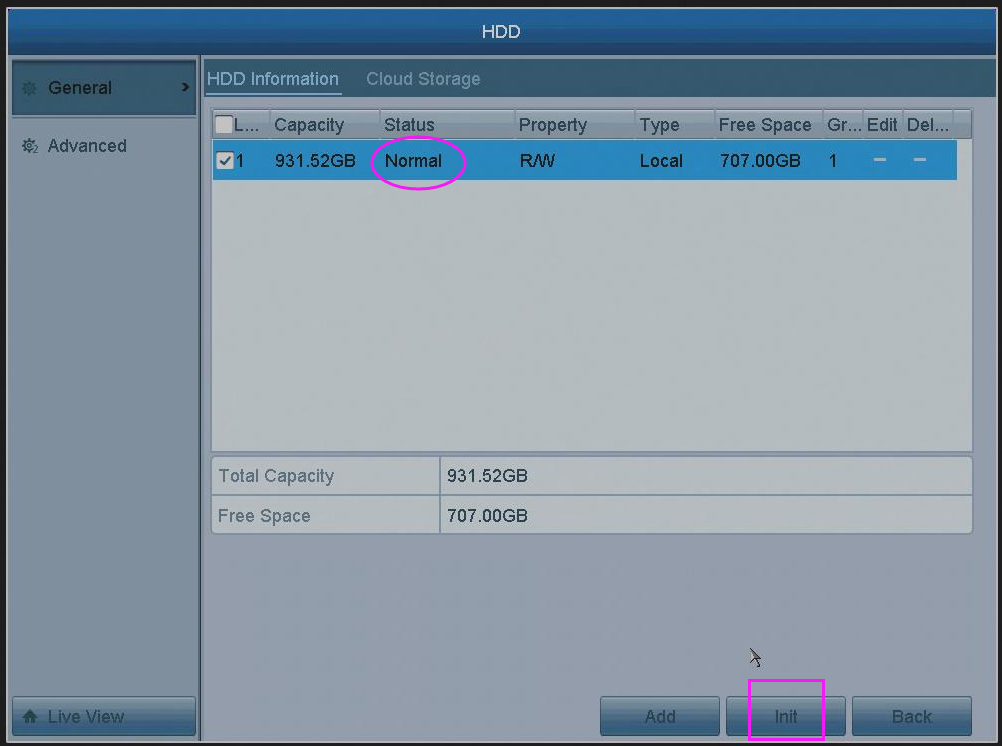
Please go to Menu--HDD--General to check its status. It should be "Normal". Click "Init" button to format the HDD for the first use.
If your models are:
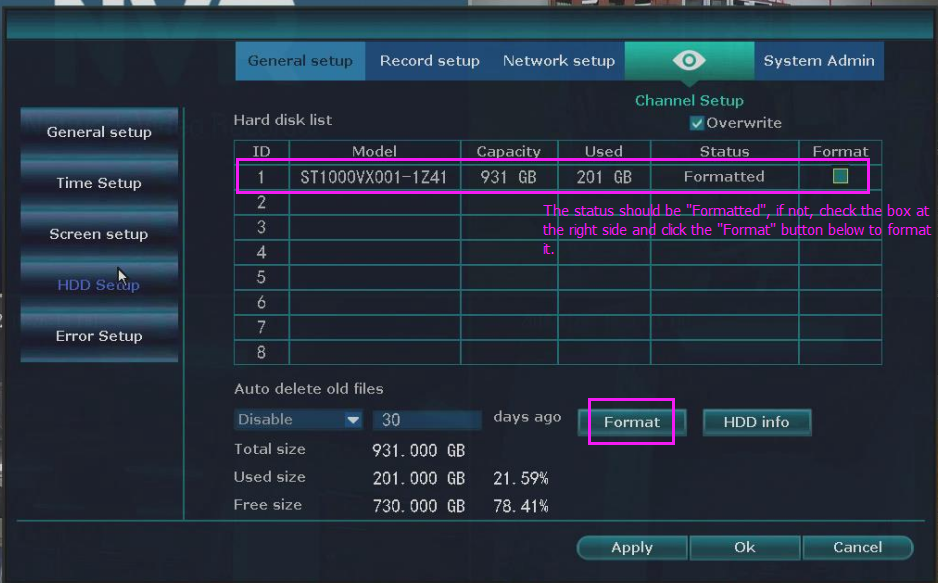
Please go to System setup--General Setup to check its status. It should be "Formatted". Click "Format" to format the HDD for the first use.
If the hard drive is not from us, please make sure your hard drive meets all requirements.
--Open the cover of DVR/NVR. Uninstall and install HDD several times. Here is a method.
--Install hard drive and put hard drive close to your ear to check if you can hear some noise. One hour later, use hand to touch the hard drive to check if it is warm. If you can not hear any sound and surface of the hard drive is not warm, it can prove hard drive is not even powered up. Please share our results.
--Unplug DVR or NVR from power and plug it again. If it still doesn't work, change an adapter of DVR.
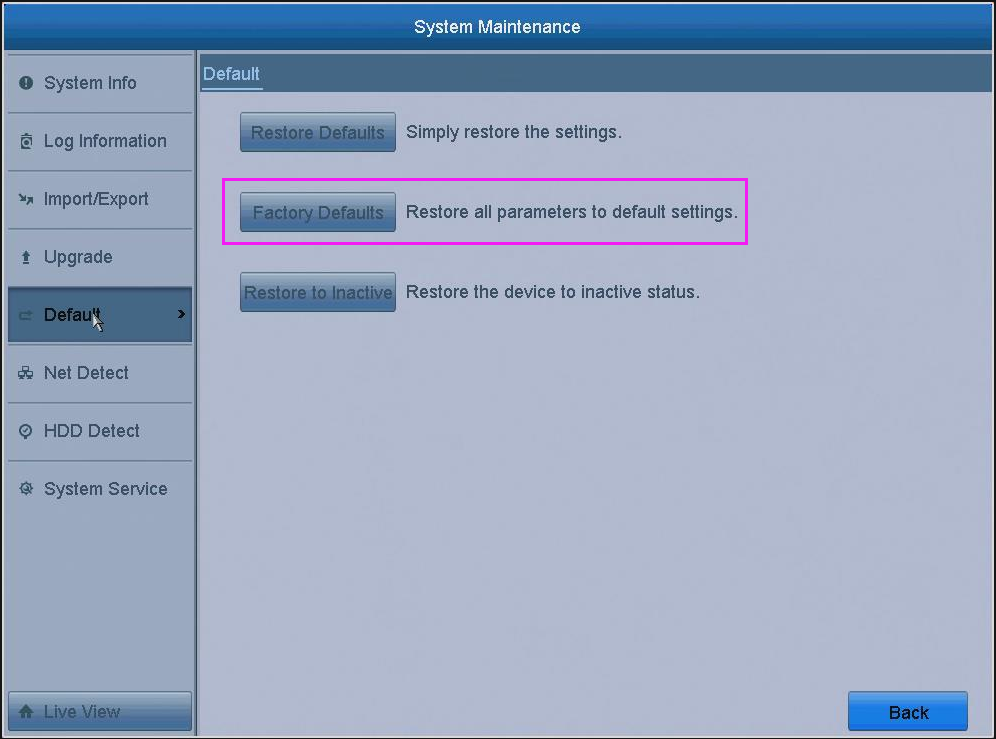
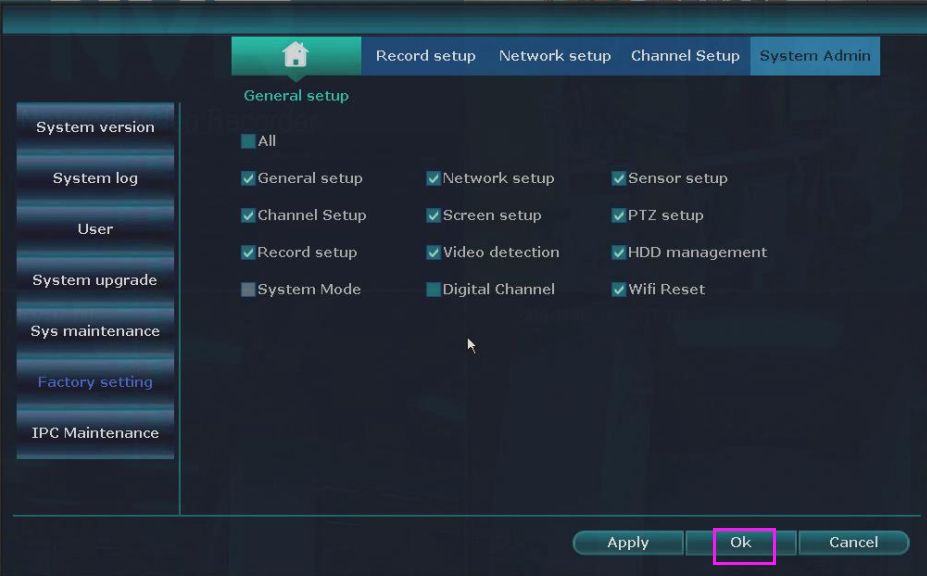
--Try to restore the DVR or NVR to the factory settings. And then check the HDD's status again.
--Try a spare DVR or HDD if you have.
--Try to install this HDD to another computer/DVR/NVR and check will it work in another device.
| example/description | |
| Order Information | eBay user name/Amazon order No. |
| Order Date | 2019.09.02 |
| Problem Details | Please briefly describe your problem |
| Troubleshooting result |
Please fill in one by one according to the above eight troubleshooting 1. HDD's status is "empty" 2. HDD preinstalled From you 3. Tried 4. Running but it has a very big noise 5. Change the camera's power supply 6. Tried 7.No other HDD/Tried 8. Try it on the computer works normally/No other device |
| Picture | Please send us two pictures: 1. The HDD's status(Re. step1) 2. The picture of the HDD show the clear model No./specification of the HDD |
| Video | If it still doesn't work and you try above, especially you can hear a big noise of the HDD, please kindly send us a video to confirm it. |
Was this article helpful?
Bu bilgiler sorununuzu çözmeye yardımcı oldu mu?
Still need help?
Uzman ekibimiz size yardımcı olmak için burada.