Type 2-How to connect NVR system to Annke Sight on computer?
Applies to:
NW41V/N441H/N441K/N28WEB/N441B/N441D/N441L/N44PAN/N44PAJ/N34WDB/N34WDD/N44WEB/N44WED/N44WEC/NW41V/N44WBD/N48WHP/N48WHE
1. Power on NVR and connect the NVR to the router by Ethernet cable.
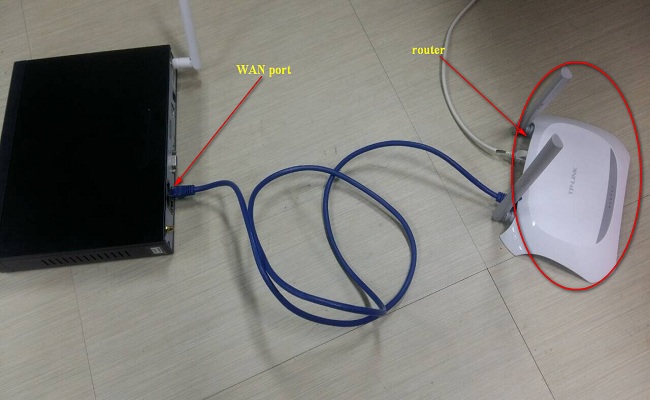
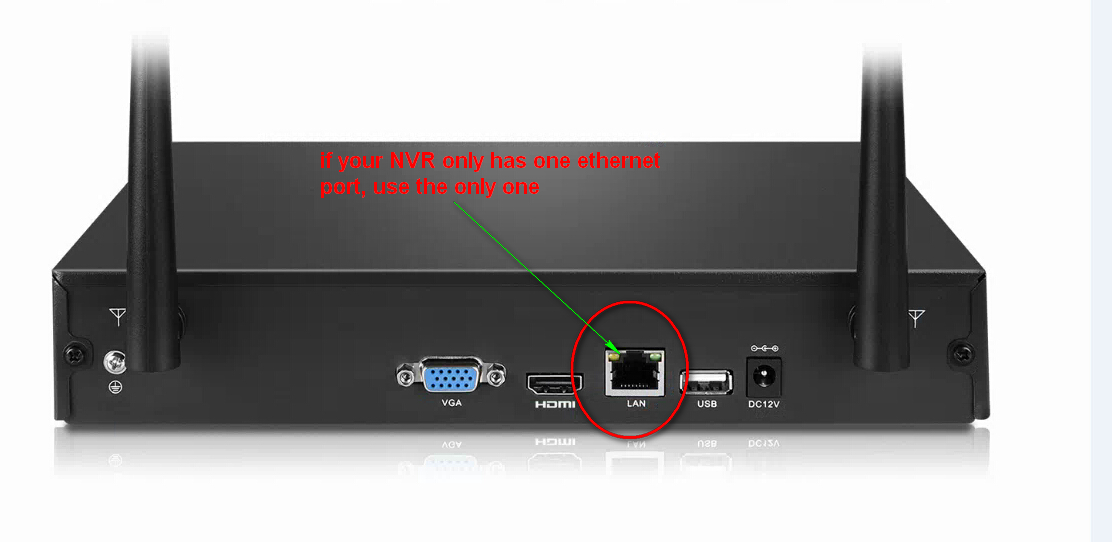
2. Go to System setup---Network setup to check if P2P is online. It must be online if you want to remote view.
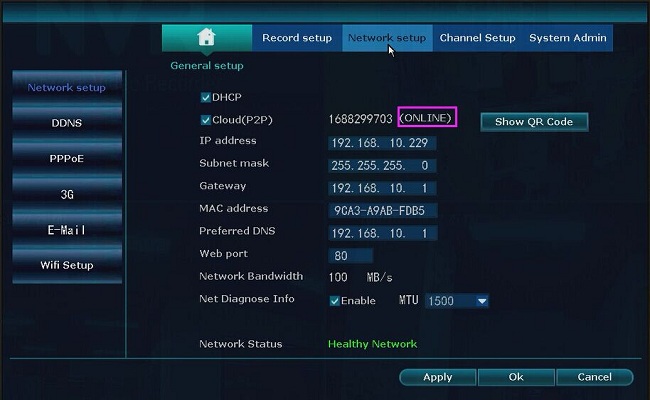
If it is offline, please refer to the link below to make it online at first.
https://help.annke.com/hc/en-us/articles/360000253982-
3. Download Annke Sight and install it into your computer. Here is the software download link.
For Windows:
http://support.annke.com/document/Computer%20Software/Annke_Sight_Setup_3.0.1.3_20200319.exe
For Mac:
http://support.annke.com/document/Computer%20Software/AnnkeSight_2.0.8.dmg
4. Please run the Annke sight, then it will pop up the login page. There are two ways to login to the software.
1) Login Local: The default user name is "admin", and the default password is empty (means you don't need to input anything).
2) Login Cloud: Please log in with your cloud account (the account you used to log in to the phone app Annke Sight).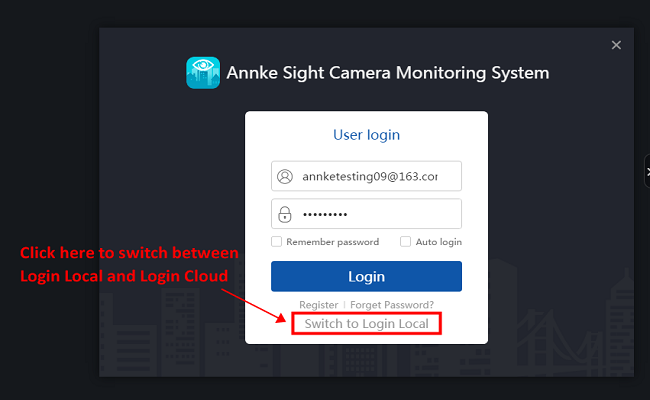
6. Tap Add on the right-top of the interface, and the Add Device window will pop up.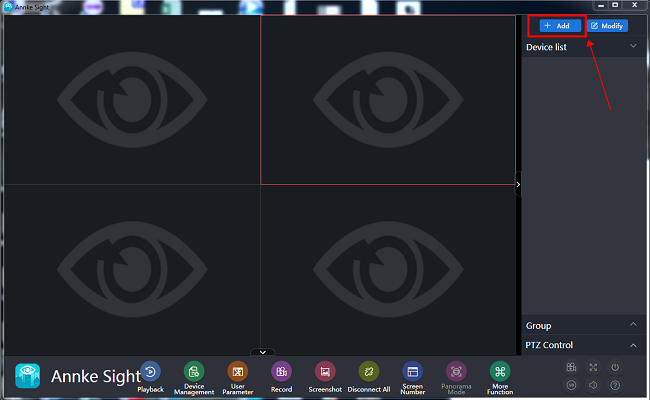
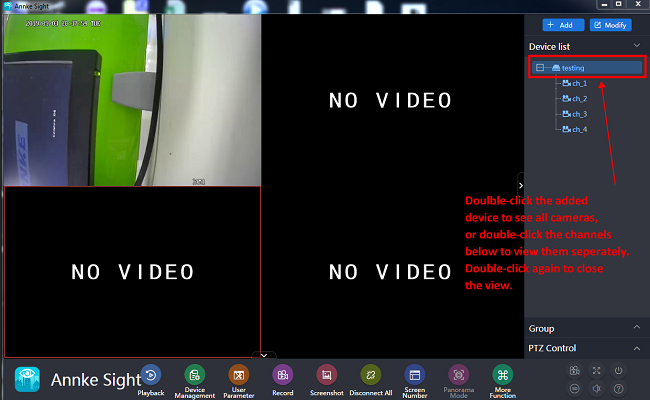
7. Add your NVR by following the below pictures, and tap Finish to add the device.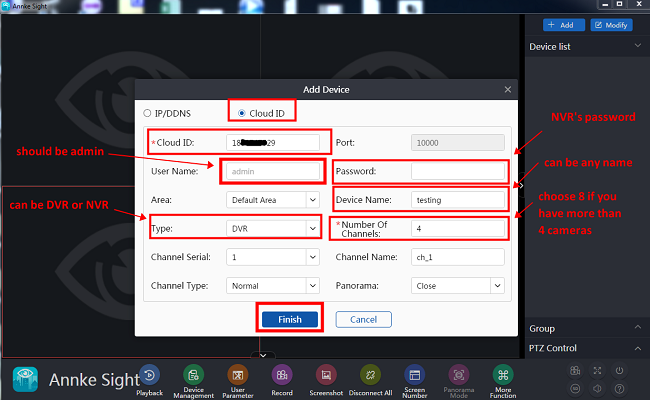
Was this article helpful?
Bu bilgiler sorununuzu çözmeye yardımcı oldu mu?
Still need help?
Uzman ekibimiz size yardımcı olmak için burada.