Type 2-How to play back recordings?
Applies to:
NW41V/N441H/N441K/N28WEB/N441B/N441D/N441L/N44PAN/N44PAJ/N34WDB/N34WDD/N44WEB/N44WED/N44WEC/NW41V
NOTE: You can playback the recording on the monitor, on the computer browser, and on the phone app.
Playback on the monitor.
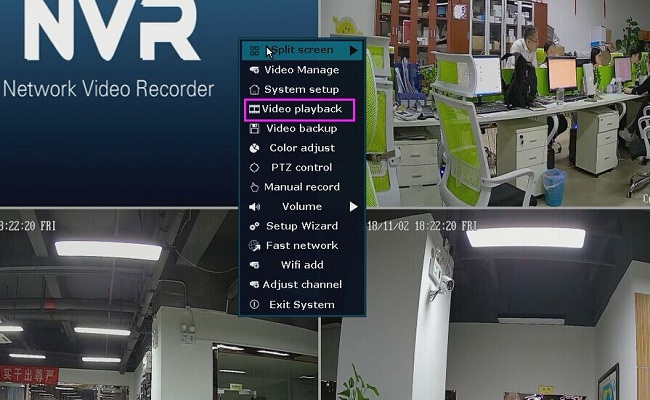
Right-click mouse on the NVR monitor and select Video Playback--> then manual search and select the channel, type of video and drag the time bar to where it has color and click playback.
Playback on the phone APP
Here is the method to get the phone view.
https://support.sannce.com/hc/en-us/articles/900000436303
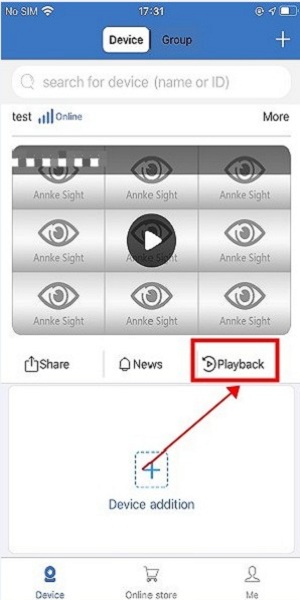
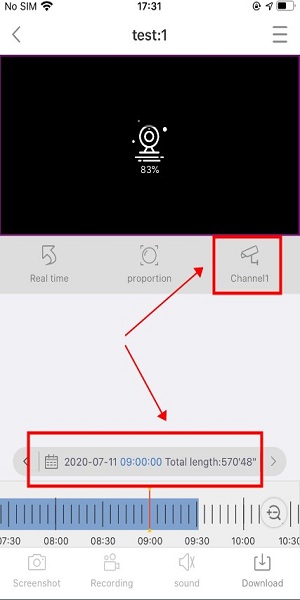
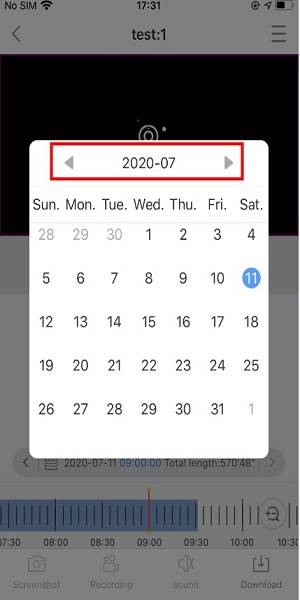
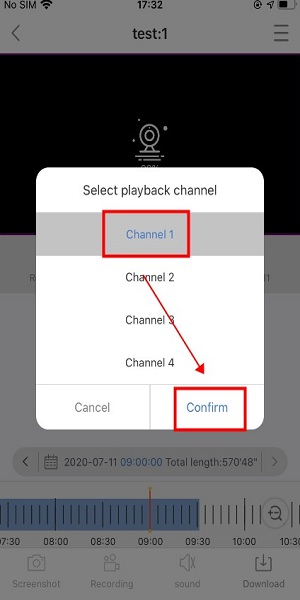
Go to playback and select channel, period.
Playback on the computer
Here is a method to get a view on a computer.
https://support.sannce.com/hc/en-us/articles/900000447706
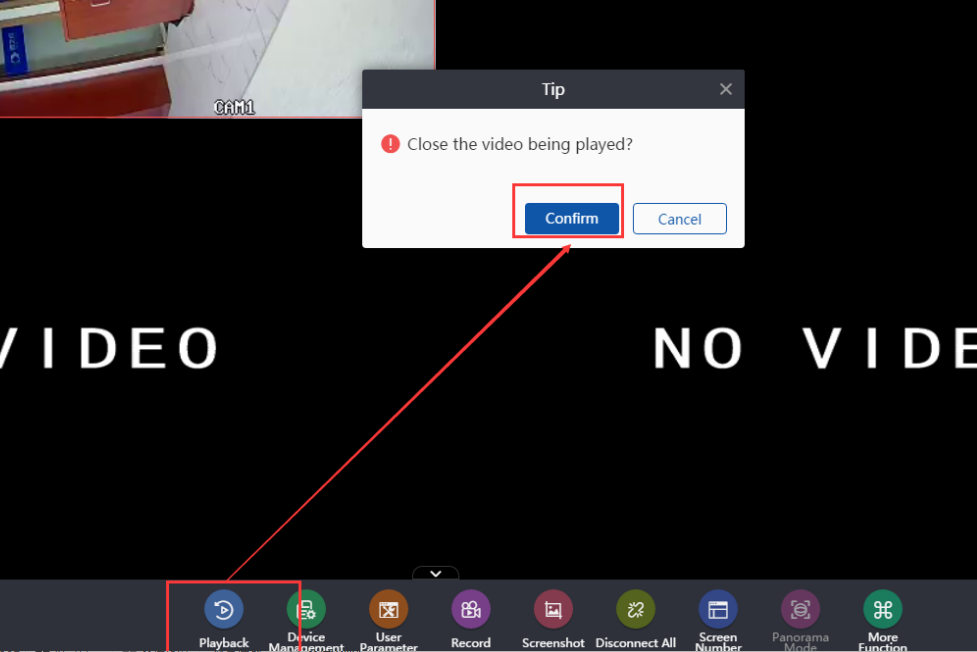
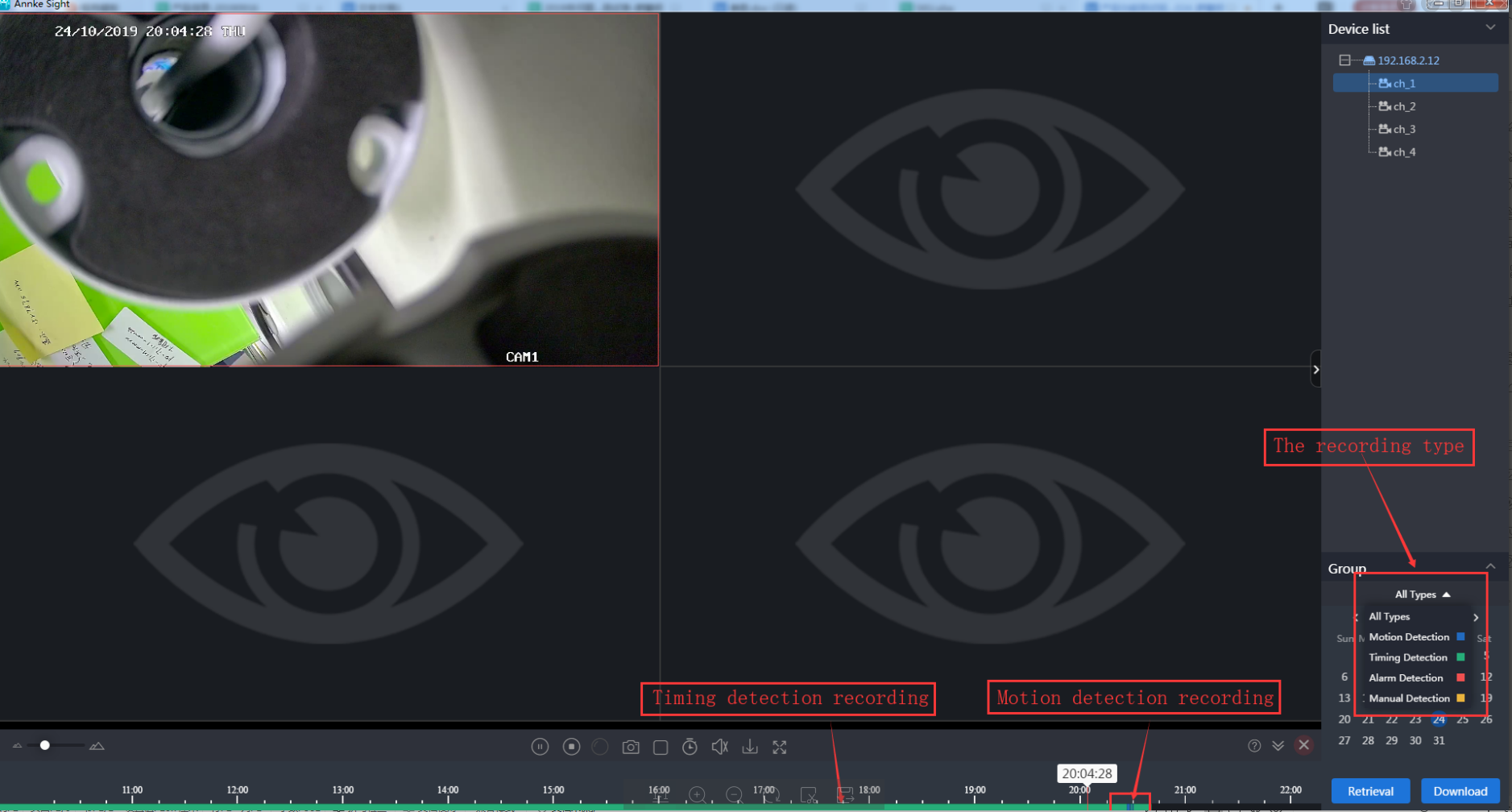
Go to playback and select channel, period, and type of video. Click search.

Was this article helpful?
Bu bilgiler sorununuzu çözmeye yardımcı oldu mu?
Still need help?
Uzman ekibimiz size yardımcı olmak için burada.