Type 2-How to set up Video Cover?
20 Aug 2026
375 views
Applies to:
NW41V/N441H/N441K/N28WEB/N441B/N441D/N441L/N44PAN/N44PAJ/N34WDB/N34WDD/N44WEB/N44WED/N44WEC/NW41V/N48WHE/N48PBE/N48WHF/N44WEF
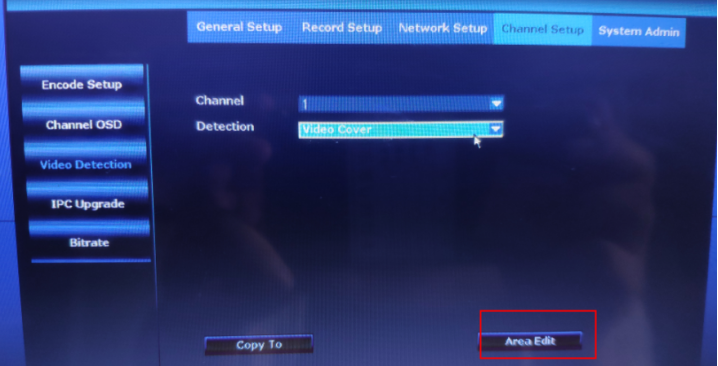
1.Please go to System Setup→Channel Setup→Video Detection, then enable “Video Cover”.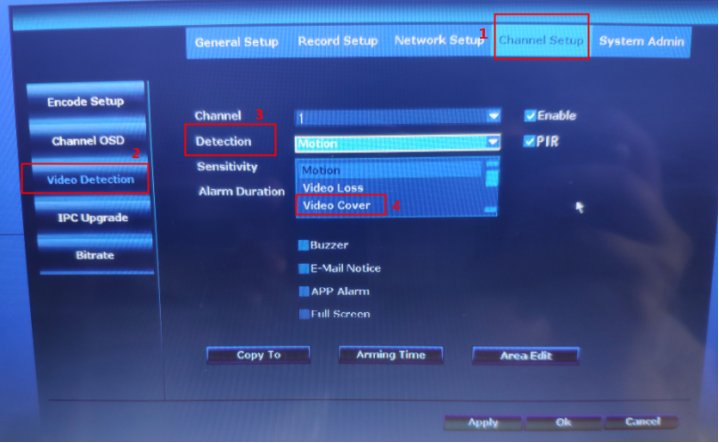 2.Please click “Area Edit” to set the area for video cover.
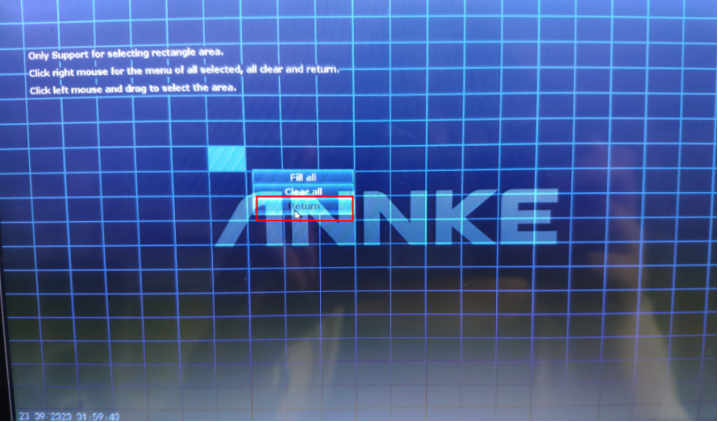
 3.Please drag the mouse to set the area for video cover. Then right-click the mouse and return.
 4.Click “Apply” to save the changes. After the settings are saved successfully, a white mask will show on the screen.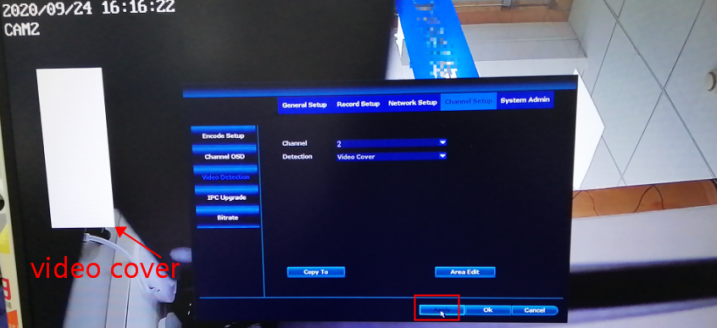
Was this article helpful?
Bu bilgiler sorununuzu çözmeye yardımcı oldu mu?
Thanks for your feedback!
Still need help?
Uzman ekibimiz size yardımcı olmak için burada.