Type 4 - How to Use Phone to Connect System?
20 Aug 2026
370 views
Applies to: N48PT
1. Plug NVR to the router by ethernet cable.
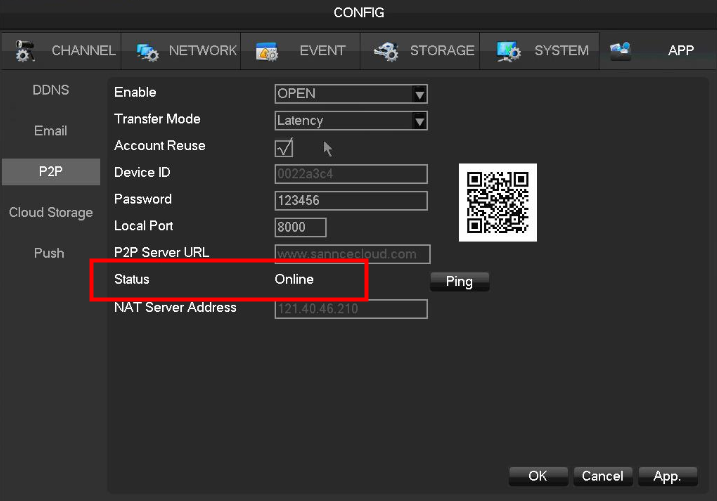
2. Log in to the system to check P2P status. It must be online.
3. Search sannce view in google play or apple store to install it into your phone.
android APP (sannce view): https://www.sanncegroup.com/document/APP/Sannce_View.apk
iPhone APP (sannce view) https://itunes.apple.com/cn/app/sannce-view/id1121574047 mt=8
iPad APP (sannce view HD) https://itunes.apple.com/cn/app/sannce-view-hd/id1121575275 mt=8
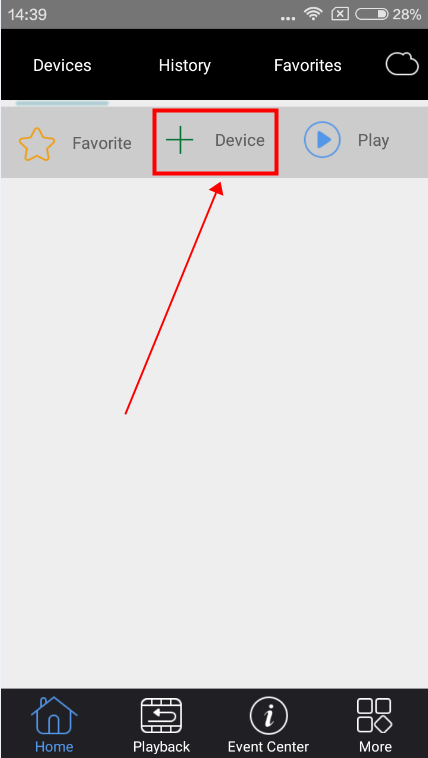
4. Run the app and click add device.

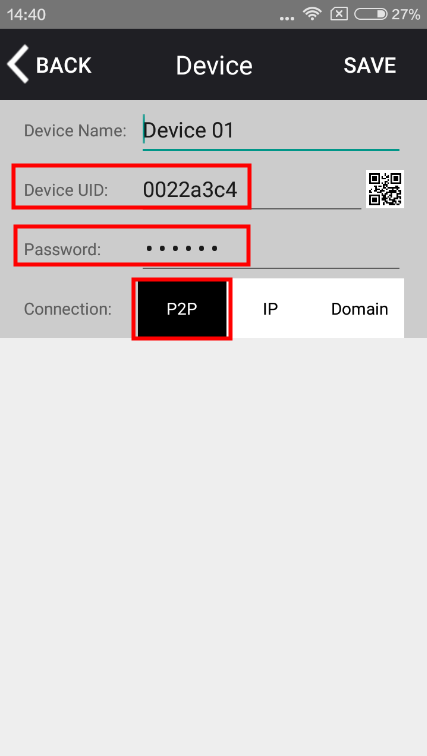
5. Input system's ID and password.
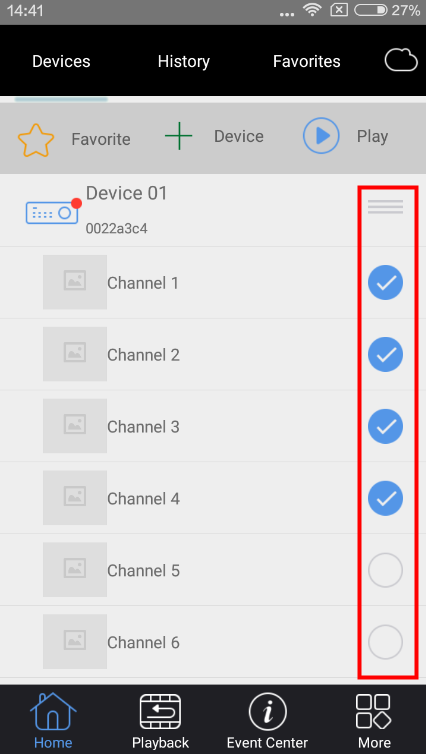
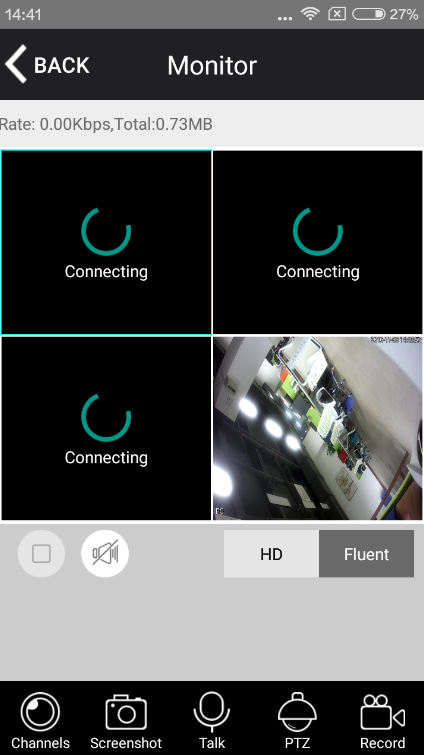
6. Select the channel to see the camera's live view.


Was this article helpful?
Bu bilgiler sorununuzu çözmeye yardımcı oldu mu?
Thanks for your feedback!
Still need help?
Uzman ekibimiz size yardımcı olmak için burada.