Upgrade Akuvox Devices Through Cloud
20 Aug 2026
364 views
Step One: Akuvox cloud basic setup - Adding devices to MAC library & Creating Customer Accounts
Step Two: Update device
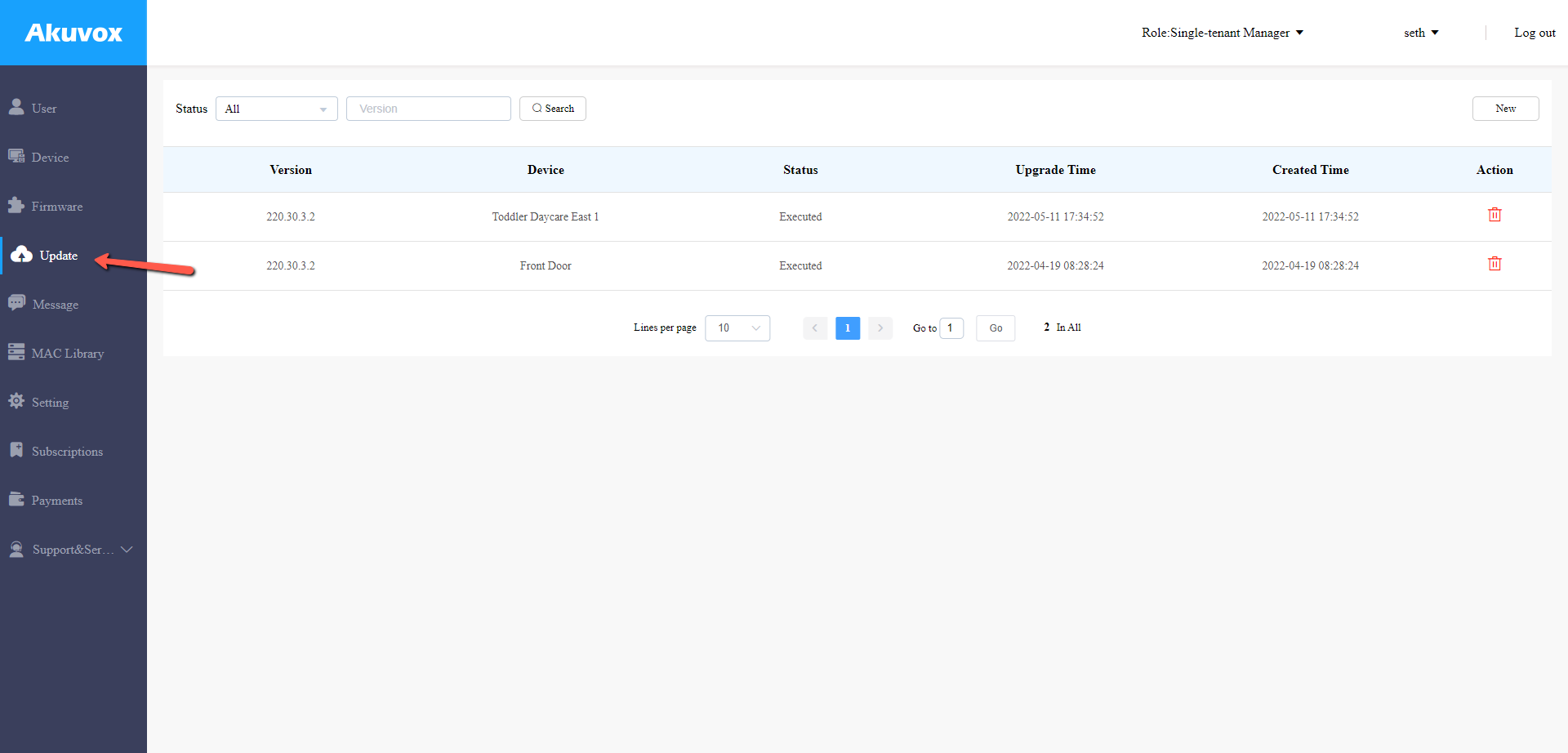
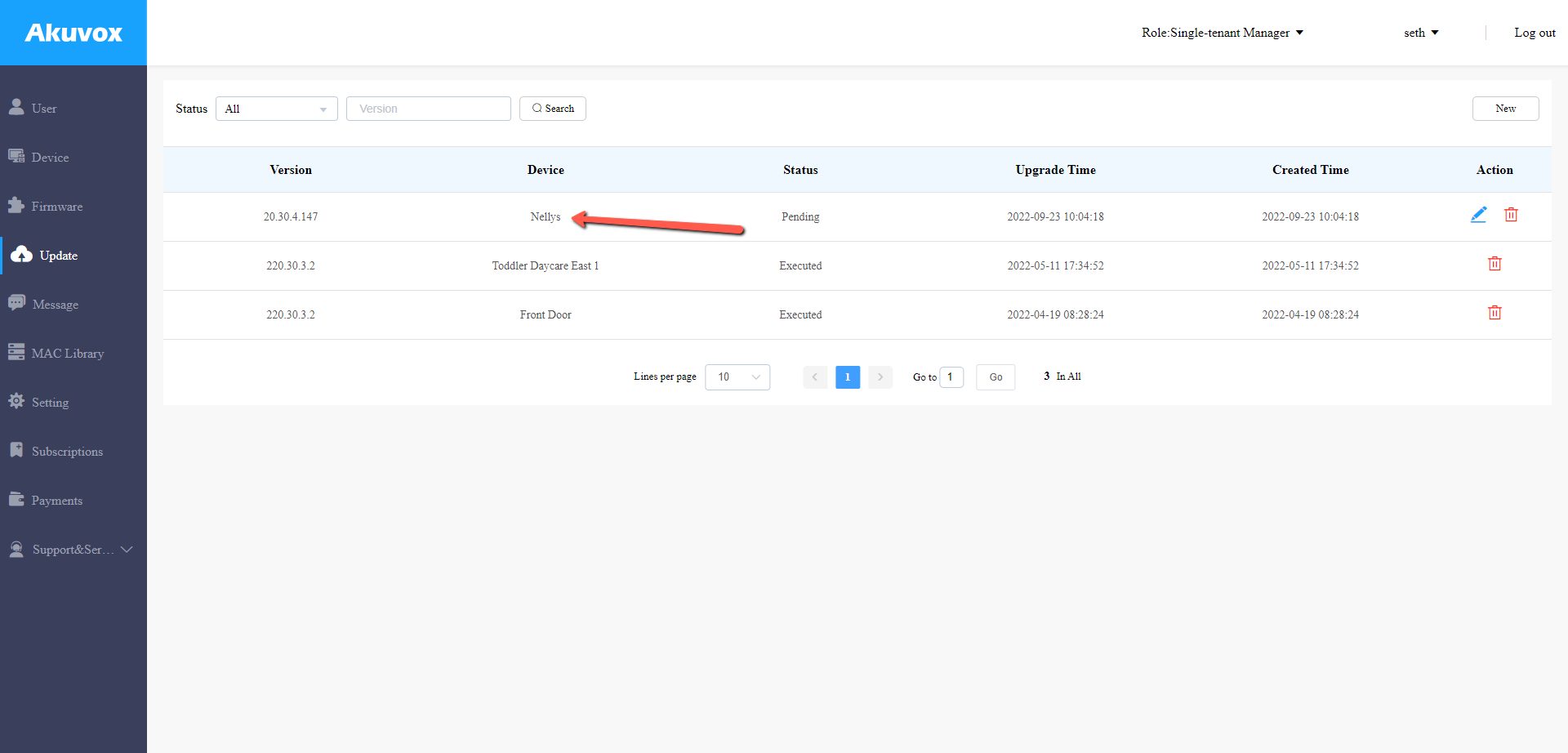
- Select Update on the Left Hand Side
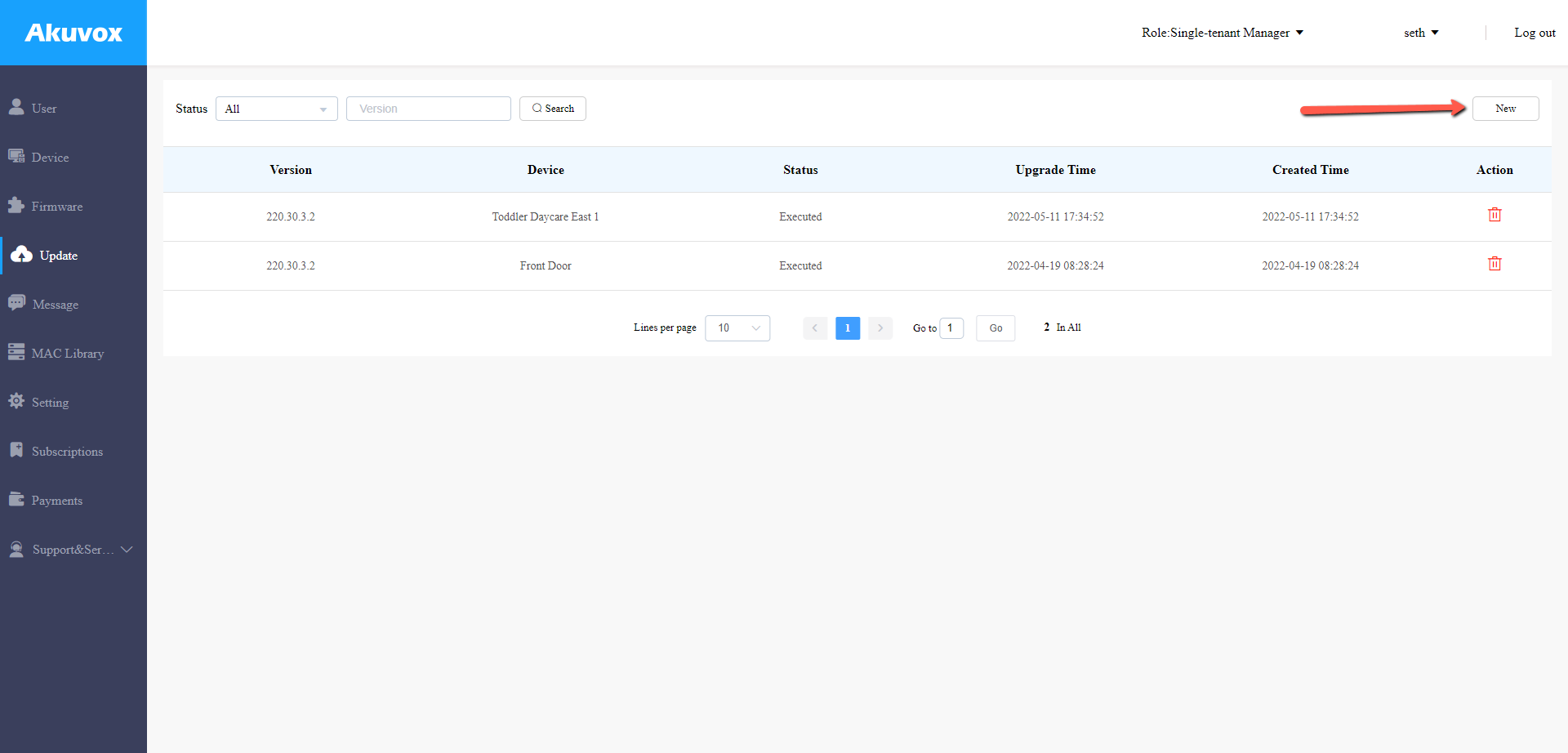
- Select New
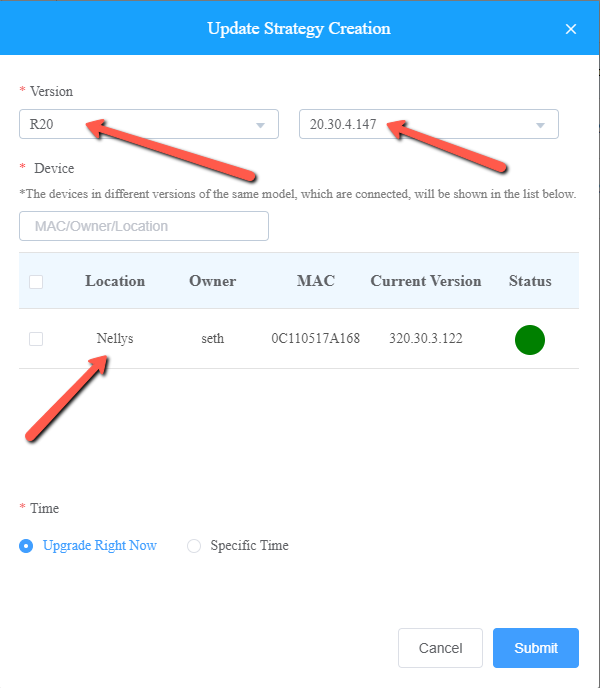
- Select Version (it will automatically list the newest firmware and devices that need an upgrade)
- Select to Upgrade Right Now or Select a Specific Time and Hit Submit
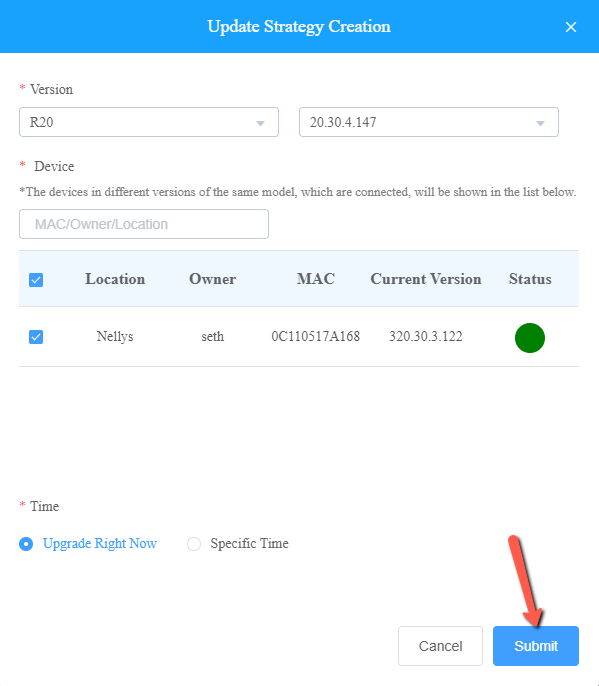
- Your Device is now Upgrading, Please Give it Around 10 Minutes to Finish the Process
Was this article helpful?
Bu bilgiler sorununuzu çözmeye yardımcı oldu mu?
Thanks for your feedback!
Still need help?
Uzman ekibimiz size yardımcı olmak için burada.