Using the Bandwidth Calculator
What Is The Bandwidth Calculator?
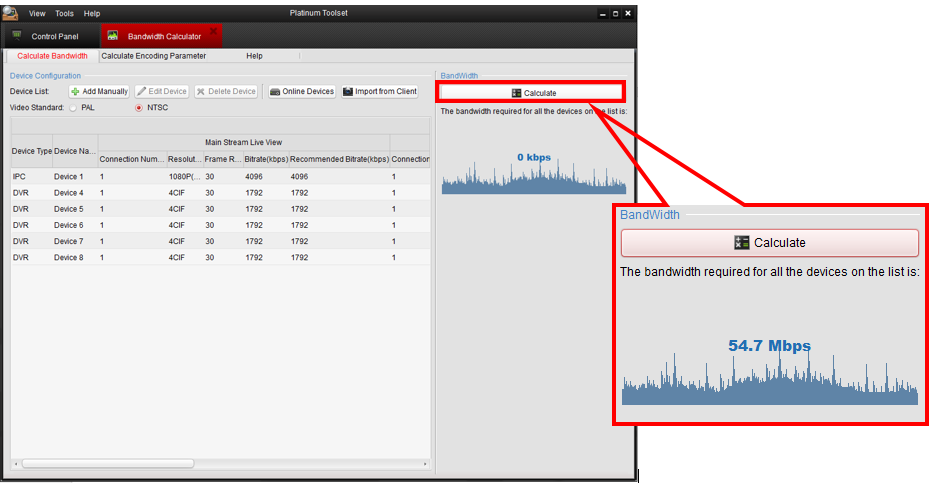
The bandwidth calculator feature in the Platinum Toolset allows users to calculate how much bandwidth their surveillance system requires. If you would like to learn more about bandwidth, click here <-- insert link.
Calculating Bandwidth
Step 1. Run the Platinum Toolset application
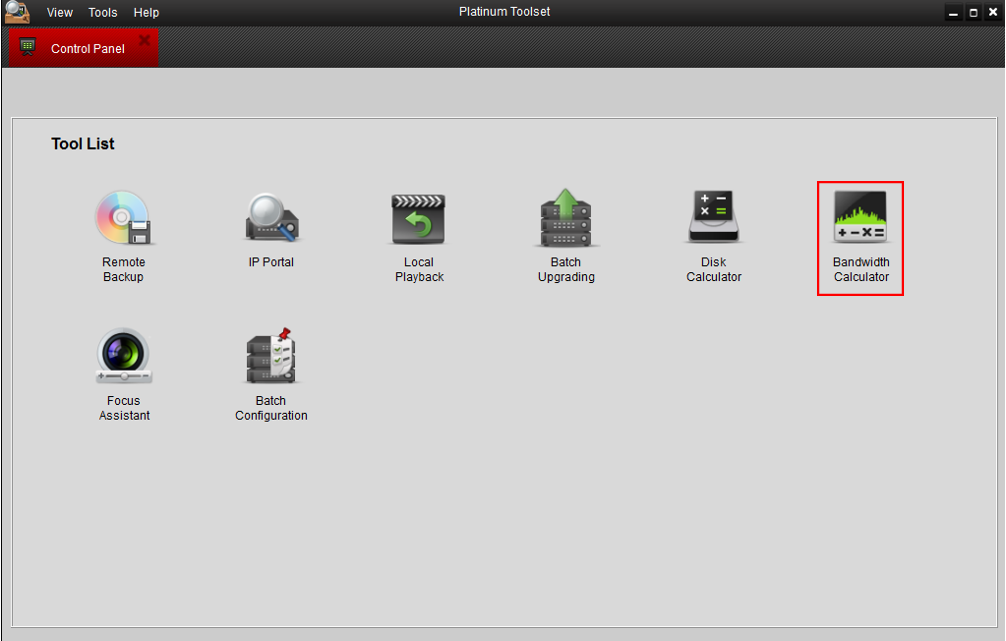
Step 2. Select "Bandwidth Calculator"
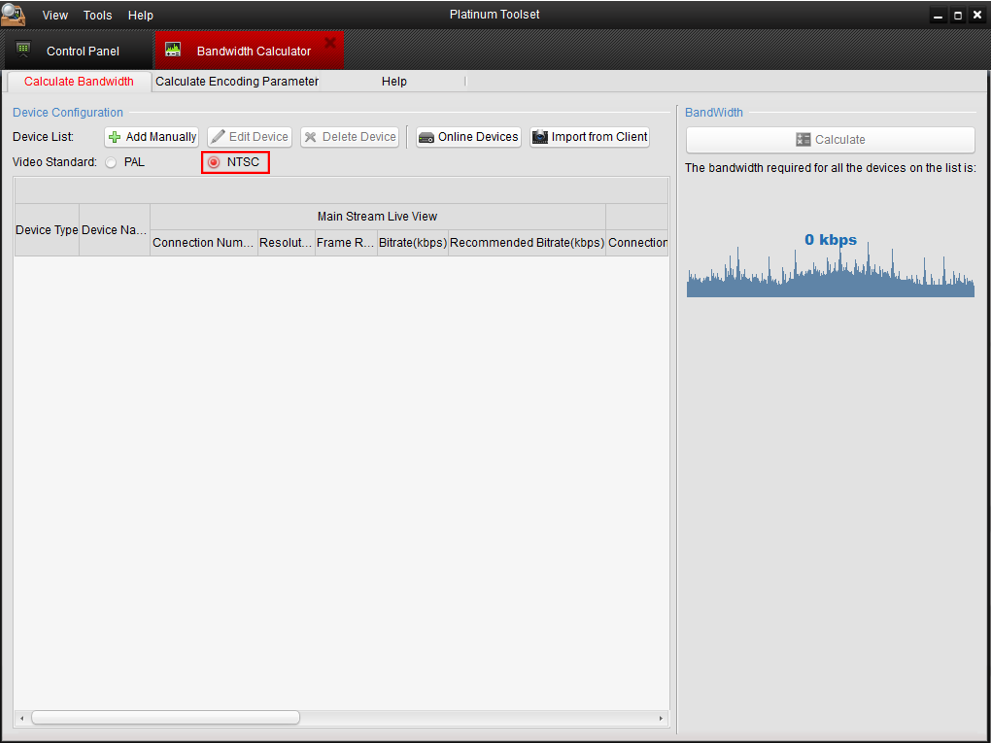
Step 3. If applicable, select the video standard appropriate to your region. If you are in the United States, select NTSC.
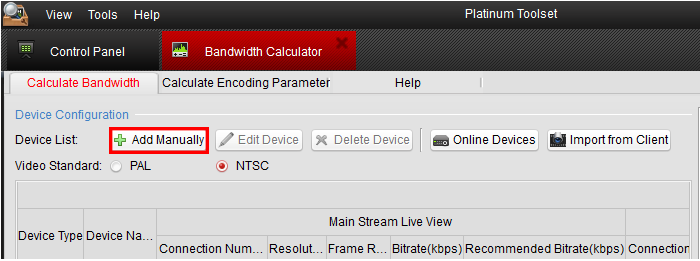
Step 4. Select "Add Manually"
Step 5. Fill in the number of cameras you have in device number.
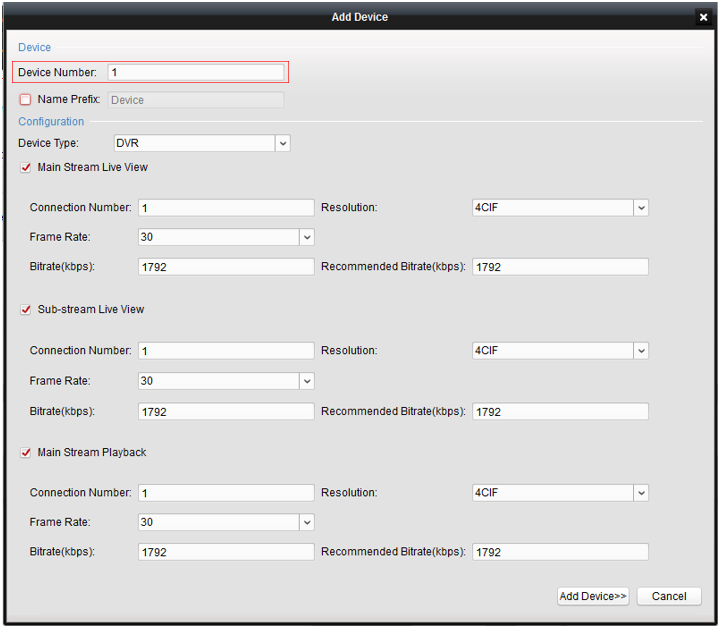
Step 6. Fill in the configuration settings of the specified number of devices. This assumes they all have the same settings. If they do not have the same settings, you may have to add them one at a time. When done, select "Add Device" to add your devics and close out of the "Add Device" menu.
NOTE: Device type refers to whether or not the device is an IP camera or an Analog/TVI camera.

Step 7. Select "Calculate" to calculate the bandwidth required for your devices.
Was this article helpful?
Bu bilgiler sorununuzu çözmeye yardımcı oldu mu?
Still need help?
Uzman ekibimiz size yardımcı olmak için burada.