VR Cam - How to Get Remote View on Computer?
Applies to:
I31BR/Q7/Q8
1. Please set up the camera on phone firstly. The instruction is listed below:
How to set up the camera with ethernet cable:
http://www.sanncegroup.com/kb/index.php?action=artikel&cat=46&id=380&artlang=en
How to set up the camera without ethernet cable:
http://www.sanncegroup.com/kb/index.php?action=artikel&cat=46&id=379&artlang=en
2. The software named "VR cam" should be downloaded on the computer.
The link is listed below:
support.annke.com/document/IPC/BA/VRCamSetup.exe
3. After you download it, please run it and then click "Add” to input the camera's information.
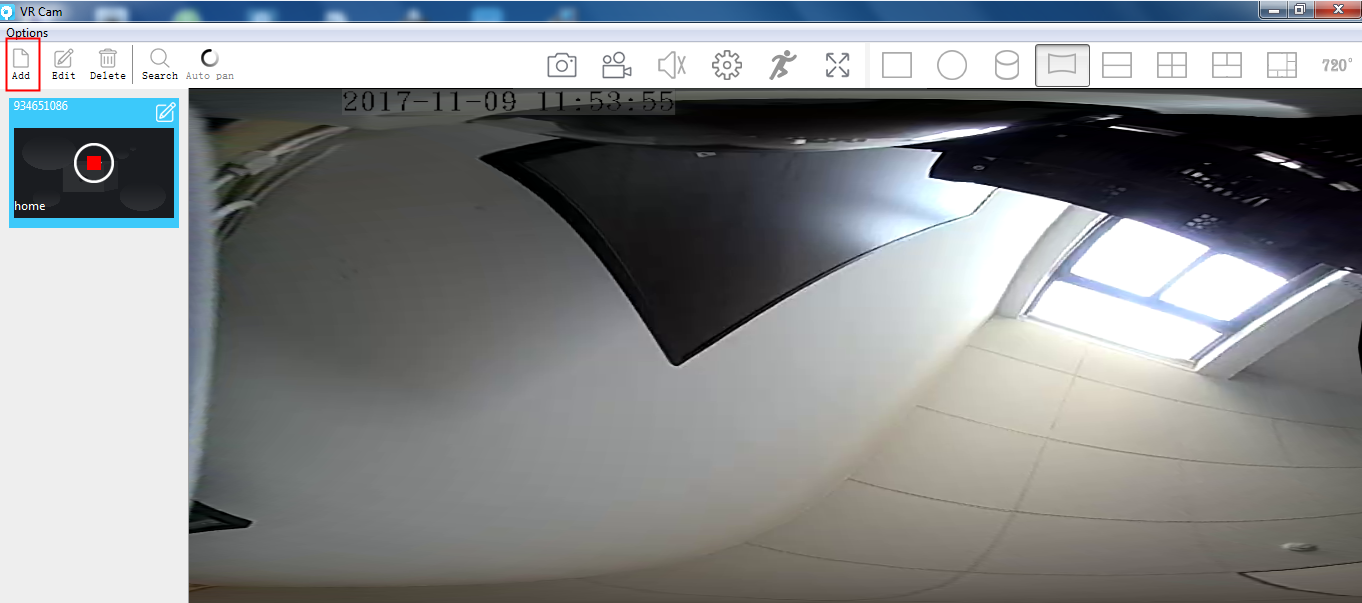
The ID is the number on the bottom of the camera.
The device name can be anything.
The user name is admin, the default password is none, just leave it blank.
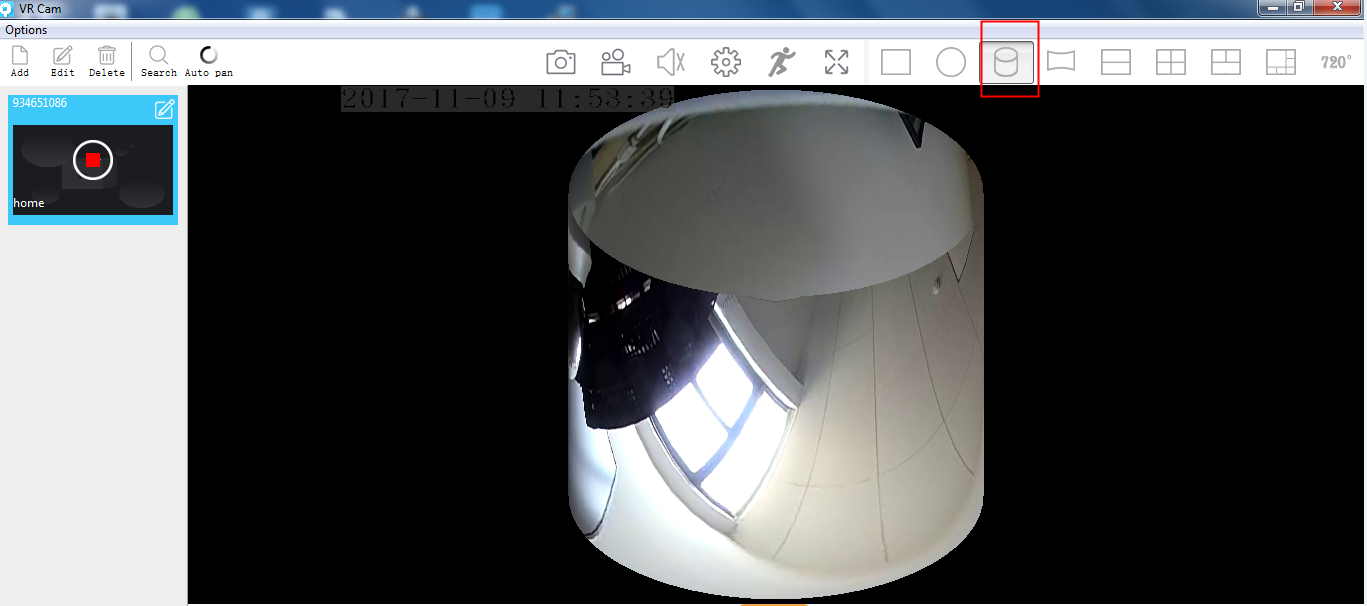
4. About the wall mode, if you tick it on, then it will give you a picture like the first picture listed below, if you tick it off, then you will get the second picture below.
You can adjust the vision according to your requirement, such as below.
Was this article helpful?
Bu bilgiler sorununuzu çözmeye yardımcı oldu mu?
Still need help?
Uzman ekibimiz size yardımcı olmak için burada.