- Please check the video quality that’s been selected (HD, Standard, or Auto). An unstable Internet connection can affect the video quality.
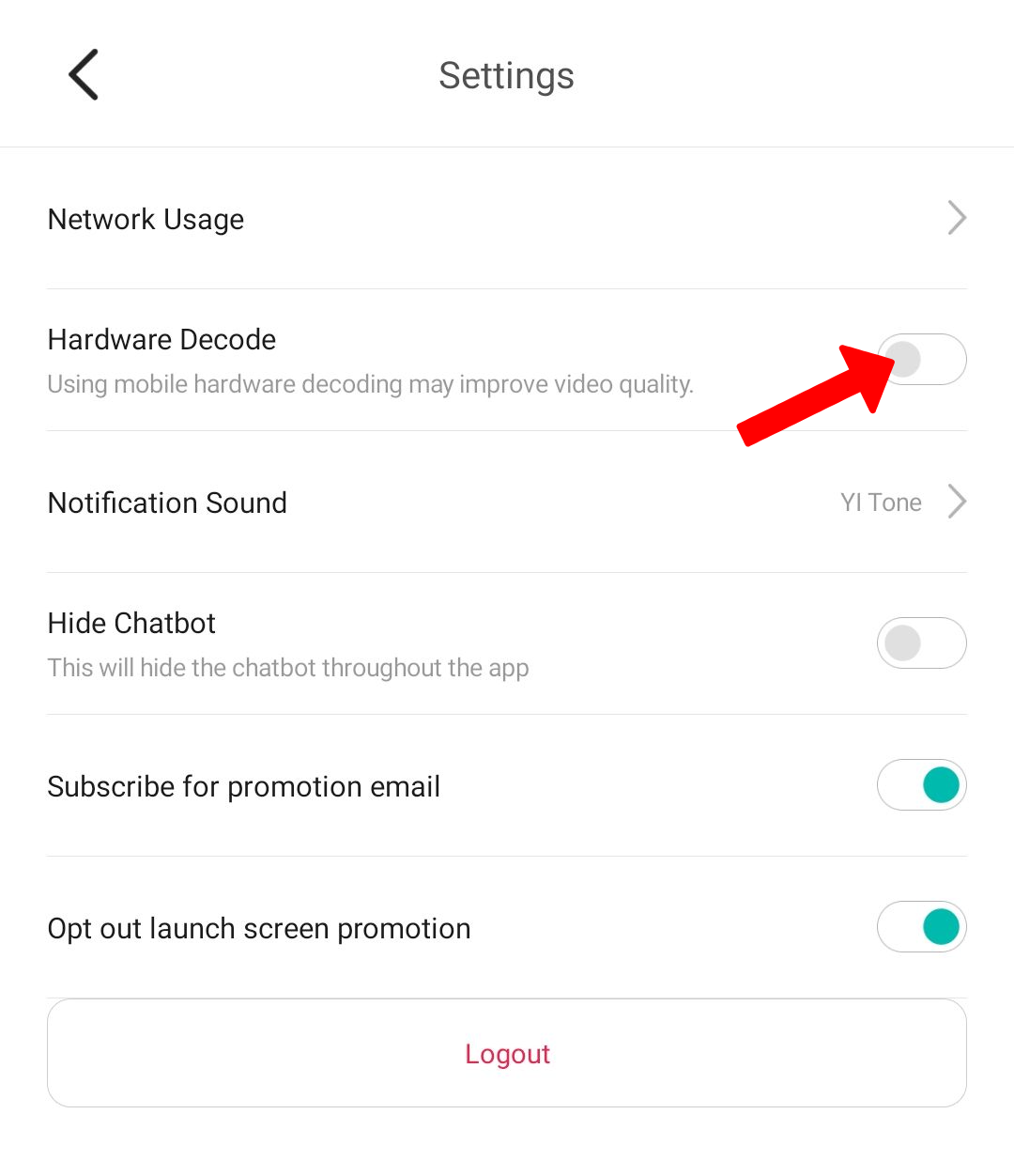
- If you are using an Android phone , you can also enable Hardware Decode to improve the video quality.
- Export recorded videos from your micro SD card to your computer and check if they’re clear.
- If the videos remain blurry from the micro SD card, the problem may be your device. In this case, please contact our support team (support@kamihome.com)
To enable the Hardware Decode, please follow the steps below:
1. Launch the YI/Kami Home App.
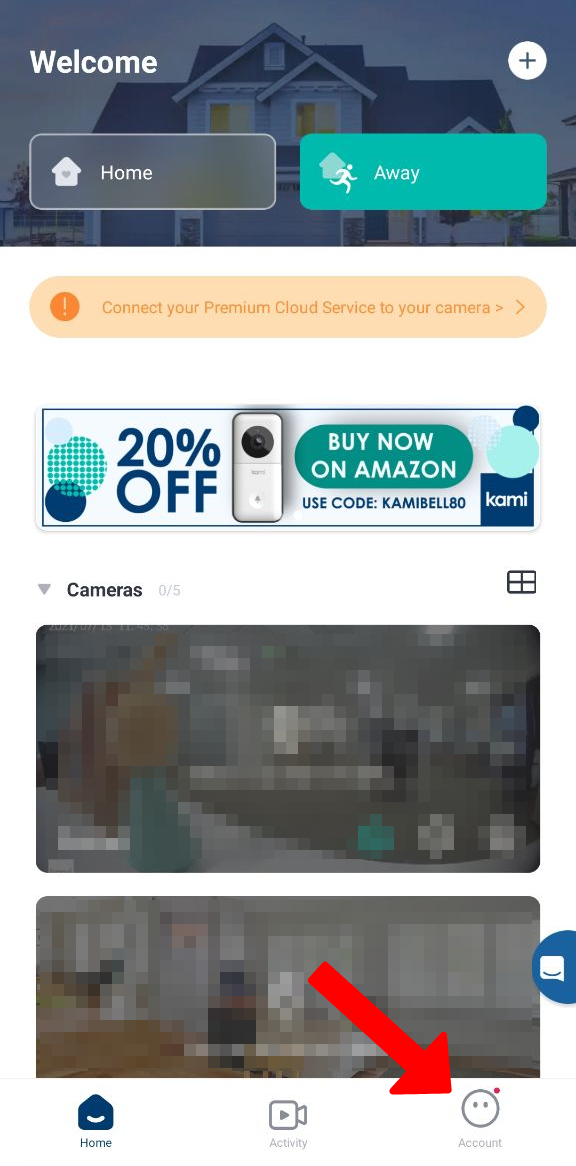
2. Tap on Account.
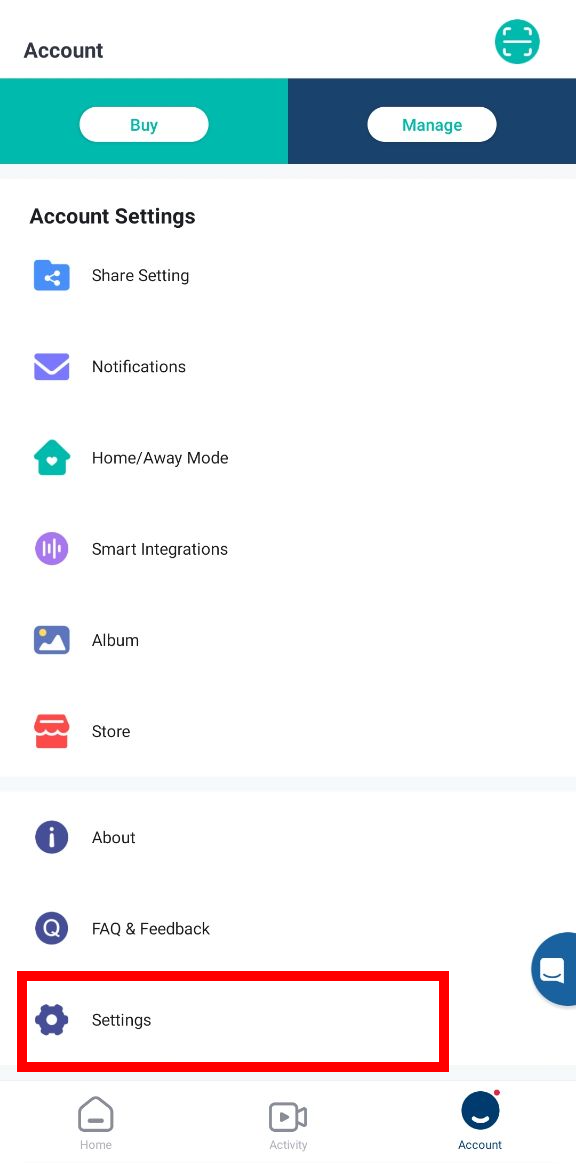
3. Tap on Settings.
4. By default, the Hardware Decode is disabled, toggle the button to enable Hardware Decode.