XMeye - How To Add IP Camera to NVR And DVR
Type 1 DVR system
For the DVR system. Please make sure the DVR is adjusted to Have IP channels.
1. Go to the Main Menu-->System-->Digital-->Channel Type to adjust the channel Type
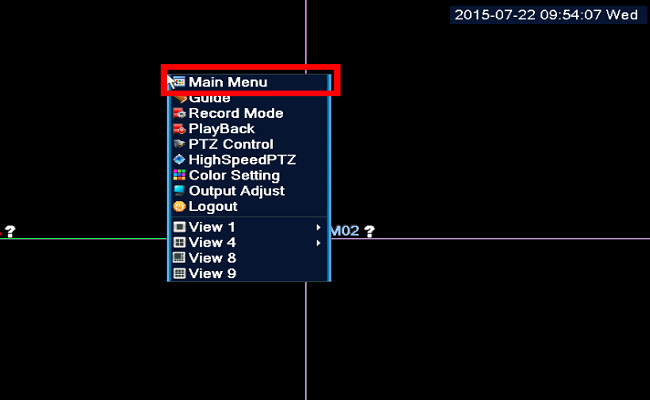
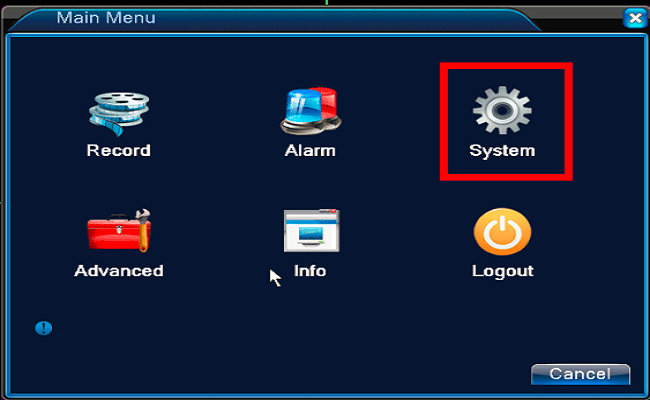
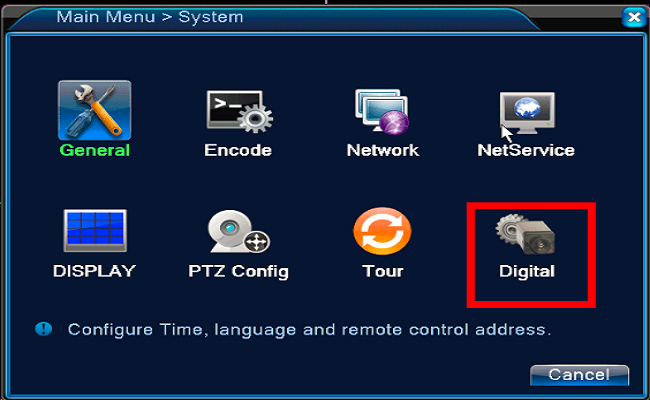
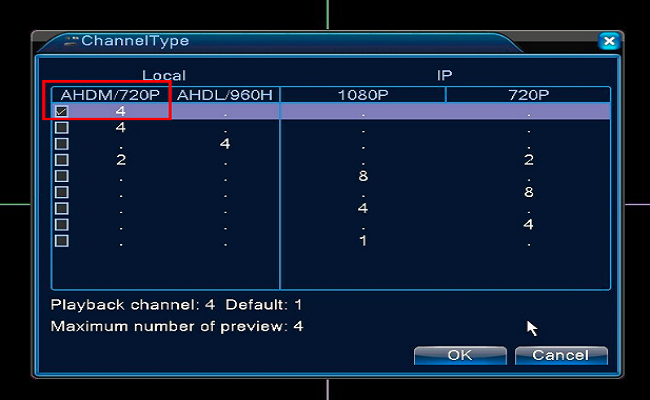
When the operation is finished. the DVR system will reboot one time
Type 1 DVR system and Type 1 NVR system
2. Go to the Main Menu-->System-->Digital-->Channel to the IP camera adding page
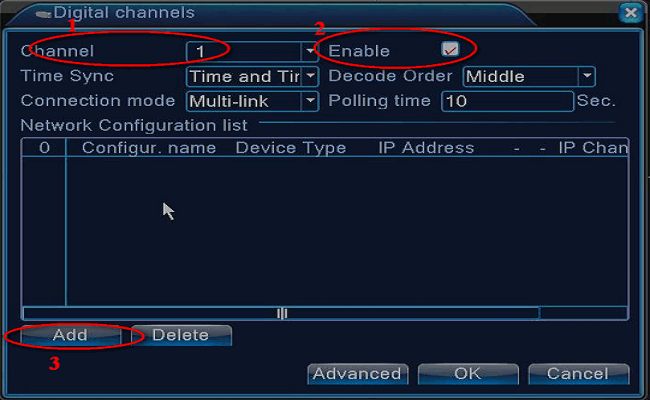
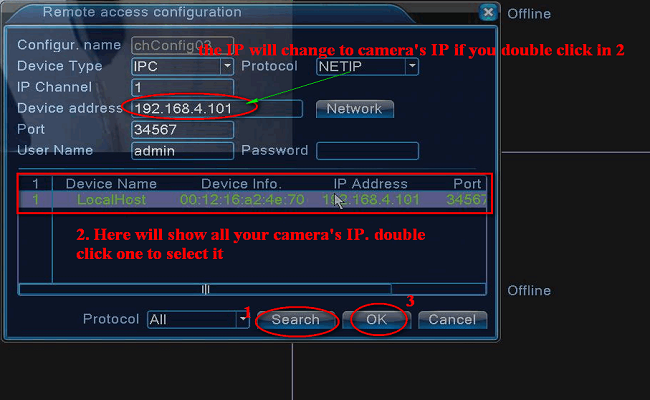
Select the correct channel you want to add. enable the IP channel. then click the "Add" to add the IP channel.
Click "Search" to search out the IP channel on the network. double click one of the camera's IP that you what. Click "OK" to do the channel adding
Tick the camera and click "OK"
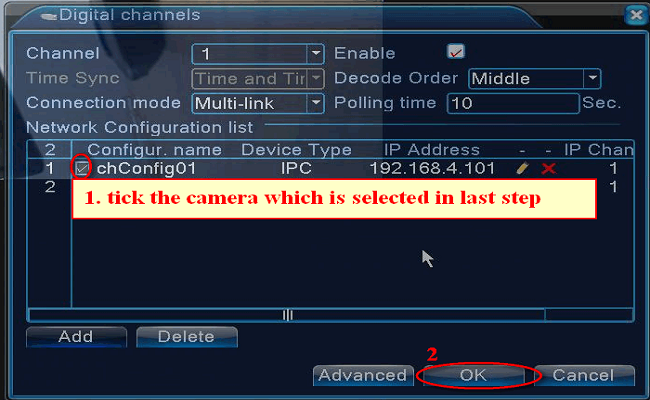
NOTE:
The image will show on TV. Do the same for another channel. But please remember to add another camera's IP, not the same IP to another channel.
Was this article helpful?
Bu bilgiler sorununuzu çözmeye yardımcı oldu mu?
Still need help?
Uzman ekibimiz size yardımcı olmak için burada.