XMeye - How to Do If the DVR/NVR is Not Connected to the Internet?
20 Aug 2026
440 views
1. Please make sure the DVR/NVR is connected to the router by the cable.
2. Please make sure the network cable is working.
3. Please try to connect the system to another LAN port of the router.
4. Please go to "Main menu" -" system" - " Network", do the DHCP setting. Please check it.
If all the step still not working, please refer below link to do the static IP setting:
1. Please connect DVR to a router with reticle and make sure DVR has connected to the router successfully.
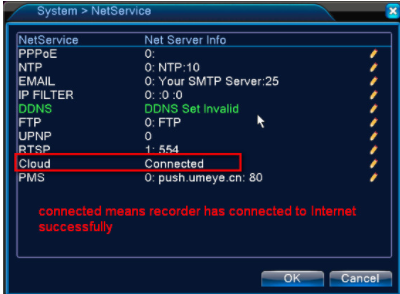
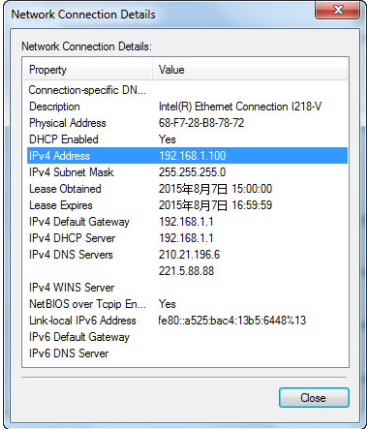
2. Please use a computer that is connected to the same router and check that computer‘s network information.
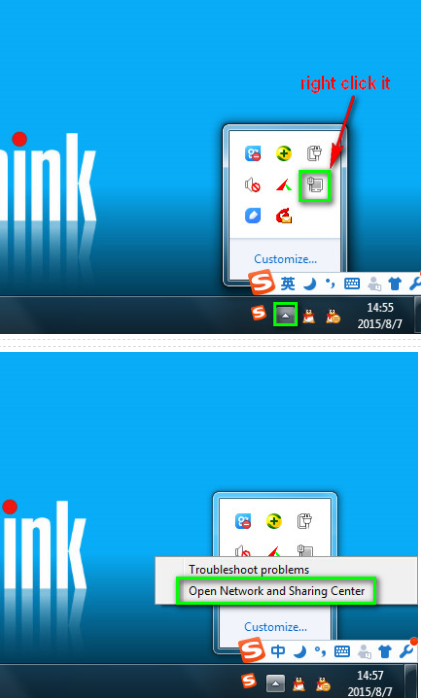
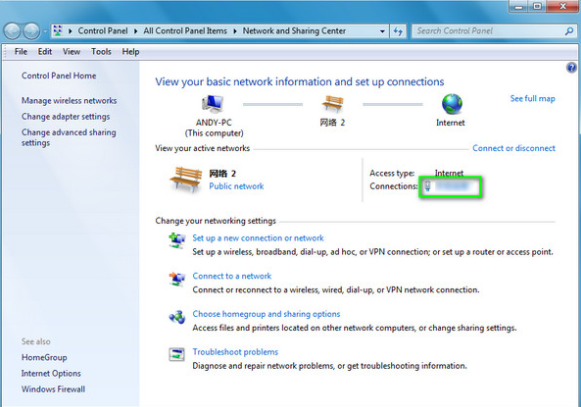
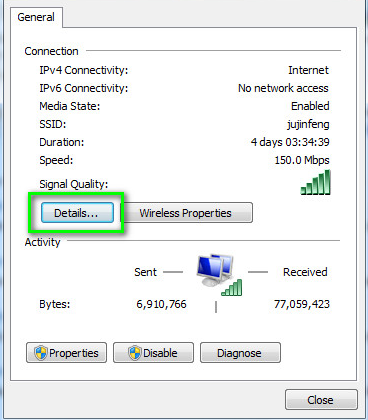

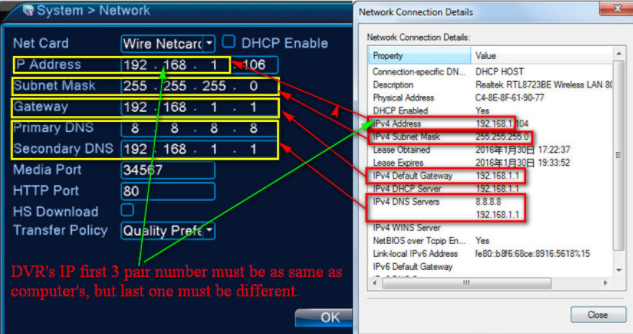
3. Please fix system‘s IP like the picture below.

Was this article helpful?
Bu bilgiler sorununuzu çözmeye yardımcı oldu mu?
Thanks for your feedback!
Still need help?
Uzman ekibimiz size yardımcı olmak için burada.