XMeye - How to Download Videos File from the CMS Software?
Applies to:
NP41F/N43SU/N44SU/N48PZ/N481U/N441U/N44PBD/N461W/N48PAU
1. Please refer to this link below to connect your DVR to computer software.
https://support.sannce.com/hc/en-us/articles/360029162211
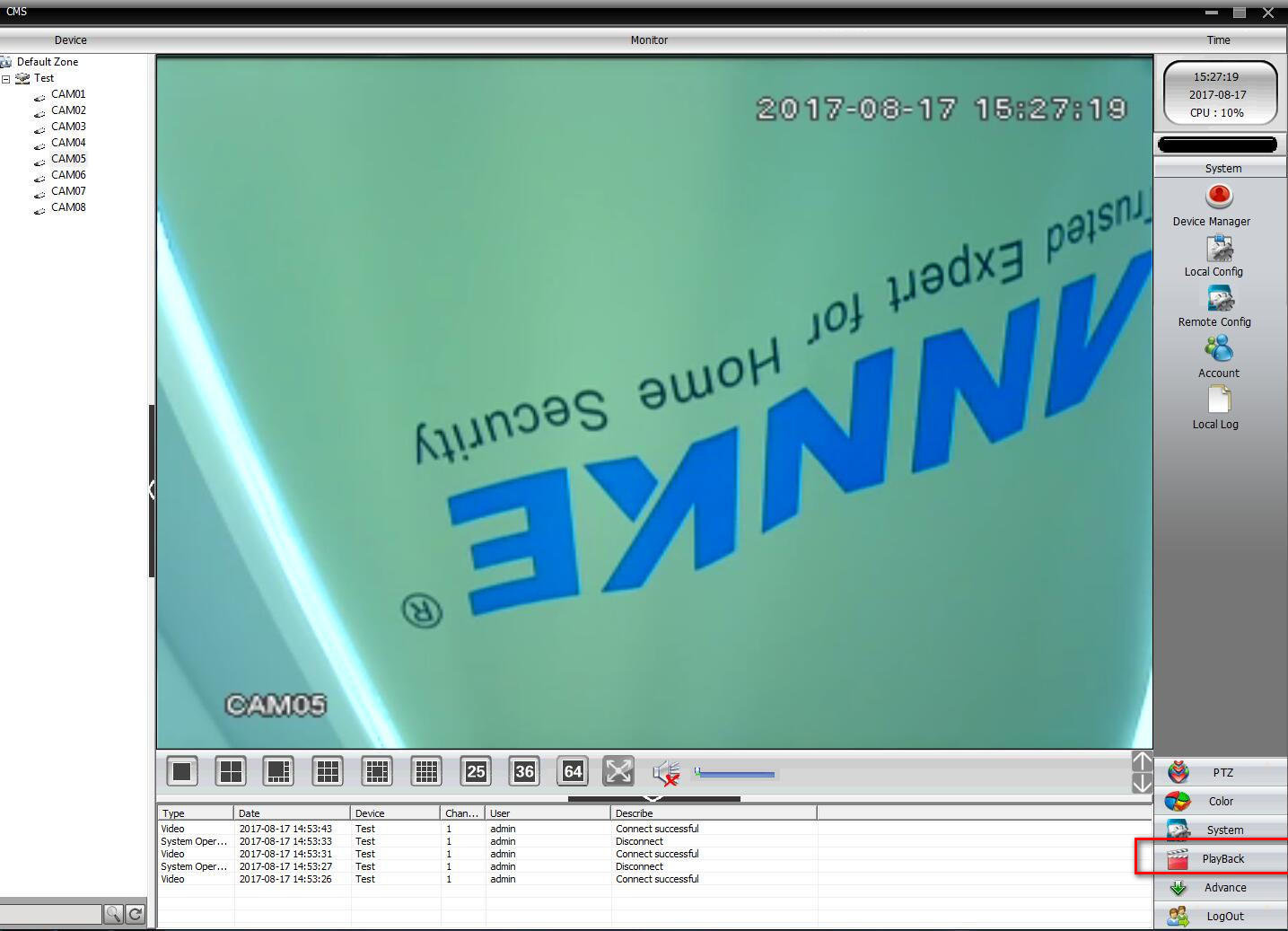
2. Please go to this picture below to tick the ‘Playback’ option.
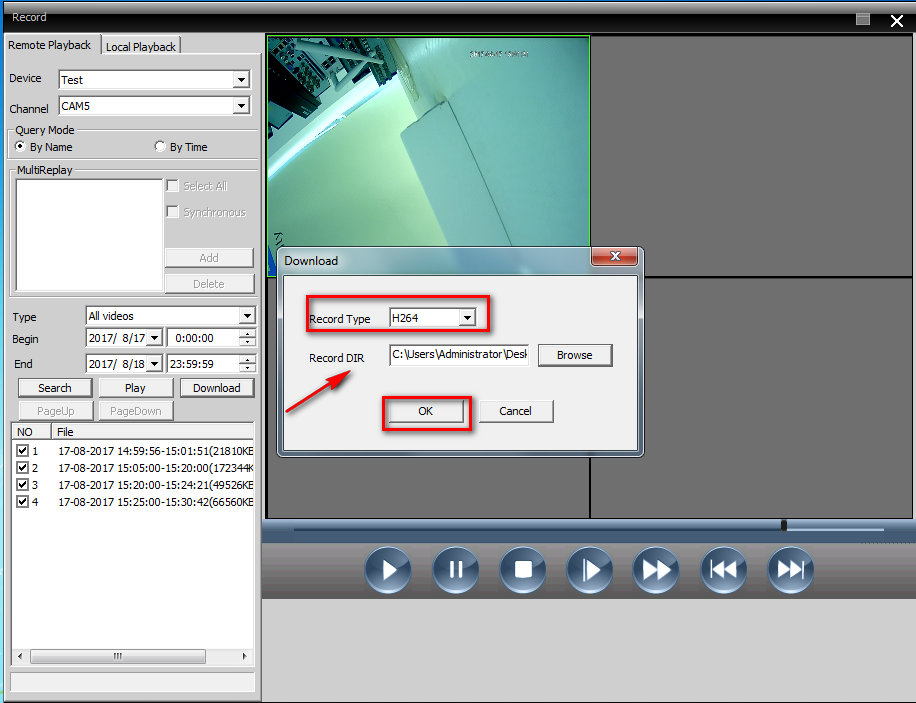
3.Please refer to this picture,step 1,step2,step 3,step 4,step 5,step 6,step 7 to choose the file that you want to download.

4. You can see this picture when you tick the ‘Download ‘ option and then you can choose the Record Type and Record DIR.
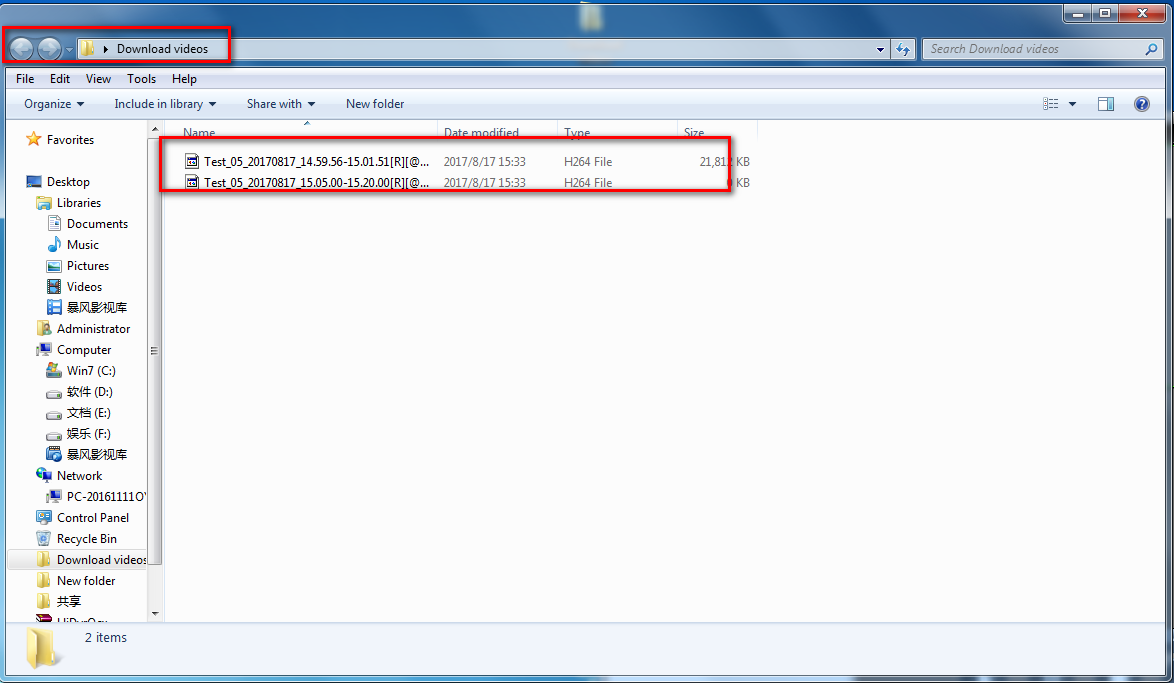
5. Finally, you can go to the Record DIR that you choose to check the video file. And if you want to play these videos files, please use this player software.
http://www.sanncegroup.com/document/XM/General/player/General_Player_V1.7.0.0.T.20150929.exe
Was this article helpful?
Bu bilgiler sorununuzu çözmeye yardımcı oldu mu?
Still need help?
Uzman ekibimiz size yardımcı olmak için burada.