XMeye - How to Play Back Videos?
Applies to: DH81NK/DH41NK/DM21O/DM31O/DL81A/DH81S/DH81NG/DN81NB/DM41G/DN41CJ/DN81BJ/DN61EC/DG81W/DG61X/DG41T/DT81DQ/DT41DC/DT61ER/DG41BE/DG81BE
1. You can playback video on the monitor.
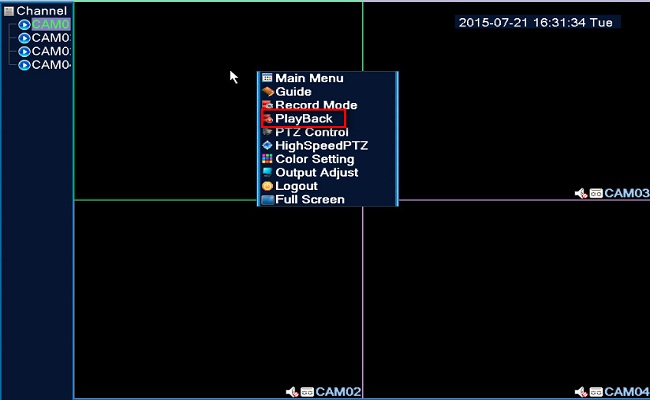
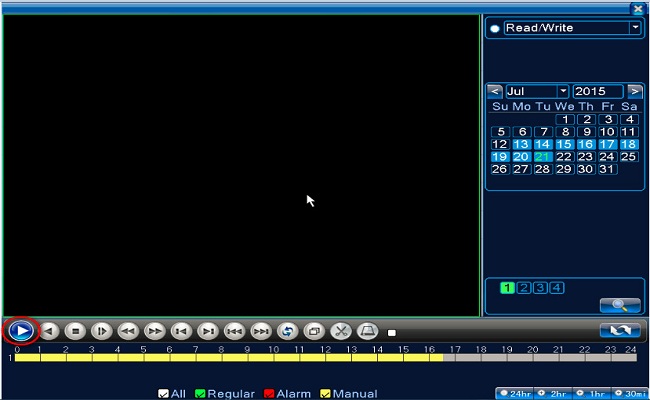
2. You can playback on the phone.
Here is the method of how to connect the system on the phone.
https://help.annke.com/hc/en-us/articles/360000250041-How-to-connect-DVR-NVR-on-phone-app-xmeye-
Please follow the below pictures to playback the videos on the phone APP:
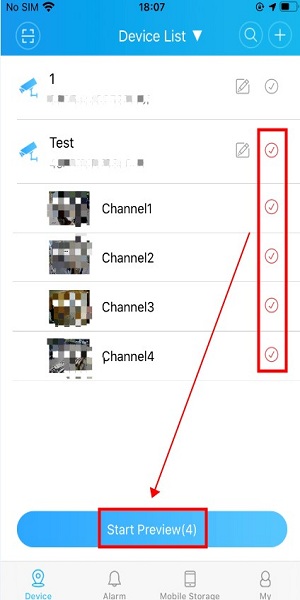
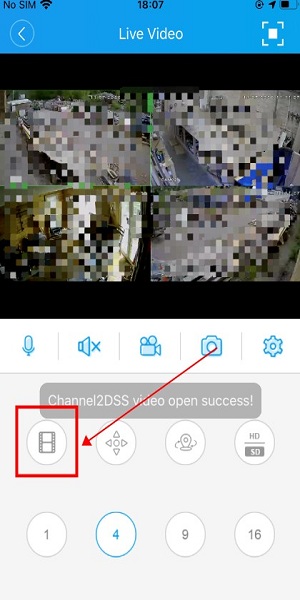
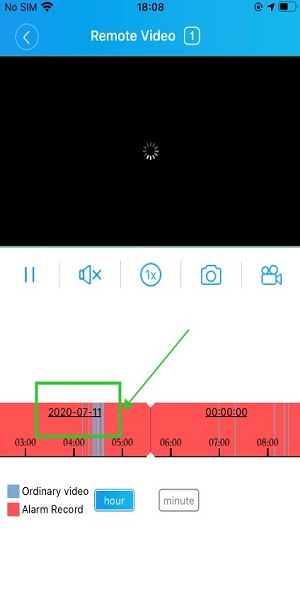
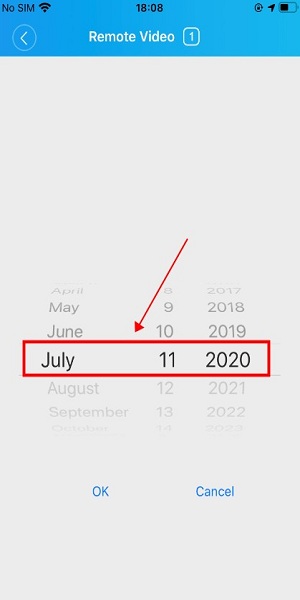
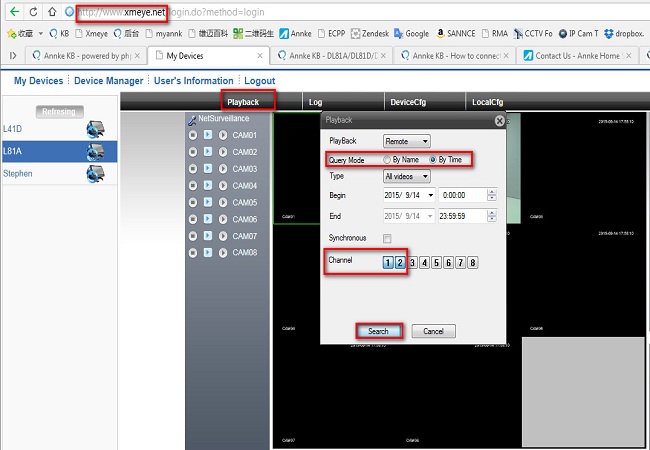
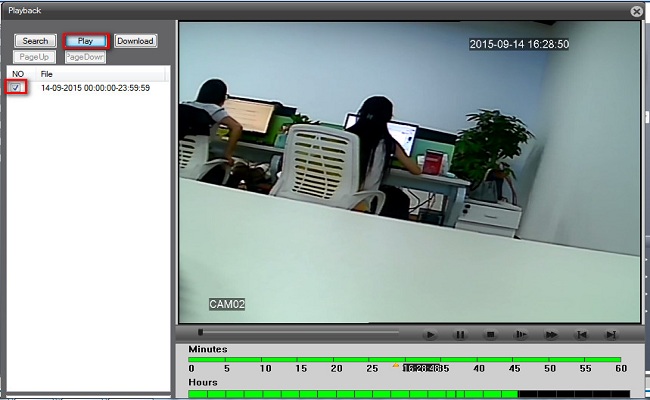
3. You can playback on the computer browser www.xmeye.net.
Here is the method of how to connect the system on www.xmeye.net. https://help.annke.com/hc/en-us/articles/360000249501-How-to-connect-DVR-NVR-on-computer-browser-
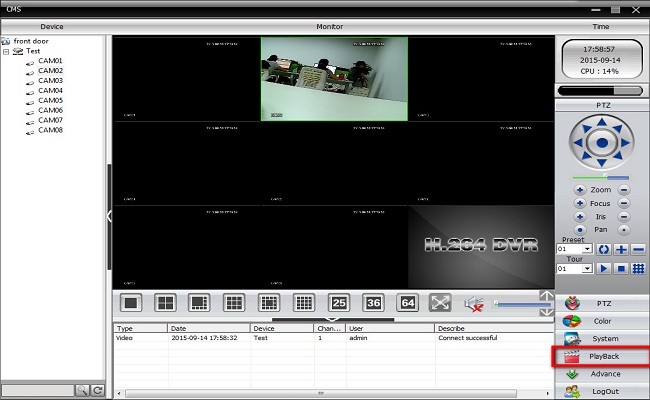
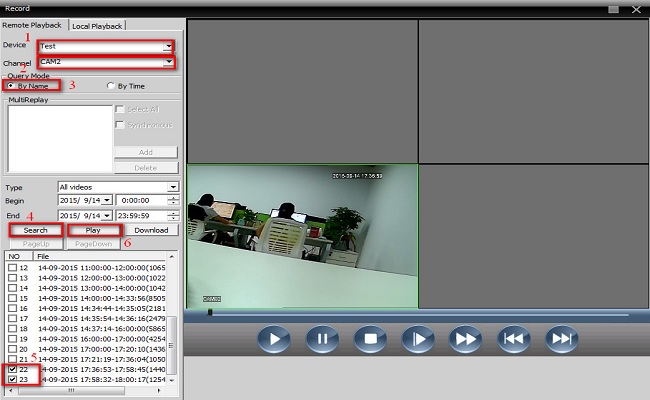
4. You can playback on computer software CMS. Here is the method of how to connect the system to CMS.
Was this article helpful?
Bu bilgiler sorununuzu çözmeye yardımcı oldu mu?
Still need help?
Uzman ekibimiz size yardımcı olmak için burada.