XMeye - How to Playback All Channels?
Applies to: DH81NK/DH41NK/DM21O/DM31O/DL81A/DH81S/DH81NG/DN81NB/DM41G/DN41CJ/DN81BJ/DN61EC/DG81W/DG61X/DG41T/DT81DQ/DT41DC/DT61ER/DG41BE/DG81BE
Many customers found that they can‘t playback all channels. For example, if there are 4 channels, he can only select channel 1 and channel 2 but can‘t select channel 3 and channel 4.
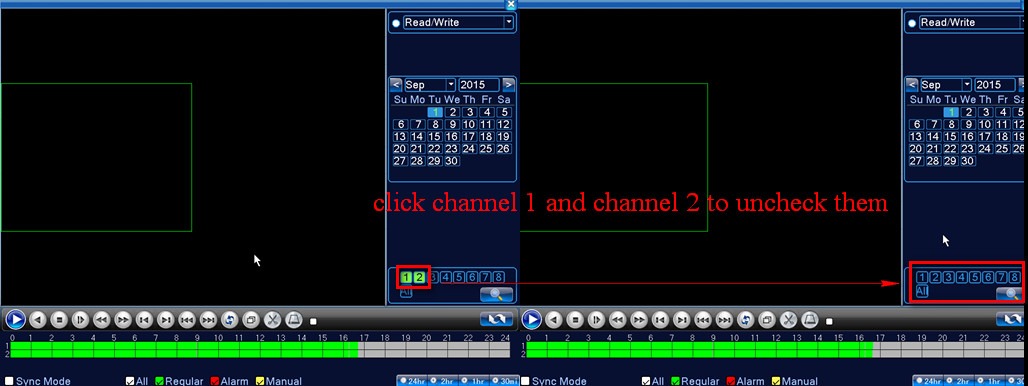
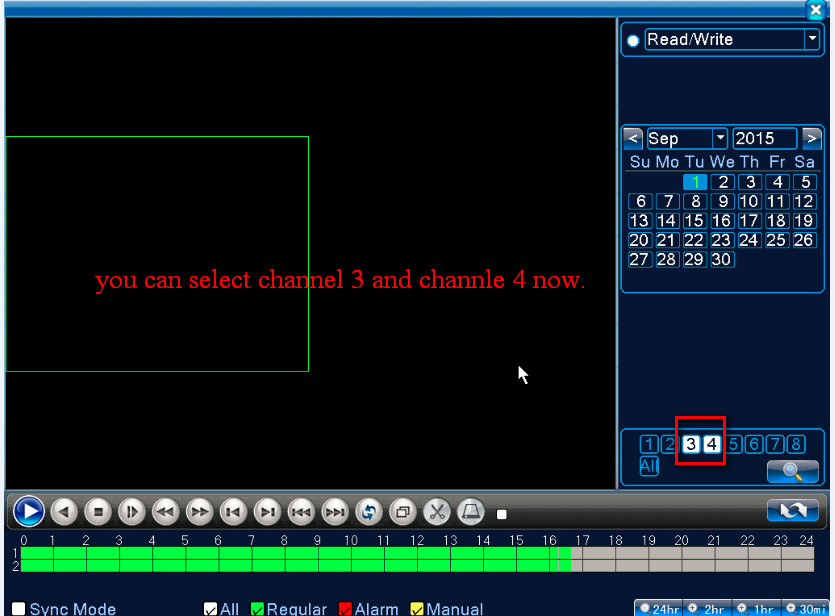
This is because the system only can let you select 2 channels at the same time. You need to uncheck channel 1 and channel 2 first so that you can select channel 3 and channel 4.
For different models, the number of channels to play back recordings simultaneously is different. Here is the method where to find the model number.
https://help.annke.com/hc/en-us/articles/360000250241
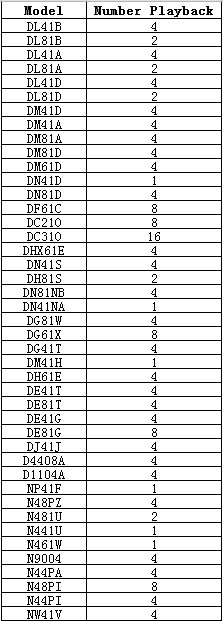
Let us take DL81A as an example,
It can play 2 channels at the same time.
When it is playing 2 channels, you can see other channels are grey and can‘t be selected.
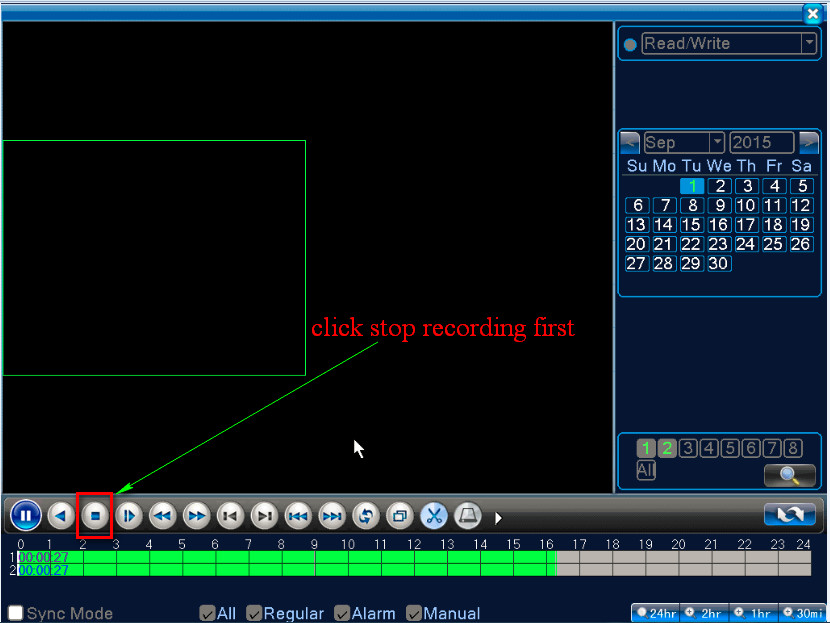
1. If you wanna play another channel, you need to stop playing first.
2. Then uncheck channel 1 and channel 2. Finally, you can select another channel.
Was this article helpful?
Bu bilgiler sorununuzu çözmeye yardımcı oldu mu?
Still need help?
Uzman ekibimiz size yardımcı olmak için burada.