Yoosee - What to Do If The App Says Wrong Password?
20 Aug 2026
444 views
Applies to: I21X/I21Y/I21Q/I21YB/SP3/SP5
The method is only working for models SP3 and SP5.
Here are the steps:
1. Power on the camera.
2. Connect the camera to the router by ethernet cable.
3. Install app Yoosee. You can search it from google play store or apple store to download it.
4. Make sure your phone is connecting wifi from the router and that router is also connected to the camera.
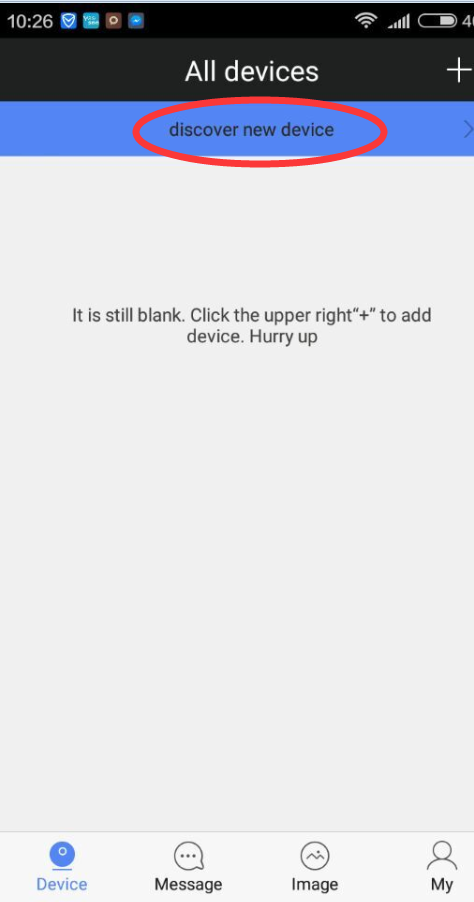
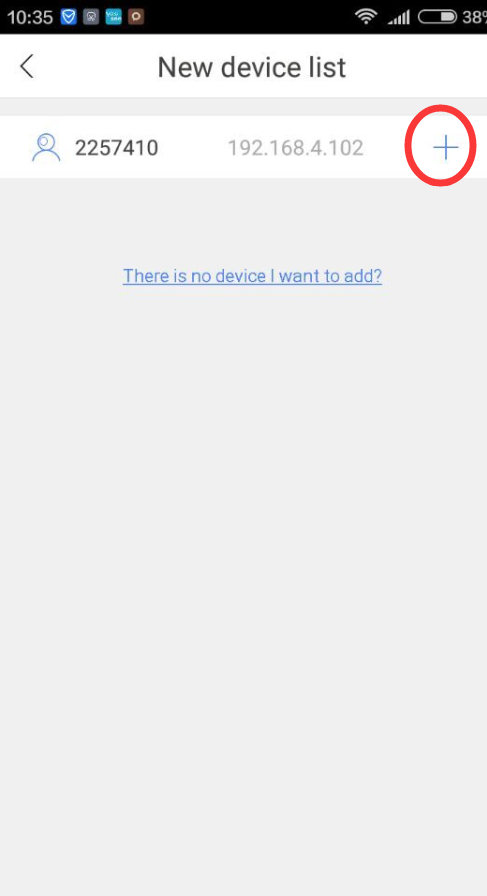
5. APP will detect the camera. Tap add
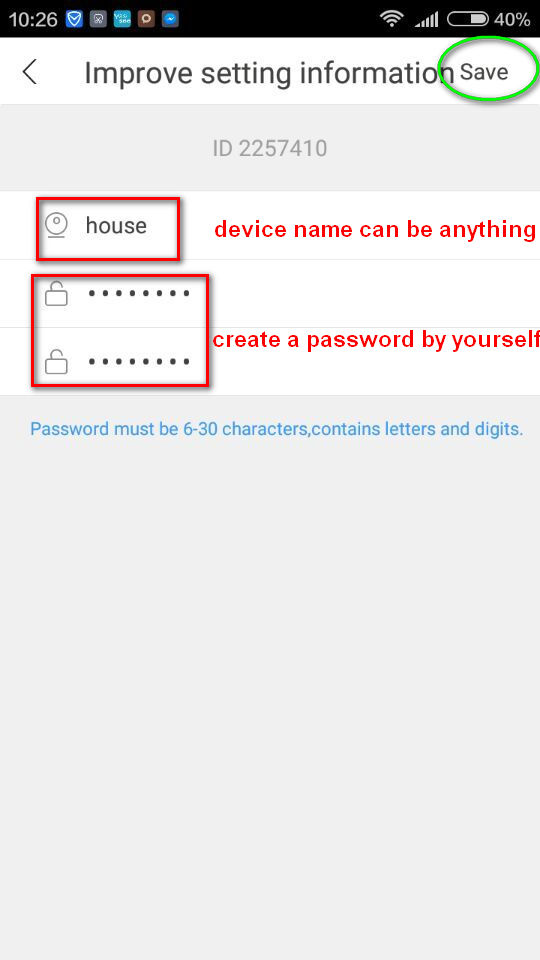
6. Create a password
Was this article helpful?
Bu bilgiler sorununuzu çözmeye yardımcı oldu mu?
Thanks for your feedback!
Still need help?
Uzman ekibimiz size yardımcı olmak için burada.