ANNKE SIGHT - How to Find the Firmware Version of Wireless NVR System and its Cameras?
20 Aug 2026
440 views
Applies to:
NW41V/N441H/N441K/N28WEB/N441B/N441D/N441L/N44PAN/N44PAJ/N34WDB/N34WDD/N44WEB/N44WED/N44WEC/NW41V/N44WBD/N48WHP/N48WHR/WL400/WE400
Purpose:
Knowing the firmware version of the ANNKE system and IP cameras allows us to make sure they are up-to-date.
Steps:
- Log in to the system on a monitor/TV.
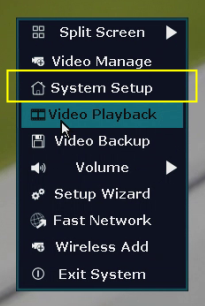
- On the system's live view screen, right-click the mouse to see a setting menu, go to [System Setup].
-
Confirm NVR firmware
Navigate to [System Admin--System version]. S/W version is the firmware version of NVR.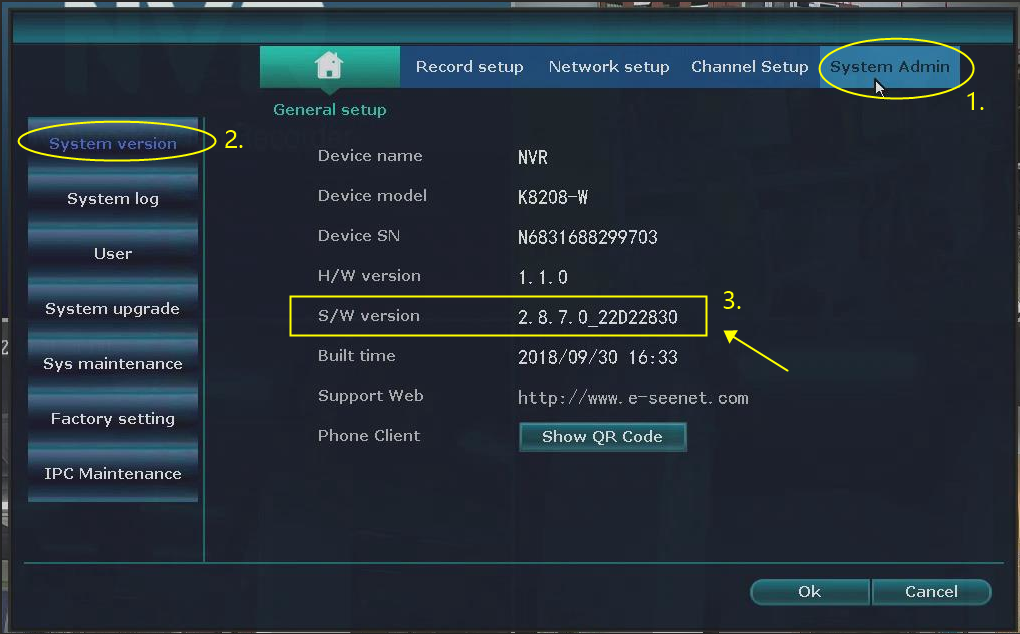
-
Confirm IP camera firmware
Method #1 (suitable for NVR firmware version 2.X):
Navigate to [System Admin--IPC Maintnenance]. S/W version is the firmware version of the IP camera.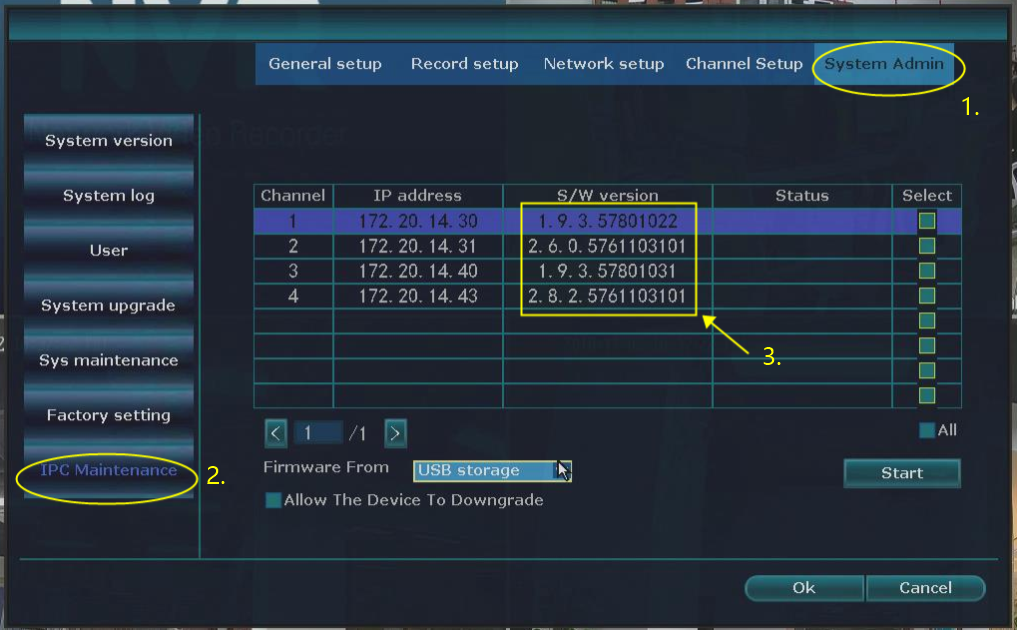
Method #2 (suitable for NVR firmware version 3.X):
Navigate to [Channel Setup--IPC Upgrade]. S/W version is the firmware version of the IP camera.
If this article is helpful to you, please click the "helpful" button below.
Was this article helpful?
Bu bilgiler sorununuzu çözmeye yardımcı oldu mu?
Thanks for your feedback!
Still need help?
Uzman ekibimiz size yardımcı olmak için burada.