Annke Smart - How to Connect the Camera to Alexa Skill?
Applies to: I41KR/I41KU/I51CK
The mentioned IP cameras can show their live view on the Echo Show. Here are the steps to link the camera to Alexa.
1. Please connect the camera to the app Annke Smart. Here is the method:
Annke Smart - How to Connect the Camera to the APP via AP Mode?
2. On the Annke Smart app, rename your camera like "baby room", "front door", etc.
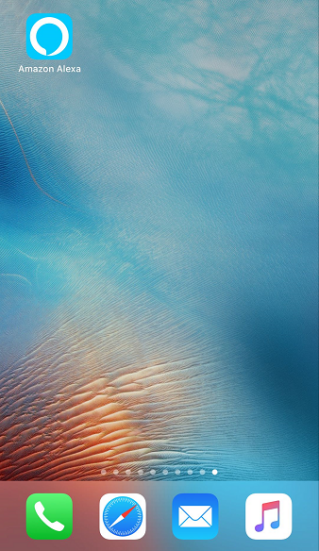
3. Log in to the app Amazon Alexa on your mobile phone. please note that you must have an Echo device and have added it to your Alexa app firstly.
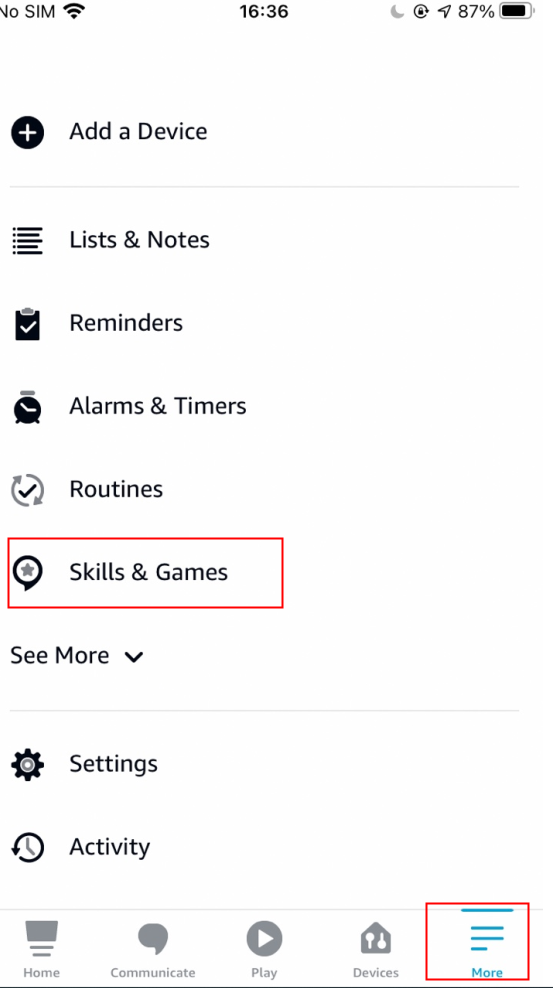
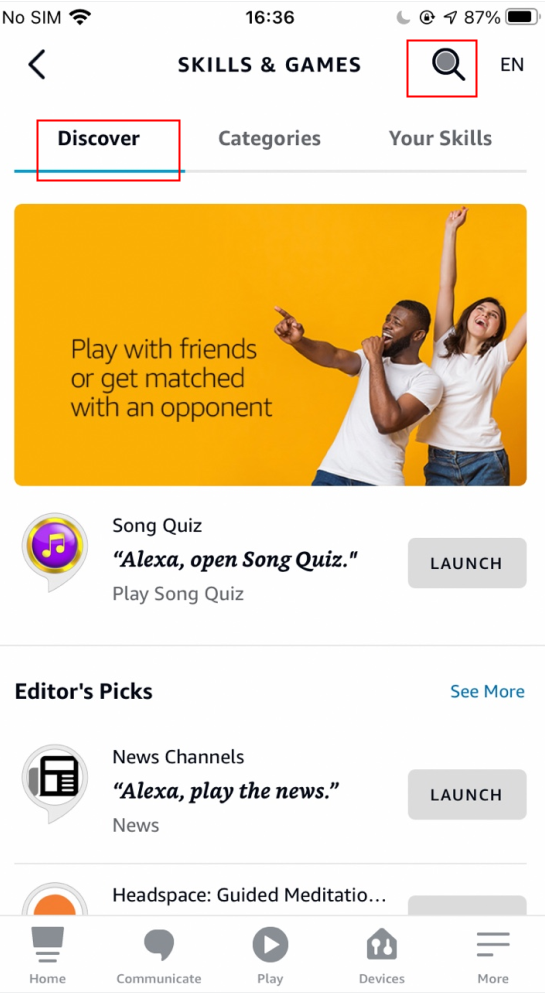
4. On the screen 'More', select "Skills & Games", input "ANNKE Smart" and search, tap "ENABLE TO USE" to enter the sign-in page where you should use your Annke Smart account to log in.
Note:
If you see the screen in different language, please swipe up on the screen to see the language option at the bottom. Touch it to choose your local language.
5. Open the Annke Smart app again to get the 8-digit verification code (pin code).
6. Input the verification code in Amazon Alexa app, click 'Authorize' and you will see the skill is linked successfully.
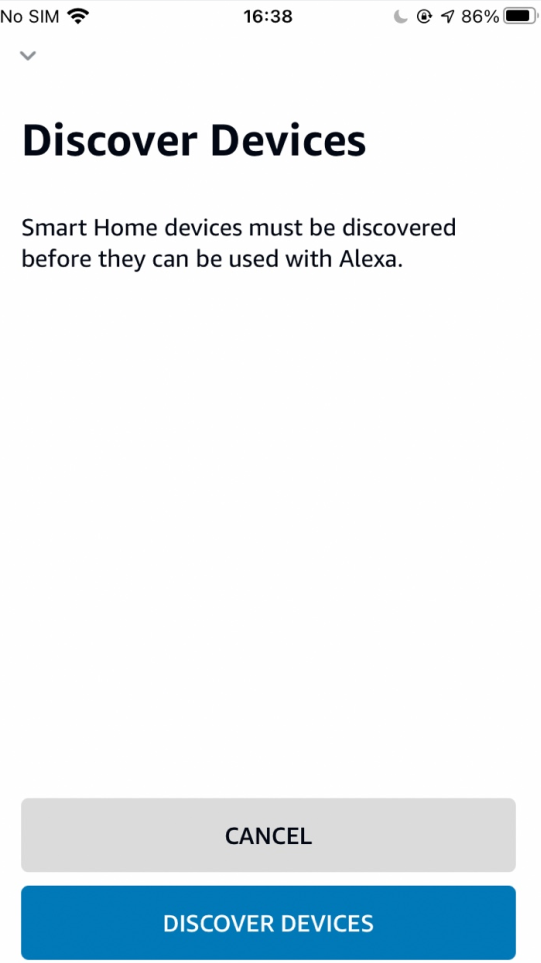
7. Then choose "Discover Devices" to search for the device.
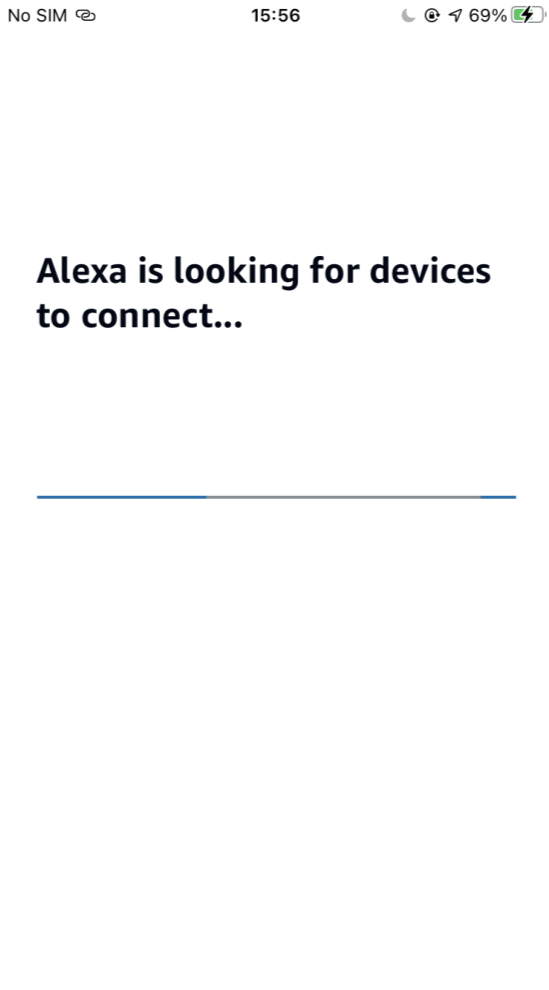
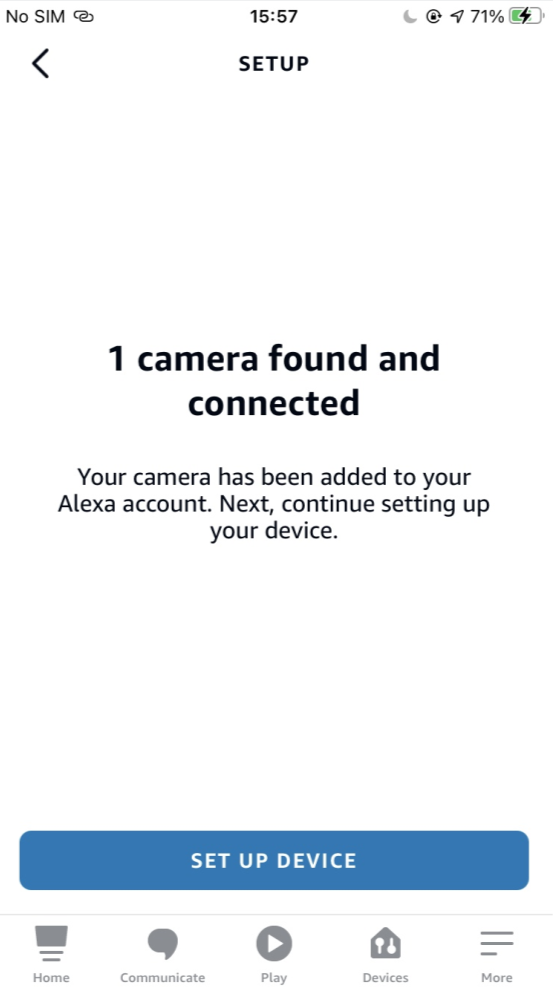
8. After connecting the Amazon Echo Show to your ANNKE cameras, speak out the voice command: "Alexa, show the XXX" or whatever you named your camera to watch the camera live feed on Echo Show.
Was this article helpful?
Bu bilgiler sorununuzu çözmeye yardımcı oldu mu?
Still need help?
Uzman ekibimiz size yardımcı olmak için burada.