Annke Vision - Backing Up the Video by Normal Search on ANNKE DVR/NVR
Applies to:
DT41Y/DT61Y/DT81Y/DN41R/DN61R/DN81R/DT41GB/DT81GB/DT61GB/DT41DB/DT81DB/DT61EQ/DW41JD/DW81KD/DW61LD/DT81DP/N48PI/N44PI/N46PI/N44PAM/N48PAW/N46PCK/N88PCH/N441Y/N481Y/S500/S300/FC200/NCK800/H800/H500
Purpose:
The record files can be back up to various devices, such as USB devices (USB flash drives, USB HDDs, USB writer), SATA writer.
Before you start:
- You should have installed storage devices like HDD before management.
- You should log in to your account.
- Click Menu> Export> Normal, and enter into the normal export interface.
Steps:
1. Select the cameras and set the search conditions, and then click the Search button to enter the search result interface.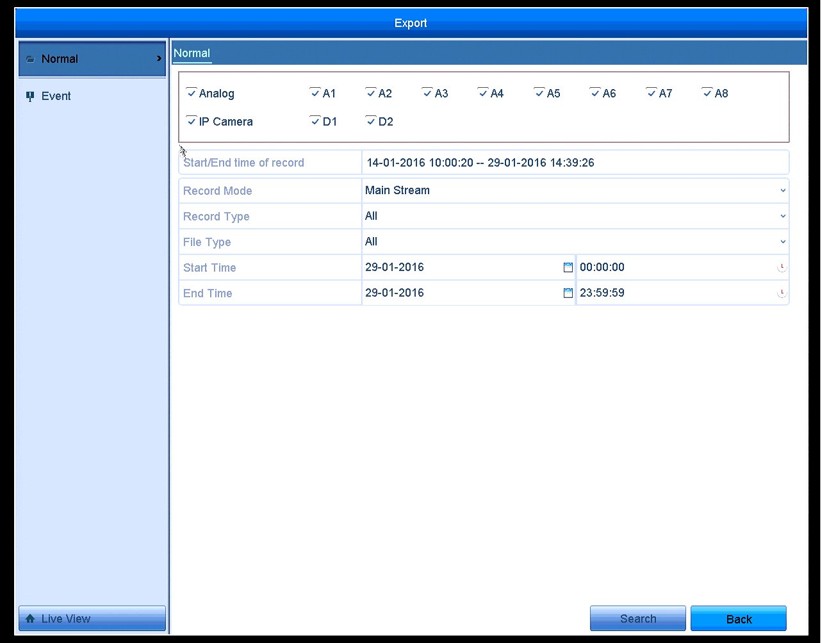
2. The matched video files are displayed in Chart or List-display mode.
- Click to play the record file if you want to check it.
- Check the checkbox before the video files you want to back up.
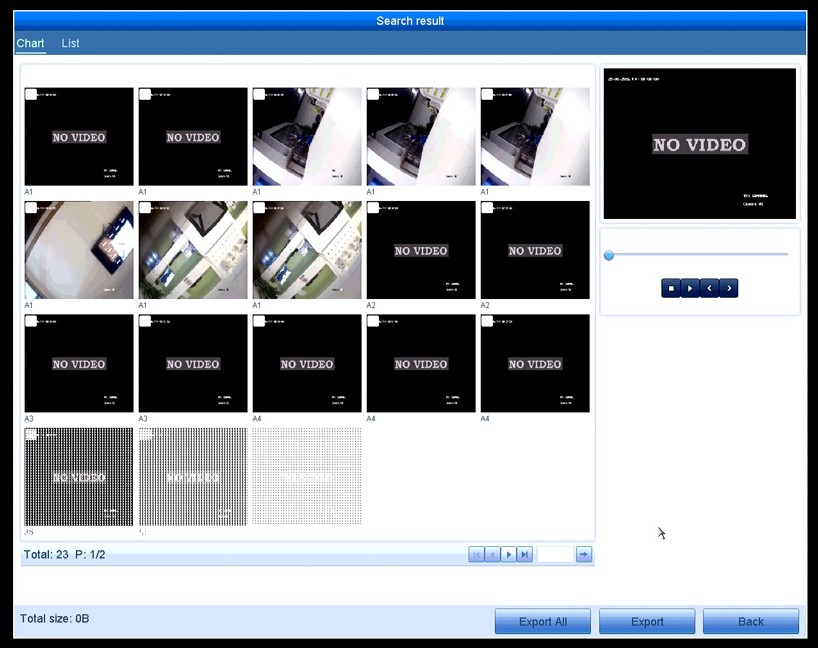
3. Select video files from the Chart or List to export, and click the button Export to enter the Export interface or click the Export All button to export all the recording files.
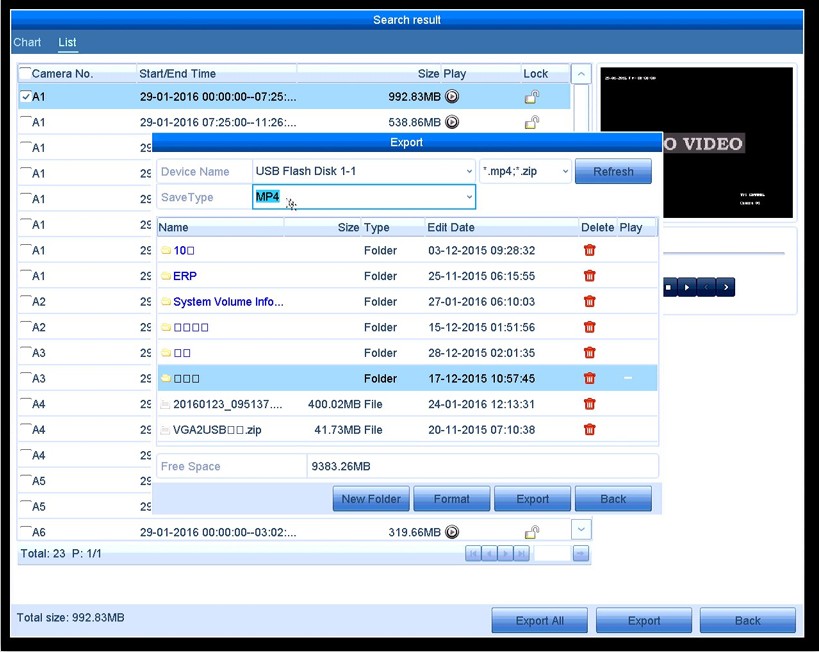
- Click the Refresh button.
- Reconnect device.
- Check for compatibility from the vendor.
Was this article helpful?
Bu bilgiler sorununuzu çözmeye yardımcı oldu mu?
Still need help?
Uzman ekibimiz size yardımcı olmak için burada.