Annke Vision - Check HDD Status on Annke DVR/NVR
20 Aug 2026
393 views
Applies to: DT41Y/DT61Y/DT81Y/DN41R/DN61R/DN81R/DT41GB/DT81GB/DT61GB/DT41DB/DT81DB/DT61EQ/DW41JD/DW81KD/DW61LD/DT81DP/N48PI/N44PI/N46PI/N44PAM//N48PAW/N46PCKN88PCH/N441Y/N481Y/S500/S300/FC200/NCK800/H800/H500
Purpose: You may check the status of the installed HDD on DVR/NVR so as to take immediate check and maintenance in case of HDD failure.
There are two ways to check the HDD status:
- Checking HDD Status in HDD Information Interface
- Checking HDD Status in System Maintenance Interface
Before you start:
- You have installed an HDD to your DVR/NVR.
- You have logged in to your device.
Checking HDD Status in HDD Information Interface
Steps:
-
Click Menu > HDD >General > HDD information.
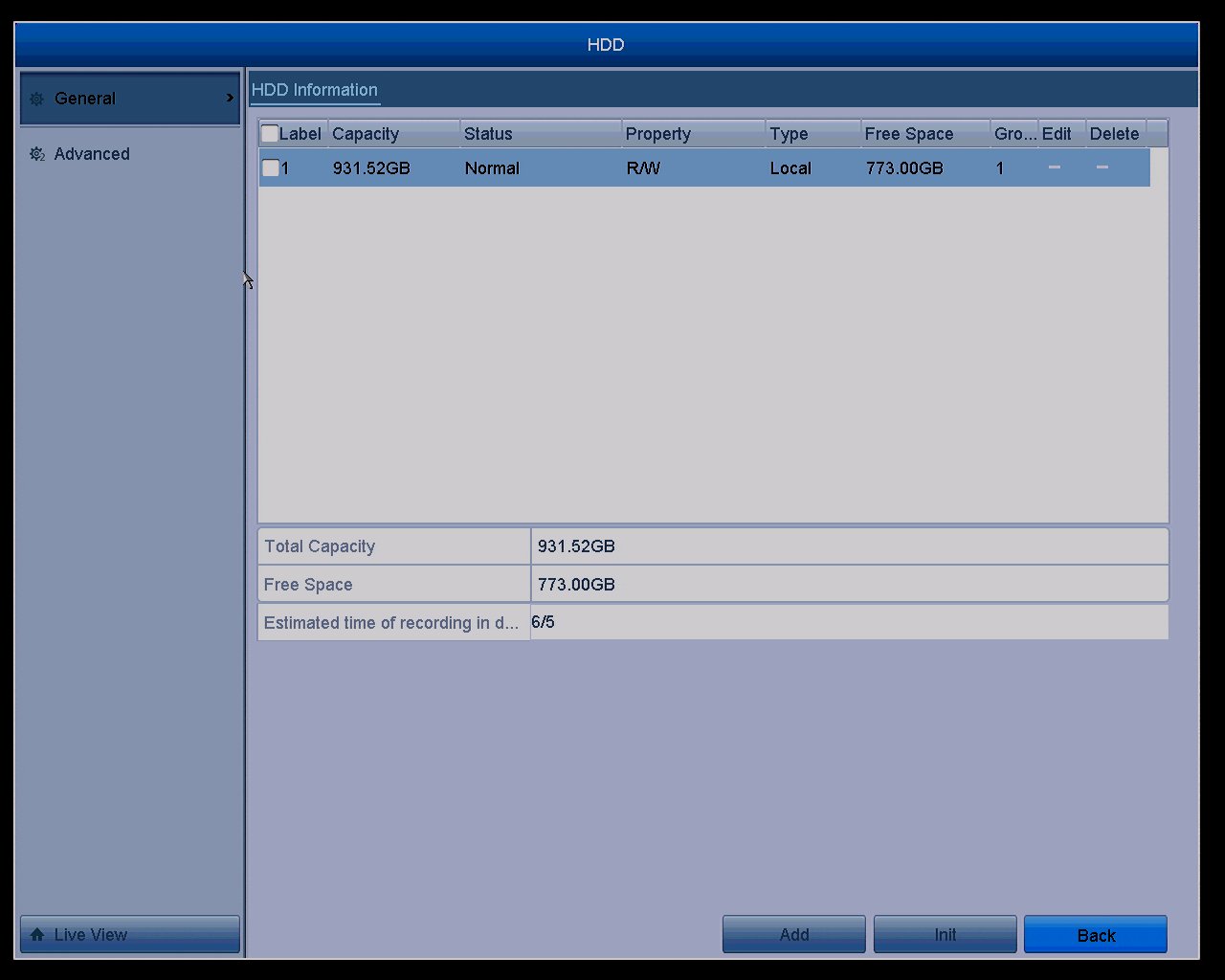
- The HDD status will be displayed on the list.
Checking HDD Status in System Maintenance Interface
Steps:
-
Click Menu > Maintenance > System info.
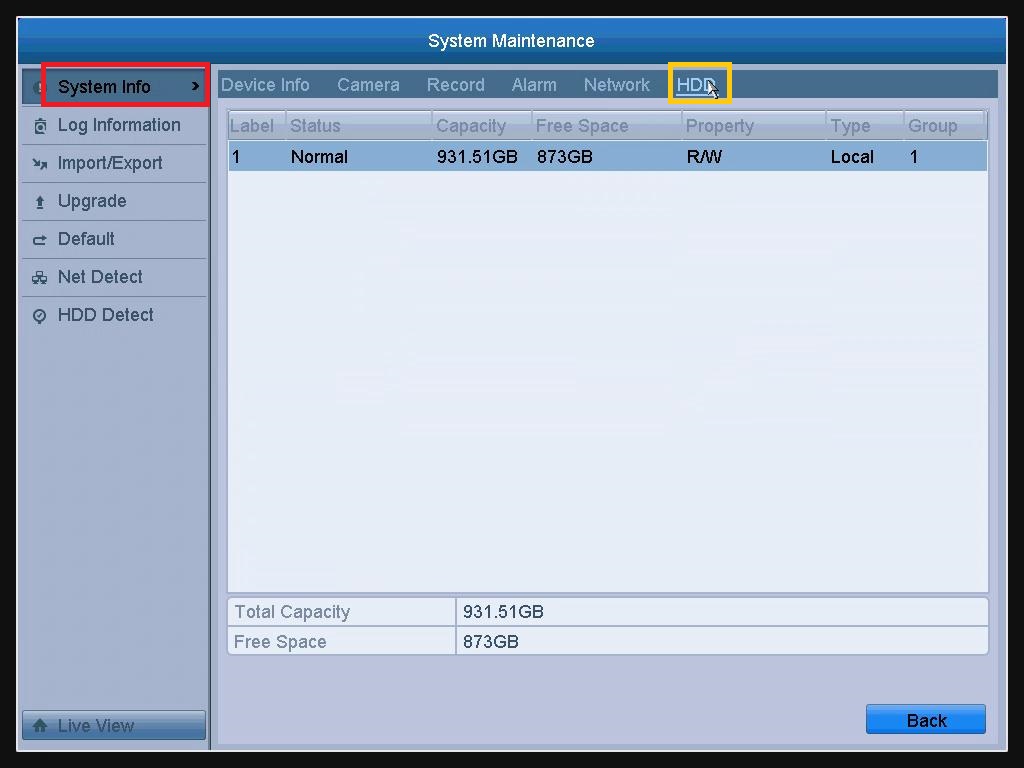
- Click the HDD tab to view the status
Notes: General HDD status:
- Normal or Sleeping: HDD works normally.
- Uninitialized or Abnormal: Please initialize/format HDD.
- Failed: It means the HDD is defective. Please replace it with a new HDD.
Was this article helpful?
Bu bilgiler sorununuzu çözmeye yardımcı oldu mu?
Thanks for your feedback!
Still need help?
Uzman ekibimiz size yardımcı olmak için burada.