Annke Vision - Edit Favorites on Annke Vision App
Applies to: DT41Y/DT61Y/DT81Y/DN41R/DN61R/DN81R/DT41GB//DT81GB/DT61GB/DT41DB/DT81DB/DT61EQ/DW41JD/DW81KD/DW61LD/DT81DP/N48PI/N44PI/N46PI/N44PAM/N48PAW/N46PCK/N88PCH/N441Y/N481Y/S500/S300/FC200/NCK800/H800/H500/C800/C500/B1200/NC400/CZ500/CZ400/I21AE/I21AF/I41DQ/I61DQ/I61DR/I61DS
Purpose: You can edit device name, add and delete cameras in the favorites.
Before you start: You should run the app and have logged in your account before using the function.
Steps:
1. Enter the Annke Vision page, you can see the Favorites.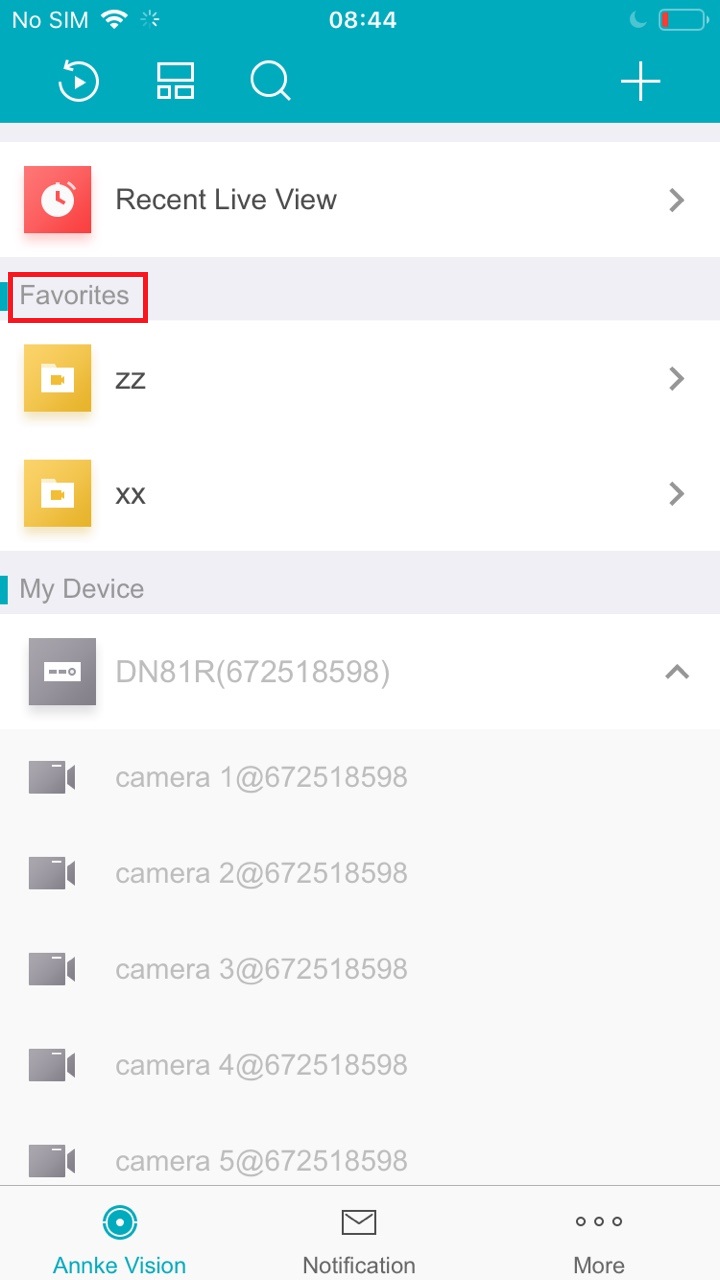
2. Click , enter the Edit Favorites page.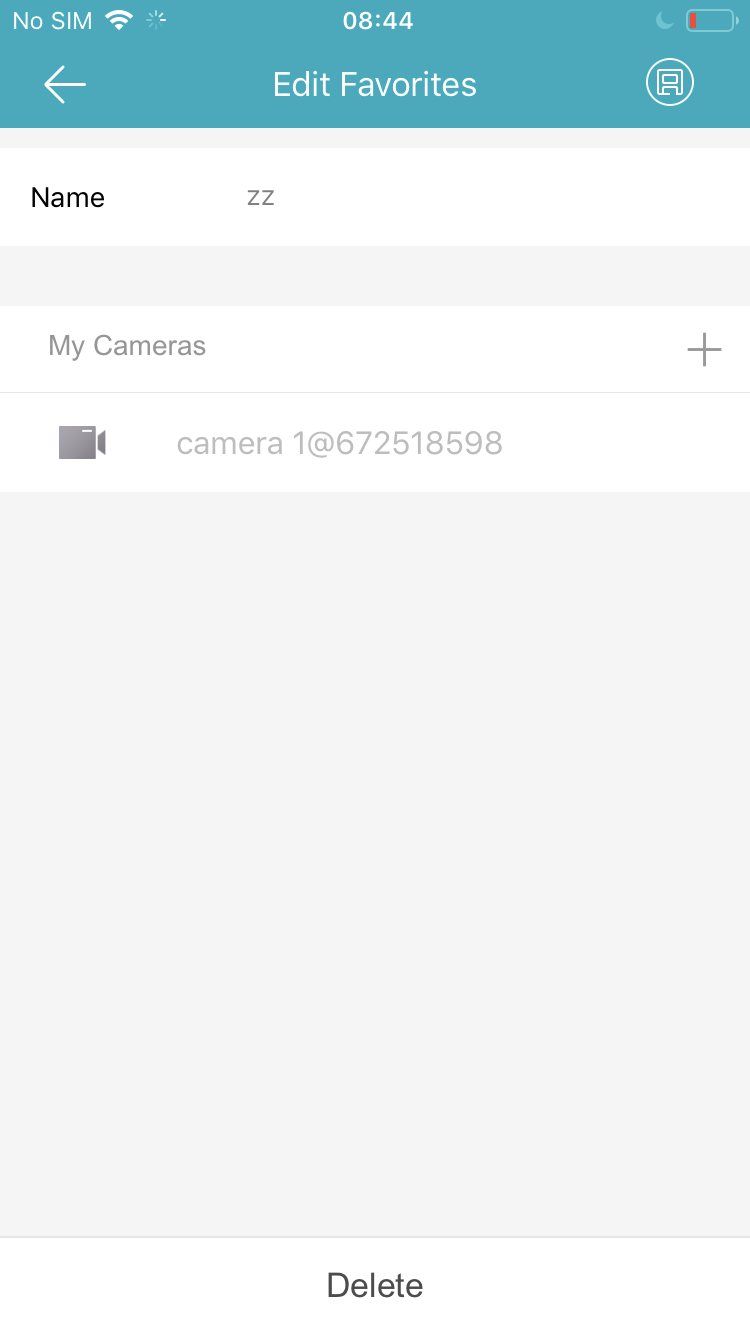
3. On the Edit Favorite Page, you can Edit the Device Name or Tap  to Add cameras Or Delete cameras in the favorites.
Was this article helpful?
Bu bilgiler sorununuzu çözmeye yardımcı oldu mu?
Still need help?
Uzman ekibimiz size yardımcı olmak için burada.