ANNKE VISION - General Guide of Watching ANNKE Cameras on Web Browser (For New Users)
Applies to:
DT41Y/DT61Y/DT81Y/DN41R/DN61R/DN81R/DT41GB/DT81GB/DT61GB/DW41JD/DW81KD/DW61LD/DT81DP/N48PI/N44PI/N46PI/N44PAM/N48PAW/N46PCK/N88PCH/S500/S300/FC200/NCK800/H800/H500
Purpose:
This article introduces some basic skills of using your ANNKE system on a Web browser.
This is the recommended access to configure your ANNKE system when the monitor/TV access is unreachable.
Categories
1. Access the Web interface
Annke Vision - How to Access DVR/NVR System on Computer Browser with Its IP Locally?
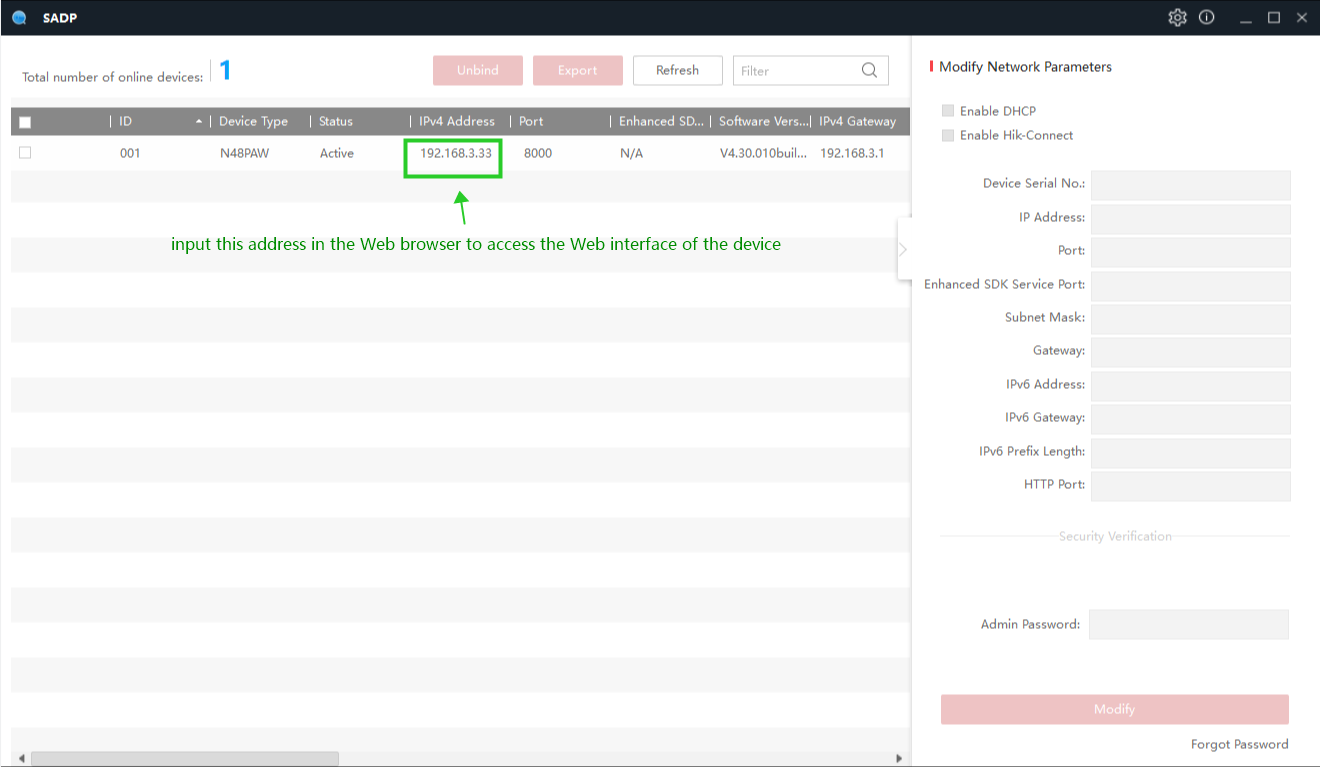
The computer software SADP Tool will help us to find the IPv4 address of ANNKE systems. With this IPv4 address, we can access the system on a Web browser.
IE browser (Internet Explorer) is the most recommended due to its best compatibility.
Note: For the ANNKE PoE IP cameras (such as C800/C500/CZ400/CZ500/NC800/NC400) connected on the ANNKE NVR system, please access its Web interface by following this article.
2. Live view
Annke Vision - Introduction to the Live View Screen On the Web Interface
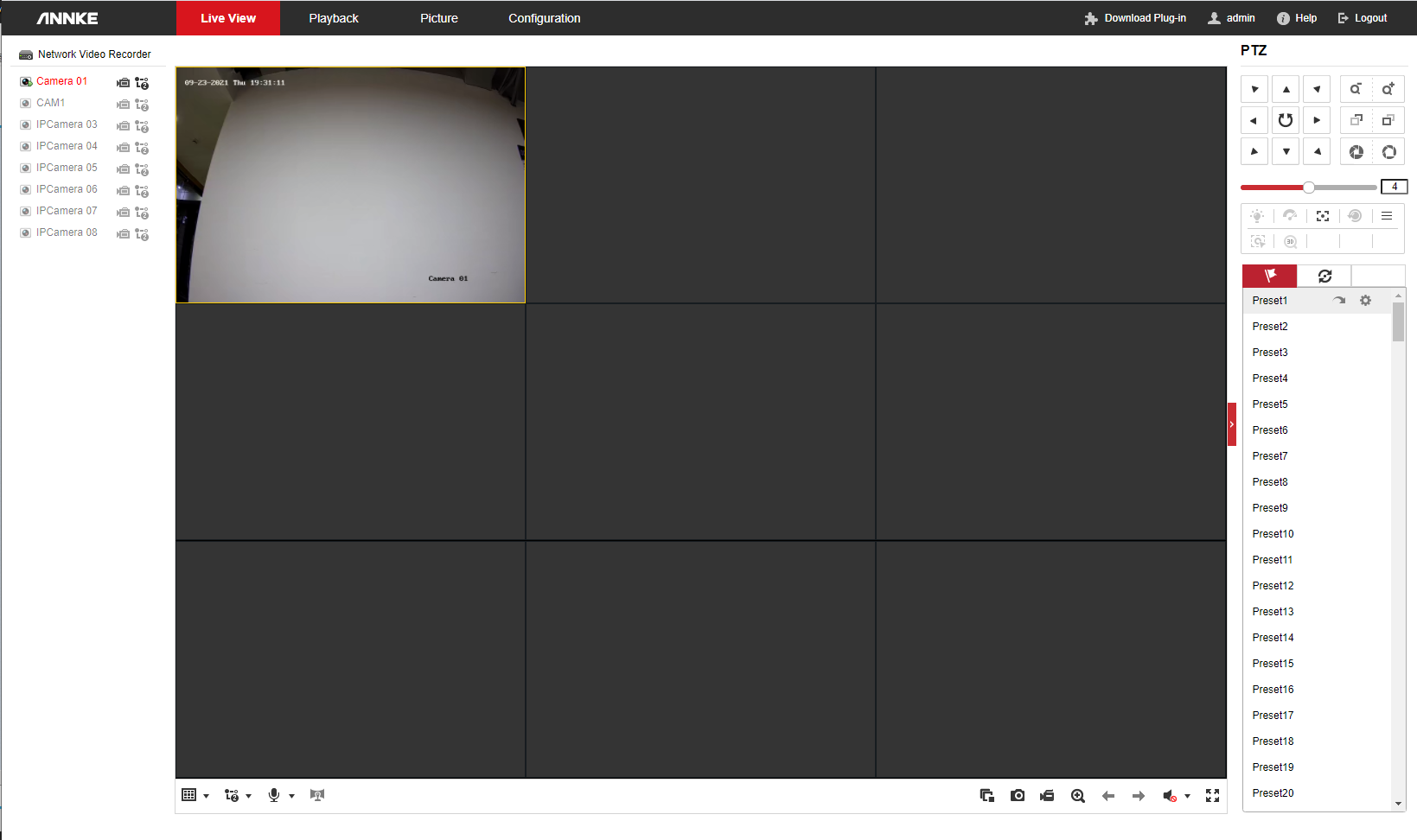
We can watch the camera live view on this page. To do so, we will need to install the plug-in first.
On this page, we can also use the PTZ control for the supported cameras (such as CZ400/CZ500).
3. Playback & download footage
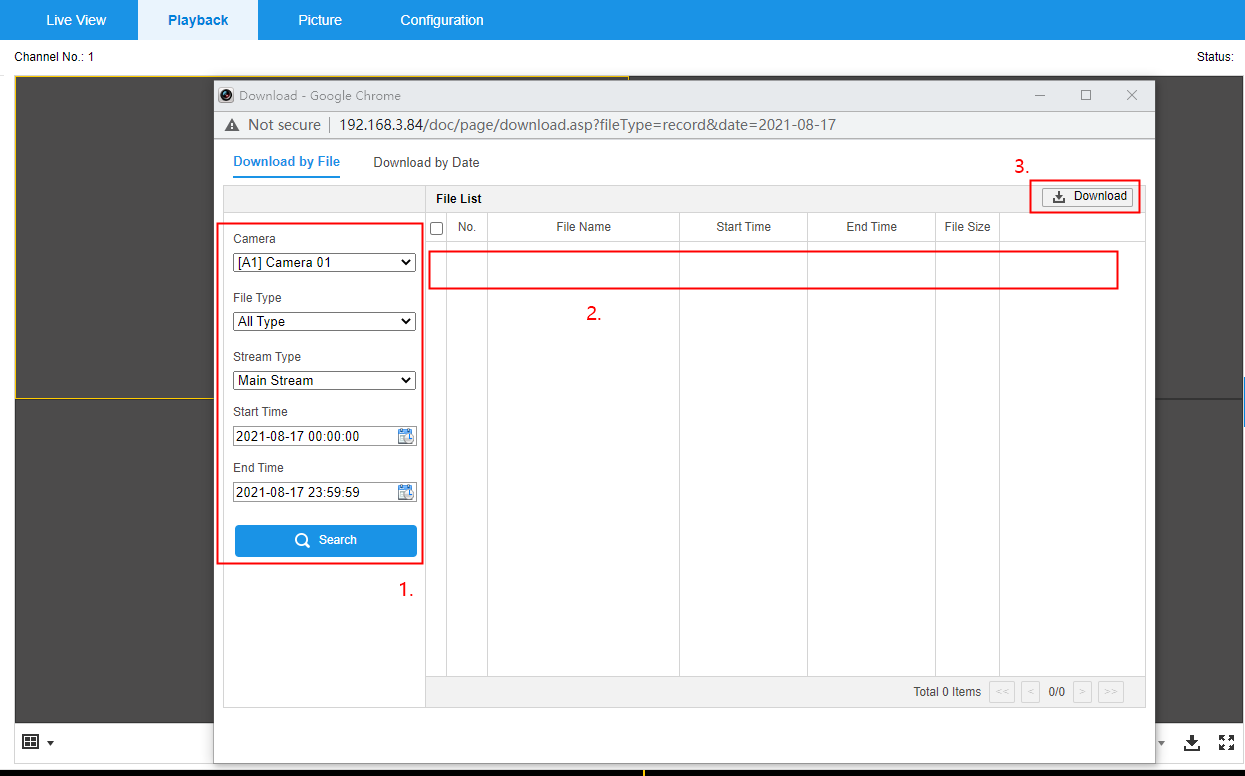
Annke Vision - How to Playback and Download Recordings for ANNKE Systems on Web Interface?
Playback on the Web interface is as fluent as on the monitor/TV.
Download footage from the Web interface allows us to watch/edit/share them easier.
4. Configurations
Annke Vision - Set up 24-Hour Continuous Recording for The Standalone POE Camera on The Web Browser
Annke Vision - Set up Motion Detection Recording for The Standalone POE Camera on The Web Browser
Annke Vision - How to Restore the DVR/NVR on Computer Browser with Its IP Adress Locally?
Annke Vision - How to Update the System's Firmware on the Web Interface?
Annke Vision - How to Set Up Audio on Web Interface?
Annke Vision - Modify Output Resolution of ANNKE Systems on the Web Interface
Annke Vision - Set Up Privacy Mask on the Web Interface
Annke Vision-How to Rotate The Image on The Web Browser?
Annke Vision - Set Up Camera OSD On the Web Interface
Annke Vision-How to Set Overwrite Function for The SD Card on The Web Browser?
The configuration page on Web interface is basically similar to the monitor/TV interface.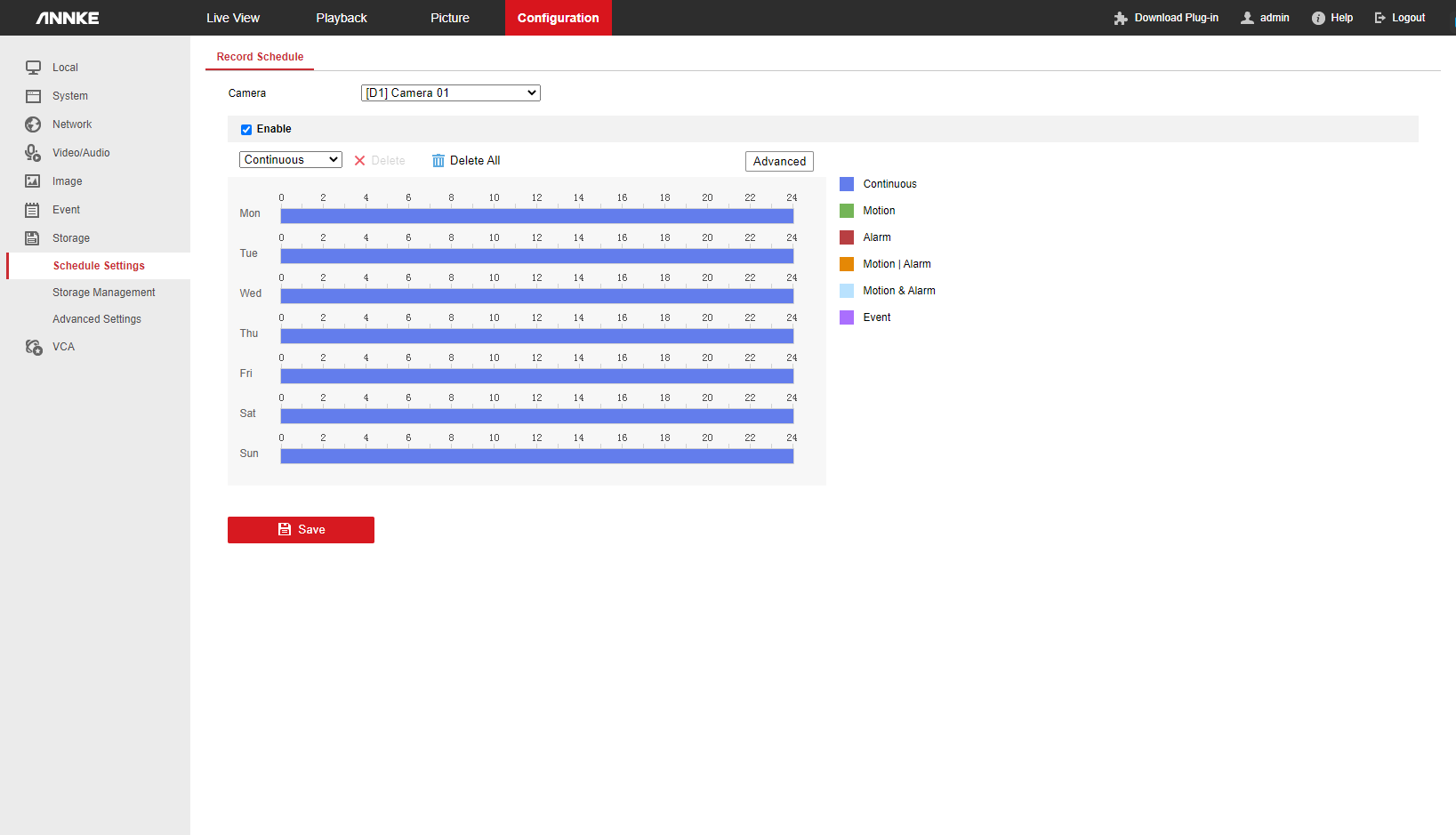
5. Advanced apply
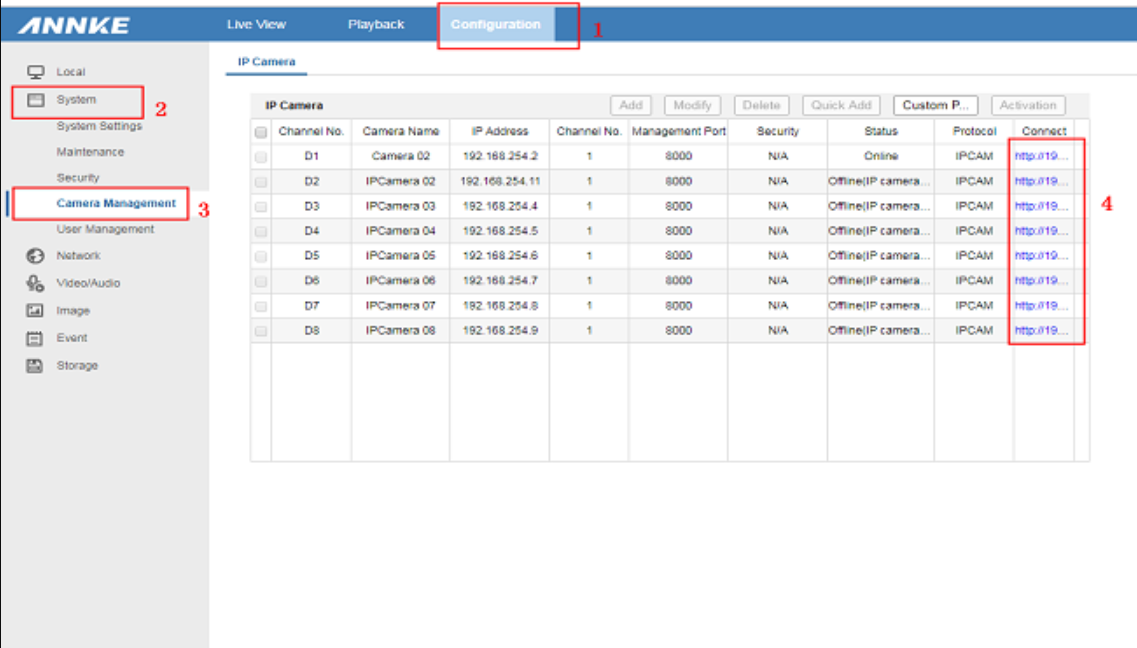
Annke Vision - How to Access the IP camera's configuration page on the NVR?
For some ANNKE NVR systems (H800 series), we can use the Virtual Host feature to access the Web interface of each ANNKE POE camera on the system. With this feature, we don't have to connect the camera separately in the network to configure it.
If you find this article helpful, please click 'Helpful' at the end of this article.
If you have any suggestions or questions for this article, please contact ANNKE support here.
Was this article helpful?
Bu bilgiler sorununuzu çözmeye yardımcı oldu mu?
Still need help?
Uzman ekibimiz size yardımcı olmak için burada.